Charging the Buoy

WARNING

This device contains a lithium-ion battery. See the Important Safety and Product Information guide in the product box for product warnings and other important information.

NOTICE

To prevent corrosion, thoroughly clean and dry the contacts and the surrounding area before charging or connecting to a computer. Refer to the cleaning instructions (Device Care).

  1. Pinch the sides of the charging clip.
  2. Align the clip with the contacts on the bottom of the buoy, and release the clip.
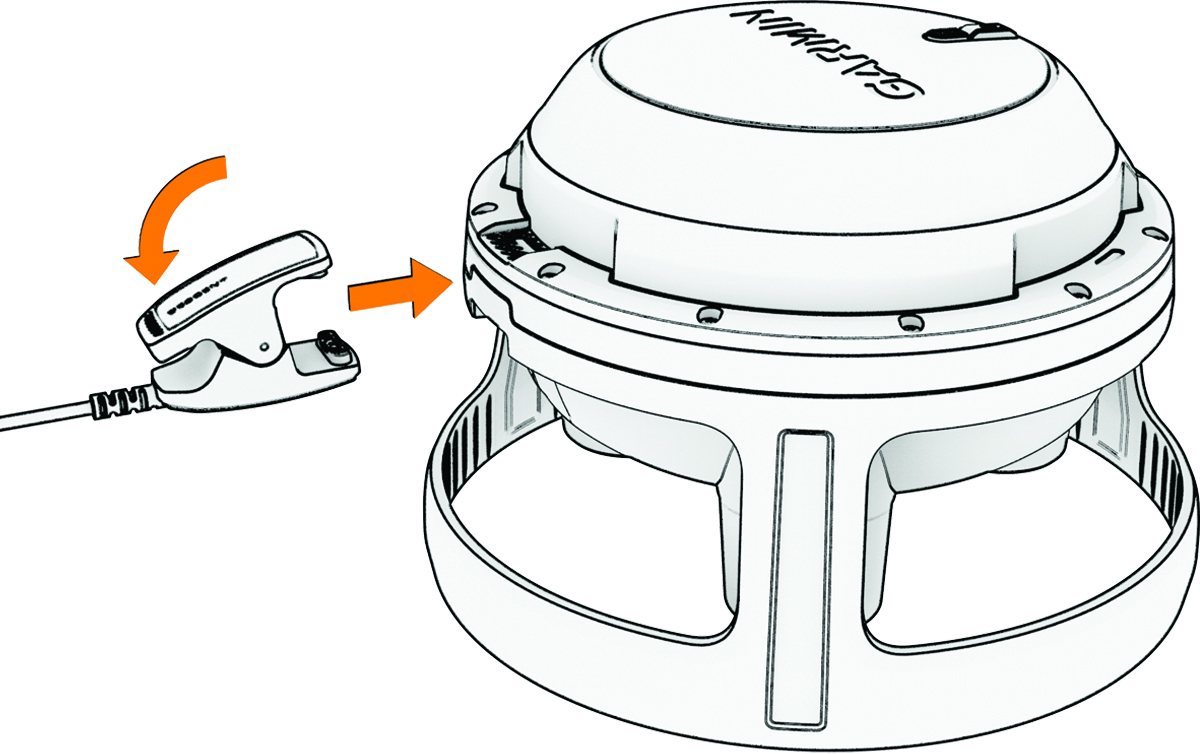
    Device charging
  3. Plug the cable into a USB-C® charging port or wall adapter (5 W minimum output power).

    The status LED indicates the battery charge level.

    LED Activity

    Battery Level

    Flashing orange

    0 to 24%

    Rapidly flashing green

    25 to 74%

    Slowly flashing green

    75 to 99%

    Solid green

    100%

GUID-F032AB3F-3DE6-4822-9233-C99458D861B6 v1
July 2025