Using the Chores Glance

Before you can use the chores glance, you must be assigned chores in the Garmin Jr.™ app (Assigning Chores) and have an active LTE Subscription ( LTE Connected Features).

  1. Swipe up to view the chores glance.

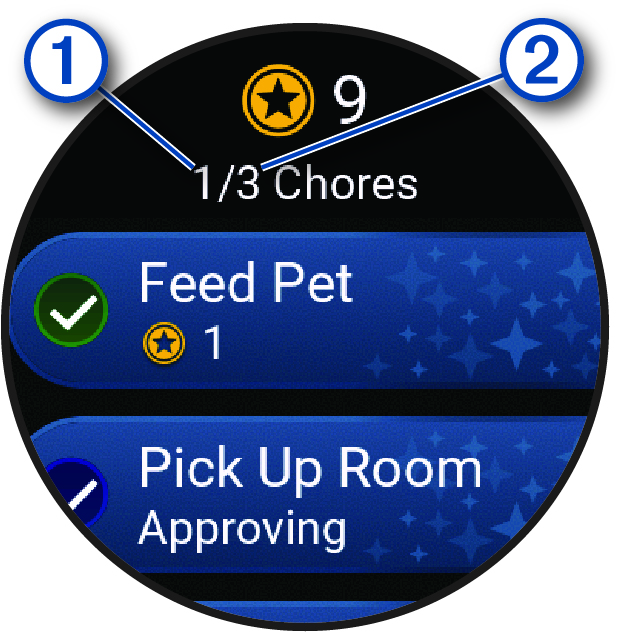
    The watch displays the updated number of chores completed 1 and assigned 2 for the day.


    Chore data with callouts
  2. Select the chore you completed.

    The chore displays Approving until the chore is approved in the Garmin Jr. app (Approving Chores). After the chore is approved, the watch displays the updated number of coins earned.

Coins are available to be redeemed in the Garmin Jr. app (Redeeming Rewards).
GUID-ED045F09-4EC3-41F5-AAAC-42B3A3836894 v1
September 2025