Flush Mounting the Device

You can cut a hole in the mounting surface and install the device closer to the surface for a more flush appearance.

NOTE: The image used in this procedure shows a vertical version of the device. The same steps apply for the horizontal version.
  1. Trim the included template and make sure it fits in the location where you want to mount the device.
  2. Secure the template to the mounting location.
  3. Using a 11.2 mm (7/16 in.) drill bit, drill one or more of the holes inside the corners of the solid line on the template to prepare the mounting surface for cutting.
  4. Using a rotary cutting tool or jigsaw, cut the mounting surface along the inside of the solid line indicated on the template.
  5. Place the device into the cutout to test the fit.
  6. If necessary, use a file and sandpaper to refine the size of the hole.
  7. Ensure the mounting holes on the device line up with the pilot holes on the template.
  8. If the mounting holes on the device do not line up with the pilot holes on the template, mark the new pilot-hole locations on your template.
  9. Remove the device and template from the mounting surface.
  10. Using a 2 mm (5/64 in.) drill bit, drill the pilot holes.
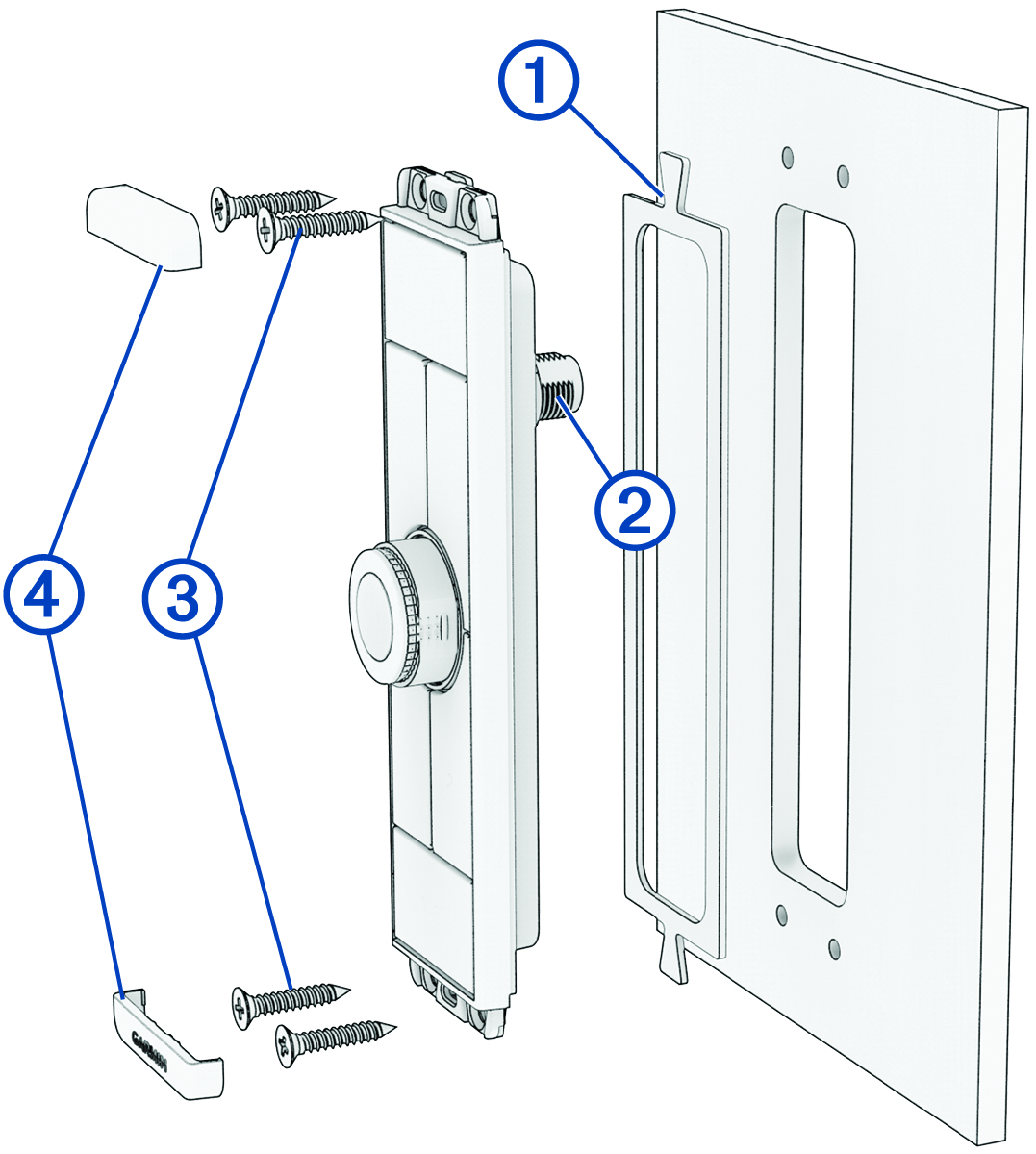
  11. Place the rubber gasket Callout number 1 on the back of the device.

    Mounting diagram with callouts
  12. If you will not have access to the back of the device after you mount it, route the NMEA 2000® drop cable through the hole, and connect it to the port on the device Callout number 2.
  13. Place the device into the cutout.
  14. Secure the device to the mounting surface using the included self-tapping, countersunk wood screws Callout number 3.
    NOTE: Two lengths of screws are included in the product package. You should use the shorter set of screws when flush mounting the device.
  15. Snap the trim caps Callout number 4 into place.
GUID-ECDEE7E0-F12E-4700-8A8C-300A4CD5953A v1
January 2025