Changing the Bands
You can replace the bands with new Descent™ X30 bands or compatible QuickFit® 26 mm bands.
-
Use a paper clip to push in one
of the band pins, and remove the band from the device.
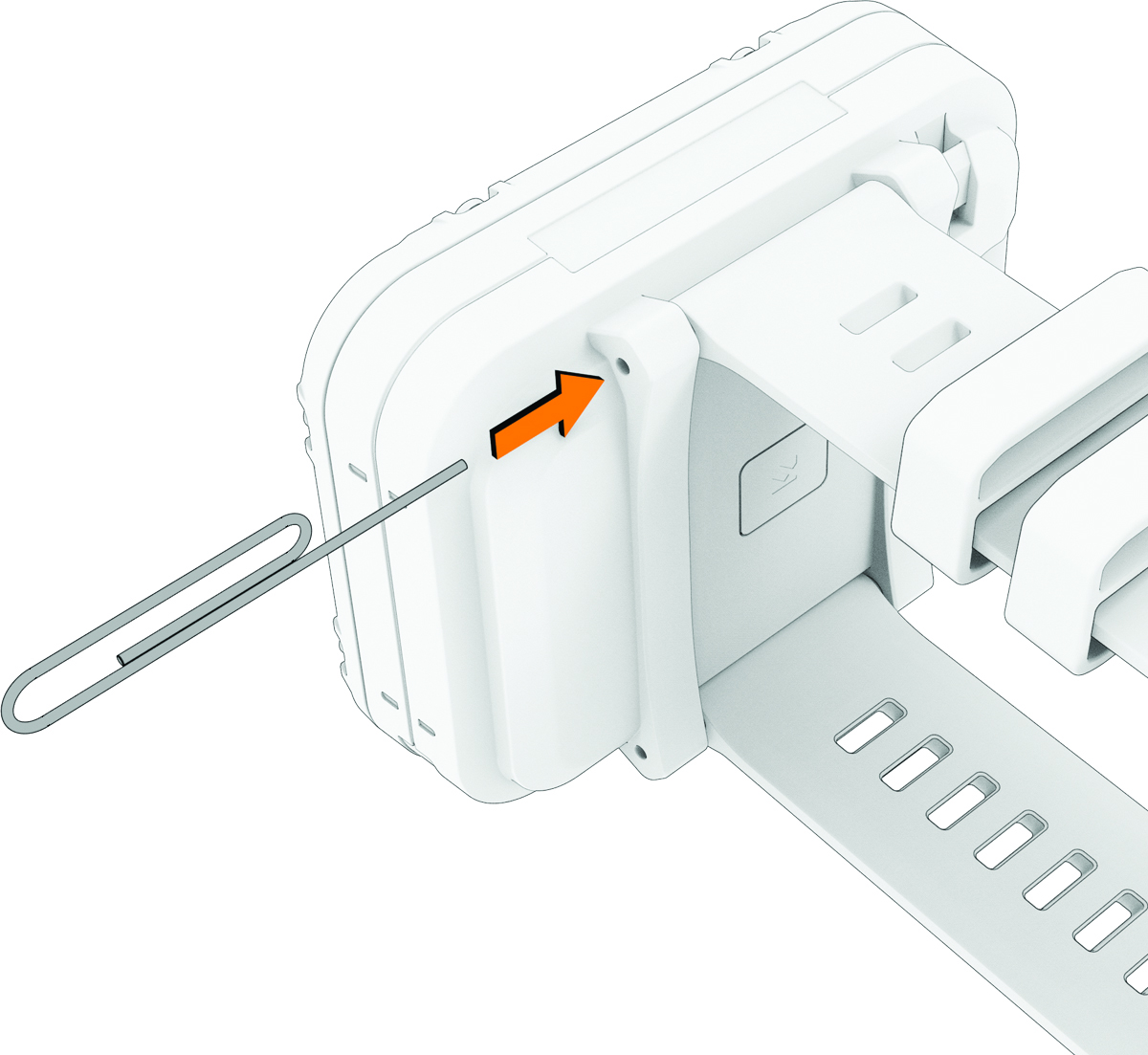
-
Select an option:
-
To install a new Descent X30 band, align one side of the new band with the holes on the dive computer, push in the exposed pin, and press the band into place.
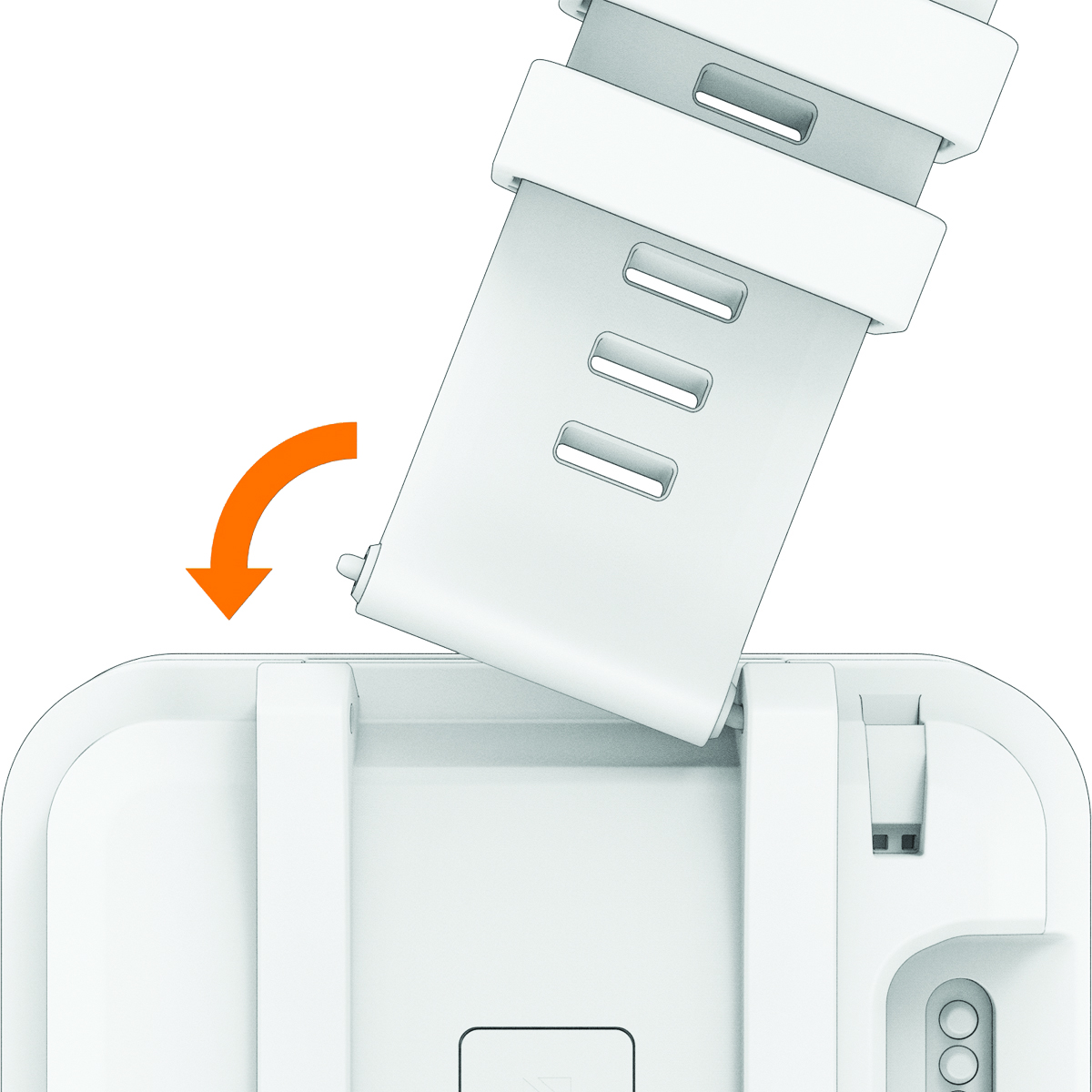
NOTE: Make sure the band is secure. The pin should align with the holes on the dive computer. -
To install a compatible QuickFit band, remove the pin from the Descent X30 band, replace the pin on the dive computer, and press the new band into place.
NOTE: Make sure the band is secure. The latch should close over the pin.
-