Flush Mounting the Device

NOTICE

Be careful when cutting the hole to flush mount the device. There is only a small amount of clearance between the case and the mounting holes, and cutting the hole too large could compromise the stability of the device after it is mounted.

NOTICE

Using a metal pry tool such as a screwdriver can damage the trim caps and the device. Use a plastic pry tool when possible.

You can mount the device in your dashboard using the flush-mount template and included screws.

  1. Secure the template to the mounting location.
  2. Using a 8.5 mm (11/32 in.) drill bit, drill one or more of the holes inside the corners of the solid line on the template to prepare the mounting surface for cutting.
  3. Using a jigsaw or rotary cutting tool, cut the mounting surface along the inside of the solid line indicated on the template.
  4. Place the device into the cutout to test the fit.
  5. If necessary, use a file or sandpaper to refine the size of the cutout.
  6. Use a pry tool, such as a flat piece of plastic or a screwdriver, to carefully pry up the corners of the trim caps, and remove the trim caps.
  7. Place the device in the cutout, and ensure the mounting holes on the device line up with the pilot holes on the template.
  8. If the mounting holes on the device do not line up with the pilot holes on the template, mark the new hole locations.
  9. Using a 3.2 mm (1/8 in.) drill bit, drill the pilot holes.
  10. Remove the template from the mounting surface.
  11. Install the rubber gasket 1 on the back of the device.

    The individual pieces of the rubber gasket have adhesive on the back. Make sure you remove the protective liner before installing them on the device.
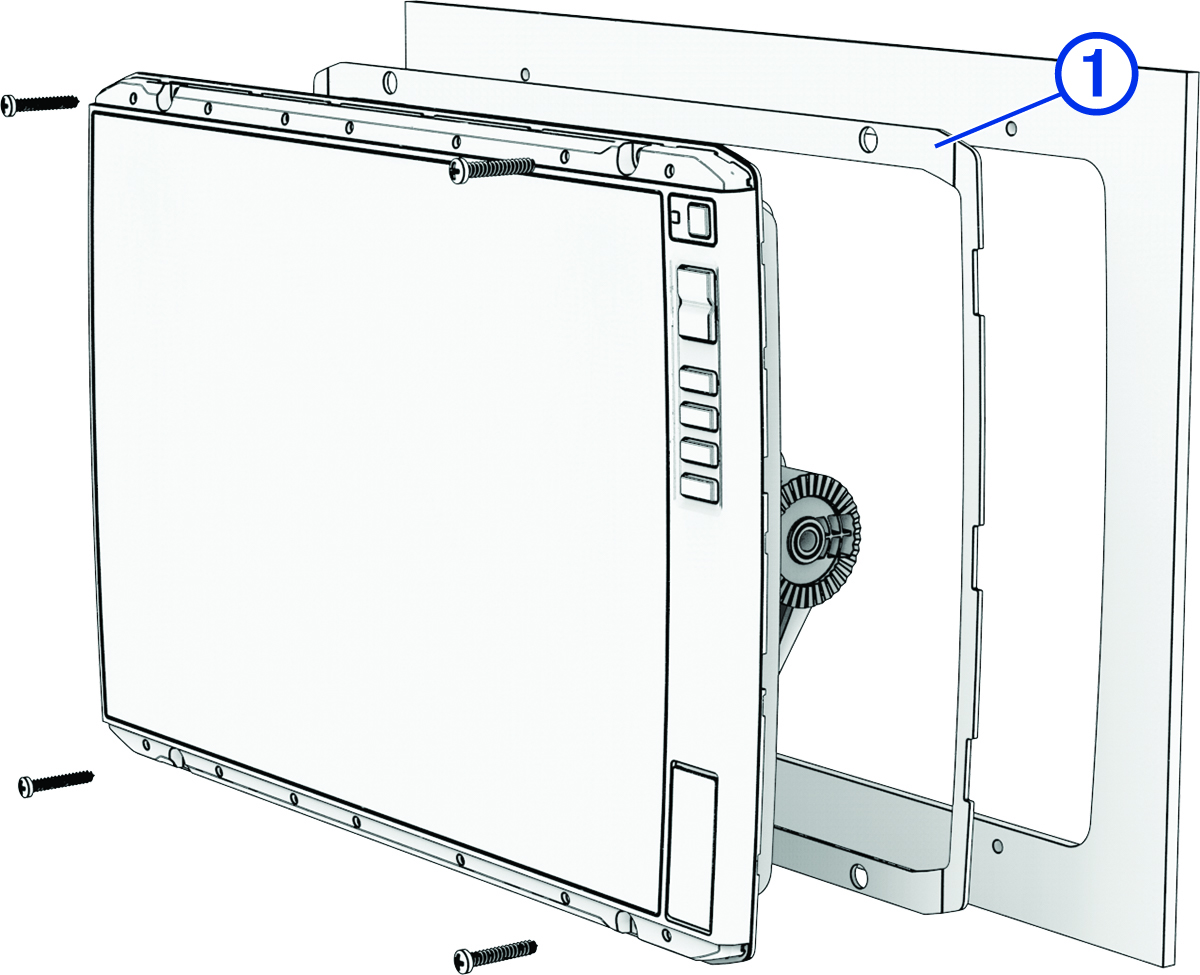

    Front view of the device showing the flush mount configuration
  12. Connect all necessary cables(Connector View), and turn the locking rings clockwise to secure the cables to device before placing it into the cutout.
    NOTICE

    To prevent corrosion of the metal contacts, cover unused connectors with the attached weather caps.

  13. Place the device into the cutout.
  14. Secure the device to the mounting surface using the included screws.
  15. Install the trim caps by snapping them in place around the edges of the device.
GUID-EAE4C7A4-1CB0-4A16-8626-400487658451 v1
July 2025