Viewing Notifications
You can view your phone notifications on your watch from several menu locations.
-
Select an option:
-
From the watch face, swipe down to view the notification center.
-
From the watch face, swipe up to view the notifications glance.TIP: From the glance, you can swipe left to dismiss a notification.
-
From the watch face, press
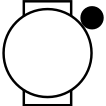 , and select
Notifications to view the notifications app.
, and select
Notifications to view the notifications app.
-
Hold
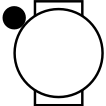 , and select Notifications to view the
notifications control.
, and select Notifications to view the
notifications control.
-
- Select a notification.
-
Press
for more options.
- Scroll to the top of the notifications, and select Dismiss All to dismiss all notifications.