Viewing Aviation Weather Information
This watch is not intended to provide primary flight information and is to be used for supplemental purposes only.
This feature allows users to view weather data and set alerts for information that is provided and maintained by third parties. Garmin® makes no representations about the accuracy, reliability, completeness, or timeliness of weather data provided by third parties. It is your responsibility to review weather reports and conditions, to remain aware of your surroundings, and to use safe judgment, especially during times of potential severe weather.
-
From the watch face, press
 to view the weather glance.
NOTE: You may need to add the glance to your glance list (Customizing the Glances List).
to view the weather glance.
NOTE: You may need to add the glance to your glance list (Customizing the Glances List). -
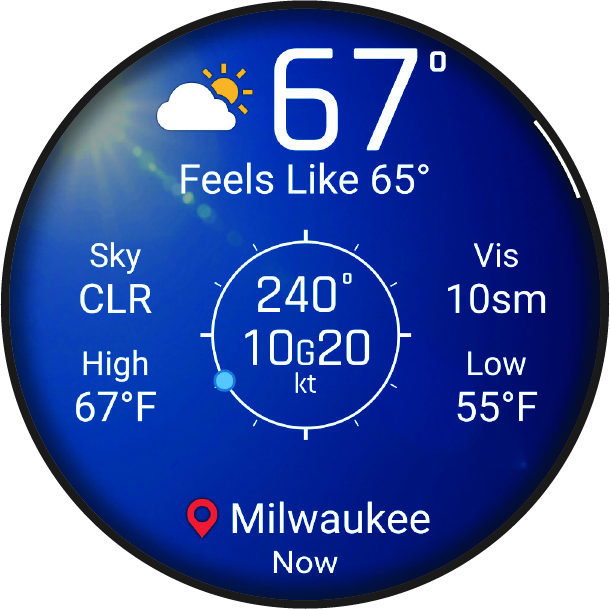
Select the glance to view the
current weather for your location.
-
If necessary, press
 to set your location, view weather alerts, or update
weather options.
to set your location, view weather alerts, or update
weather options.
-
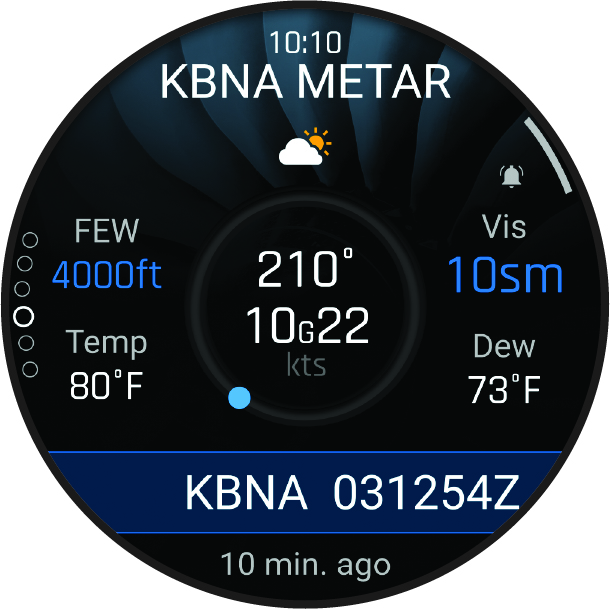
Tap the METAR or TAF report to
view more details.
-
If necessary, press to enable METAR, special weather report (SPECI), or TAF
alerts.