Installing the VHF Dock in Your Vehicle

WARNING

Both the device and its mount contain magnets. Under certain circumstances, magnets may cause interference with some internal medical devices and electronic devices, including pacemakers, insulin pumps, or hard drives in laptop computers. Keep the device away from medical devices and electronic devices.

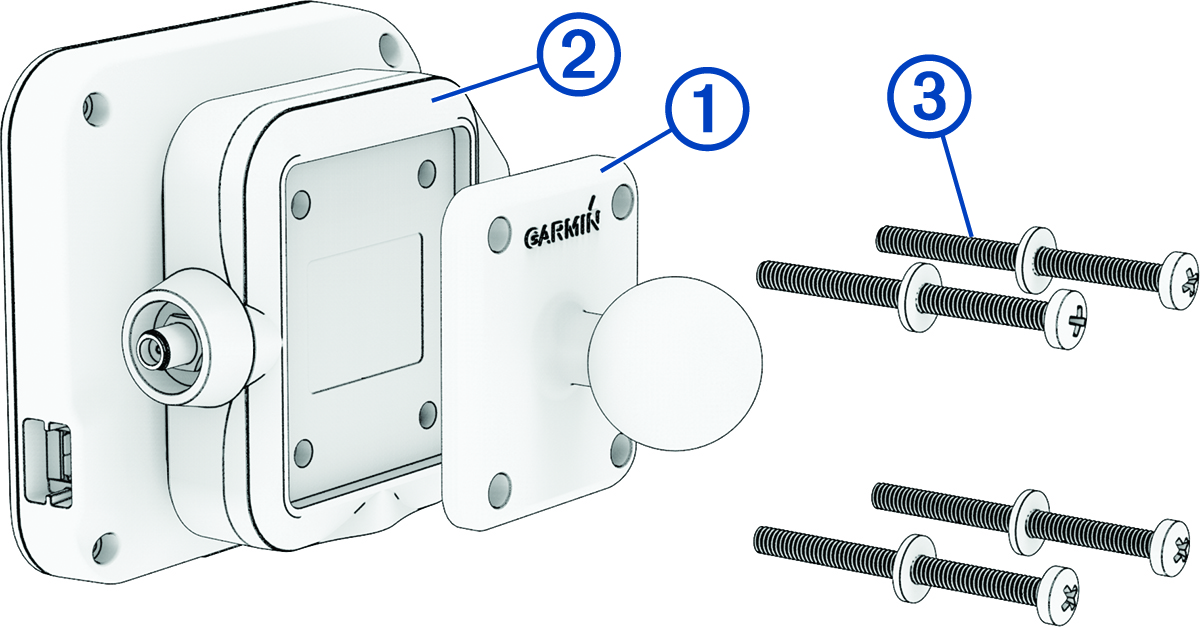
  1. Secure the ball adapter Callout number 1 to the mount Callout number 2 using the included screws and washers Callout number 3.

    Ball mount installation with callouts
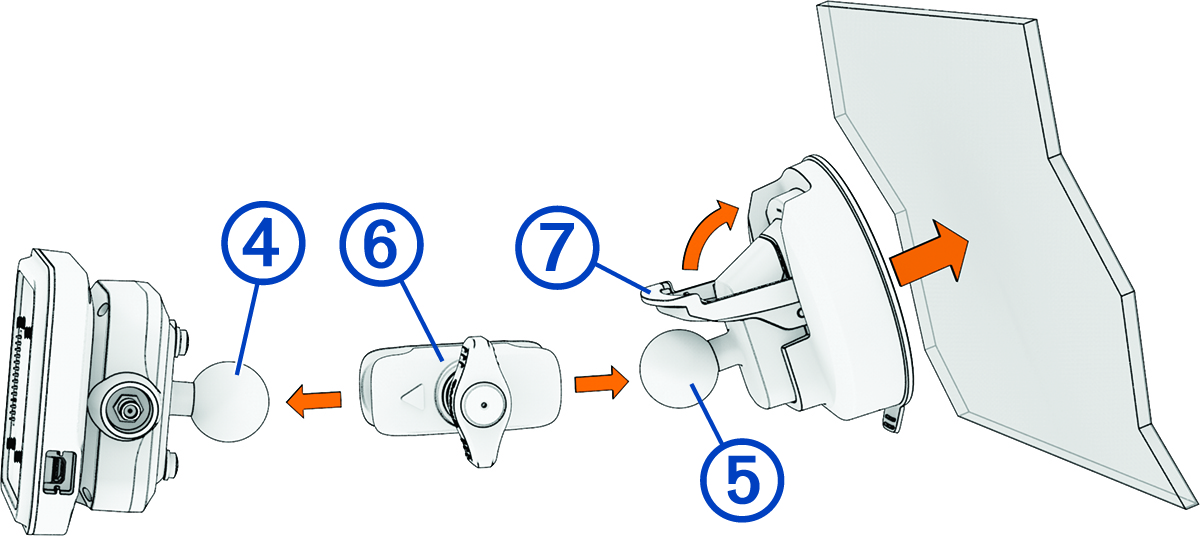
  2. Connect the ball of the powered magnetic mount Callout number 4 and the ball of the suction cup Callout number 5 to the double-socket arm Callout number 6.

    Suction cup installation with callouts
  3. Tighten the knob on the double-socket arm slightly.
  4. Clean and dry your windshield and the suction cup with a lint-free cloth.
  5. Press the suction cup to the windshield, and flip the lever Callout number 7.
  6. If necessary, rotate the powered magnetic mount so the Garmin® logo faces right-side up, and adjust the mount for better viewing and operation.
  7. Tighten the knob to secure the mount.
GUID-E4961C4C-A75C-4277-A125-70E674AFA2F4 v2
June 2025