Getting Started
See the Important Safety and Product Information guide in the product box for product warnings and other important information.
The Tacx® Alpine gradient simulator is compatible with the Tacx NEO 3M and Tacx NEO 2T trainers after you update the trainer to the latest software.
-
Scan the QR code with the camera on your phone, and follow the
Tacx Training app instructions.

TIP: The Tacx Training app includes device setup, videos, and software updates (Pairing the Tacx Alpine with Your Trainer and the App).You should keep the software for your Tacx device up to date. Software updates provide changes and improvements to privacy, security, and features.
-
For best results, use the
Tacx Alpine with a firm mat or low pile carpet. Avoid soft and high pile carpet.
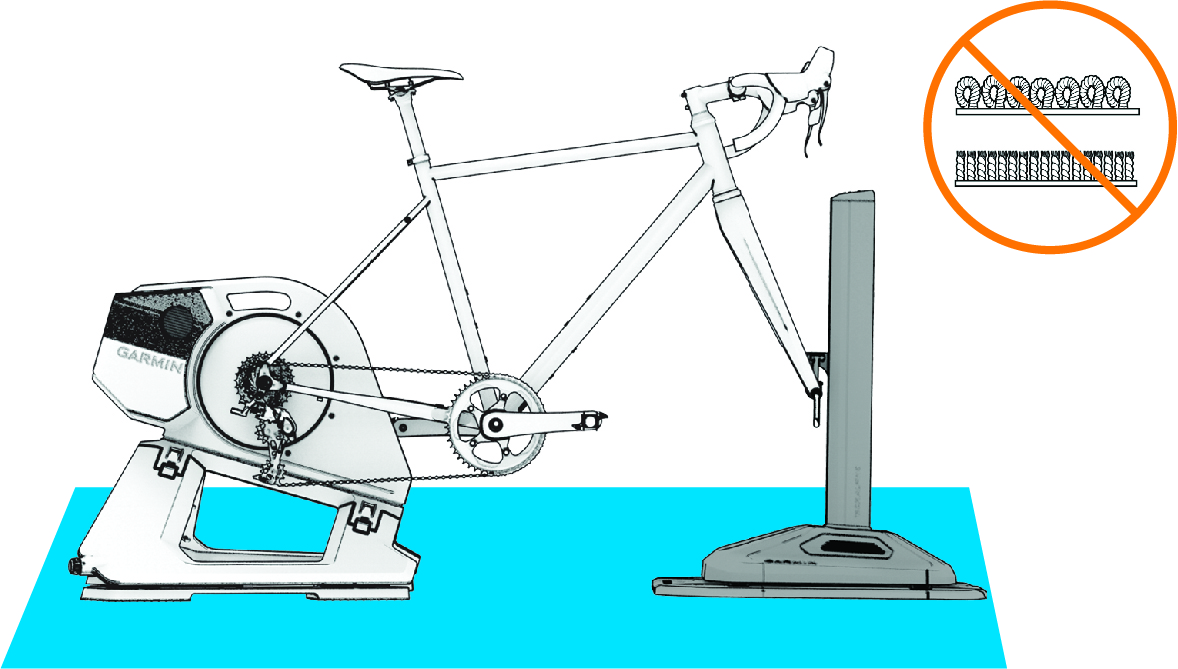
NOTE: A bike with a wheelbase of 1,165 mm or greater may not fit on a standard Tacx training mat.