Connecting the Power Cable and Calibrating the Tacx Alpine

CAUTION

The power cable is in the product box. Do not attempt to use a third-party power cable or adapter with the Tacx® Alpine, because this could lead to personal injury or damage to the trainer.

NOTICE

Do not attempt to sit on the bike during calibration, because this could lead to possible property damage.

The first time you plug in the Tacx Alpine, the AUTO LED flashes slowly and calibration is required.

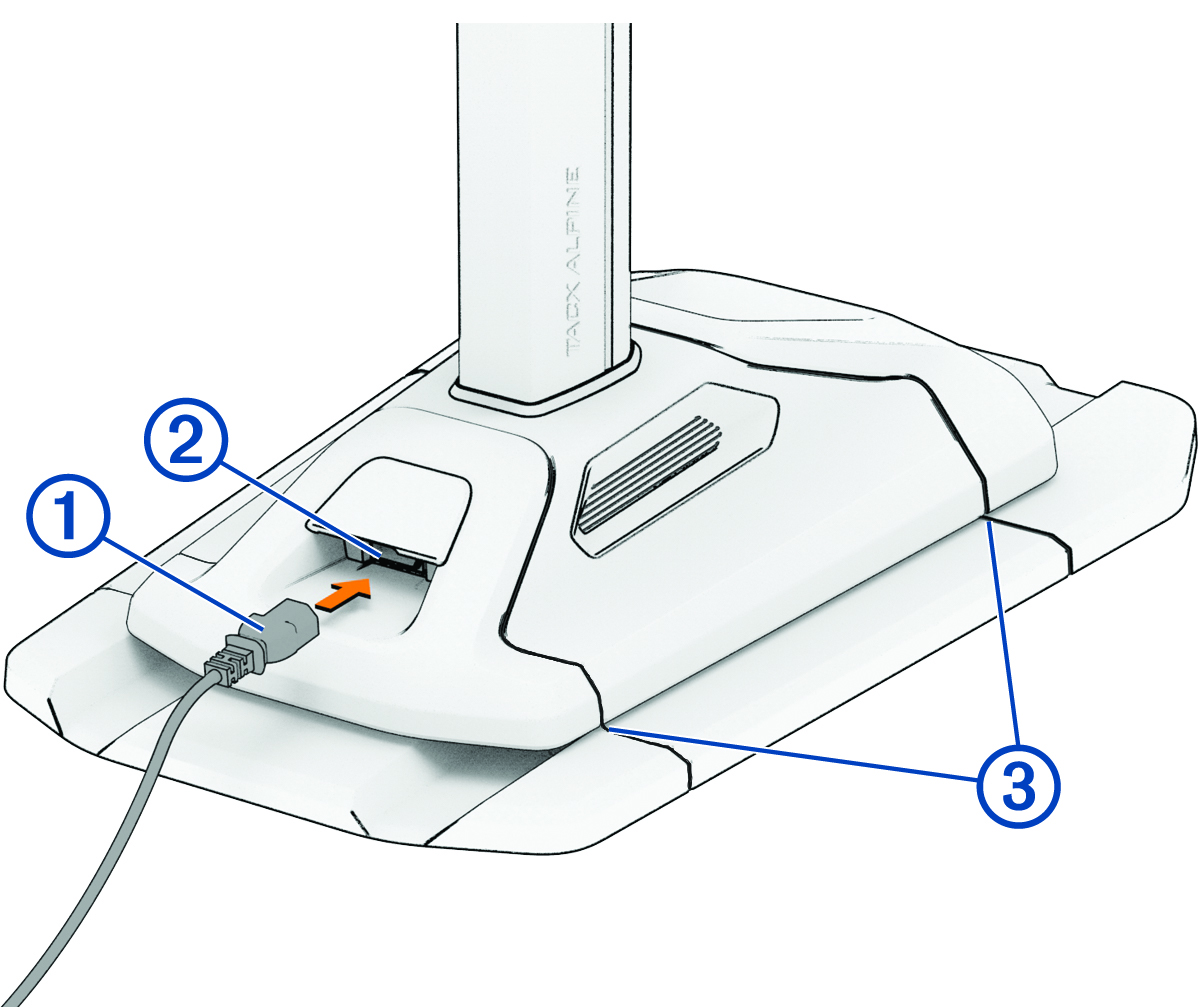
  1. Plug the power cable Callout number 1 into the port Callout number 2.

    Trainer with power cable and callouts
  2. Plug the power cable into a standard wall outlet.

    The power cable should have enough slack to freely move with the Tacx Alpine.

  3. Align the Tacx Alpine lines with the lines Callout number 3 on the motion base.
  4. Align the trainer, bike frame, handlebar, and Tacx Alpine.
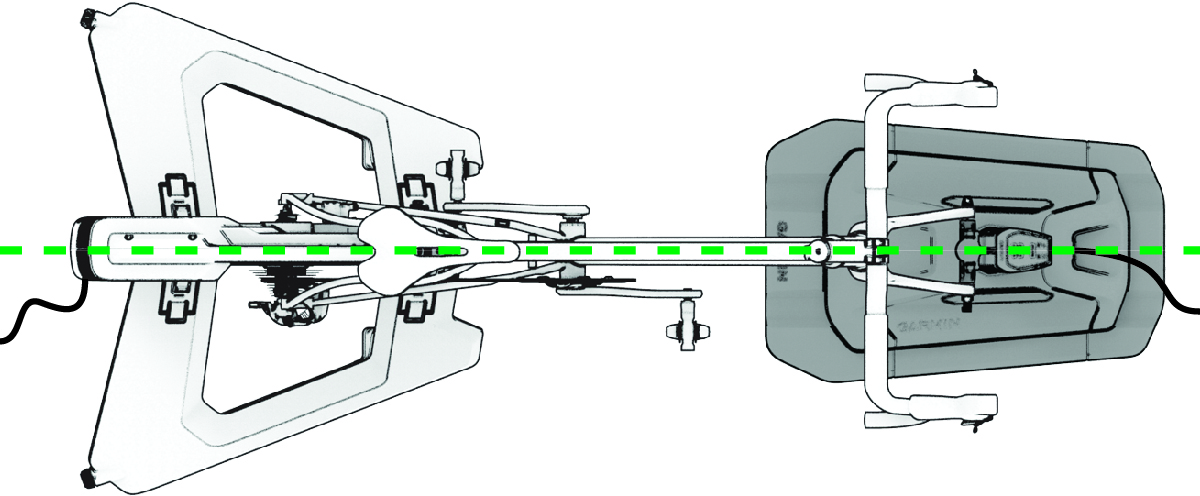
    Top view of the bike and Tacx accessories
  5. Hold Arrow up symbol and Arrow down symbol at the same time, for 6 seconds.
  6. When all three of the LEDs flash, release the buttons to start the calibration.

    All of the LEDs flash slowly during calibration. The Tacx Alpine goes up and back to level. When the LEDs stop flashing, calibration is complete.

GUID-E25FC468-3214-482C-9068-E458485CFC48 v1
June 2025