Upgrading a Rally 110 System
You can upgrade a single-sensing Rally™ 110 pedal power meter to a dual-sensing Rally 210 system by adding a Rally 110 upgrade spindle, to access advanced training data (Cycling Dynamics).
You can purchase a Rally 110 upgrade spindle from your Garmin® dealer, or you can go to garmin.com.
Turning On the New Spindle
The new spindle is packaged in travel mode to preserve battery life. You must briefly connect it to a power source to turn it on.
-
Use the included charging adapter and
USB-C® cable to connect the spindle to a power source.
The status LED flashes
 (green) while charging.
 -
Disconnect the spindle from the charging adapter.
The status LED flashes
 (blue) as the right spindle searches for a
connection to the left spindle.
(blue) as the right spindle searches for a
connection to the left spindle.
Installing the New Spindle
You must tighten the spindle nut and cover according to the specified torque requirements. Too much or not enough torque may lead to product damage or serious personal injury or death.
You must apply grease to the new spindle according to the instructions below. Installing the new spindle without appropriate grease application causes product damage.
-
Using the wrench to hold the
spindle steady, use a 5 mm hex key to remove the cover.
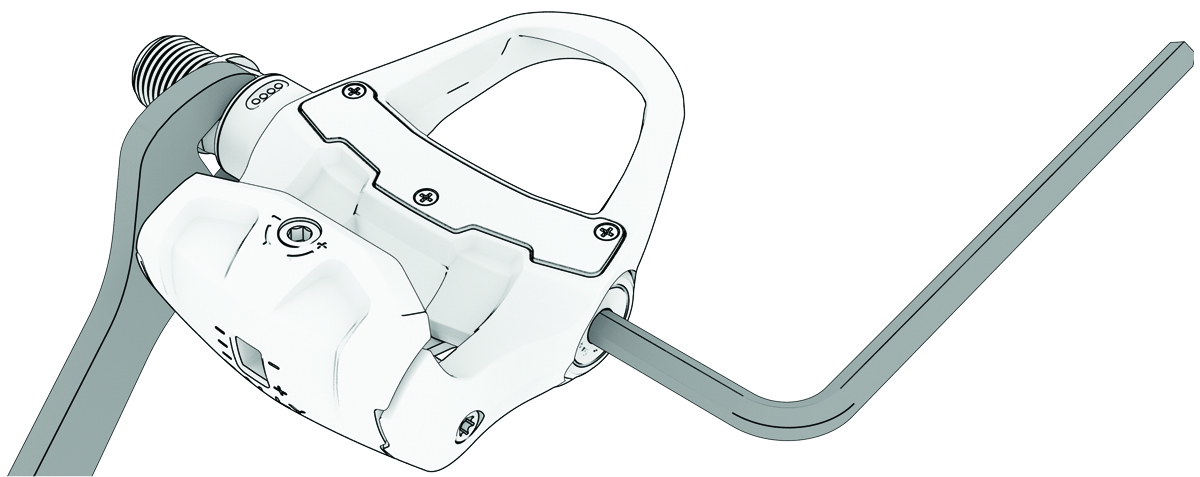
The cover on the right pedal has a left-handed (reverse) thread. Turning the cover in the wrong direction may break the cover and damage the spindle.

-
Remove the spindle from the
pedal body.

-
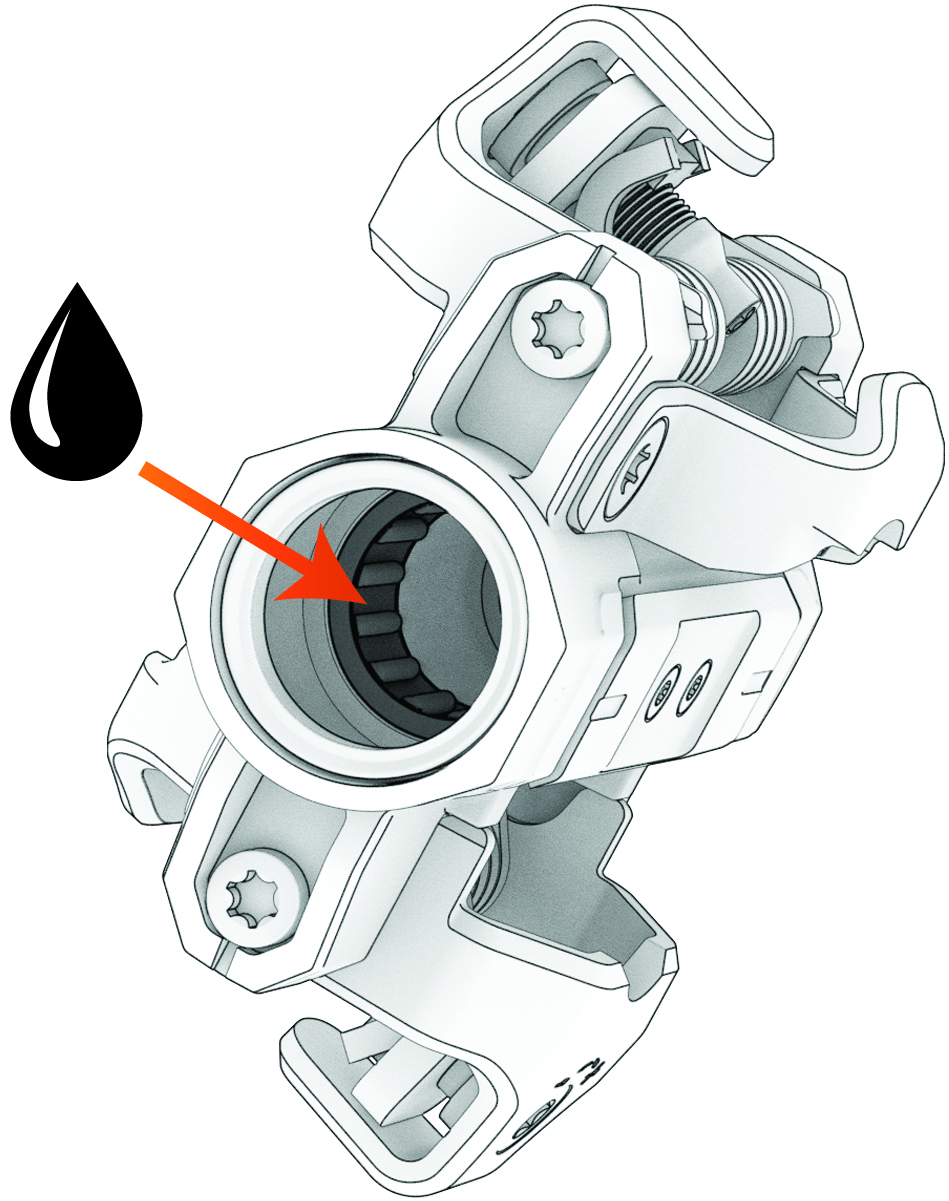
Wipe off all grease, and apply a
thin layer of new grease to the roller bearing inside the pedal body.
-
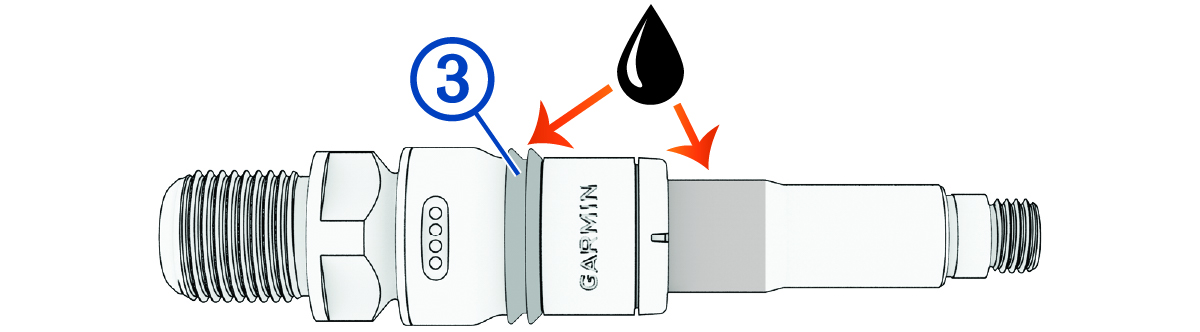
Apply a thin layer of grease to the highlighted areas of the new spindle.
NOTE: You should apply enough grease to fill the groove on the rubber seal .
-
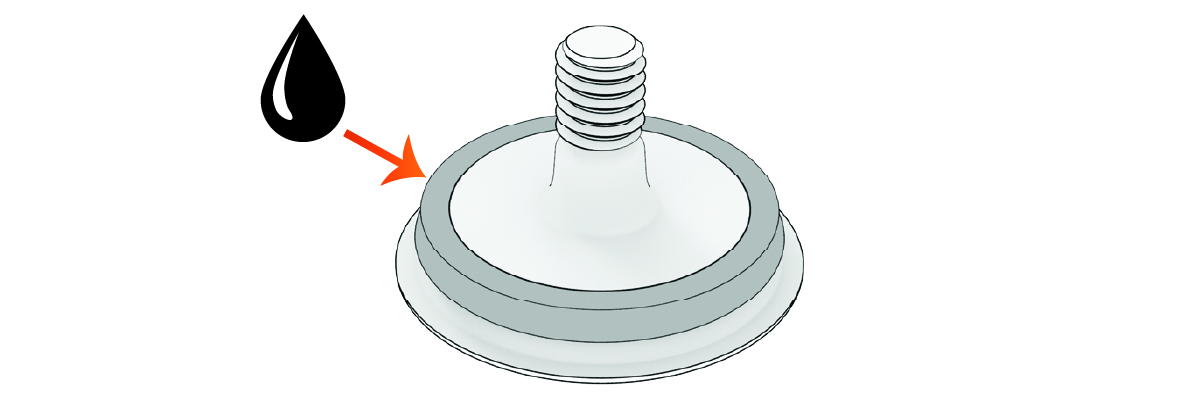
Apply a thin layer of grease to the O-ring around the cover.
Pairing the New Spindle
You can pair the new spindle with your Rally 110 spindle using the Garmin Connect™ app or using a compatible Edge® bike computer.
Pairing the New Spindle Using the Garmin Connect App
- Rotate the cranks to wake up the pedals.
-
On the Garmin Connect app, select
 > Garmin Devices > Rally
110/210 > System > Link Right Pedal.
> Garmin Devices > Rally
110/210 > System > Link Right Pedal.
- Enter the 7-digit pairing code found on the new spindle.
The status LED flashes (green) on both spindles.
Pairing the New Spindle Using an Edge Bike Computer
- Rotate the crank arm until the status LED flashes on both pedals.
- From the Settings menu, select Sensors.
- Select the Rally 110 power meter.
- Select .
- Enter the 7-digit pairing code found on the new spindle.
The status LED flashes (green) on both pedals.