Hull Features and Your Transom-Mount Transducer
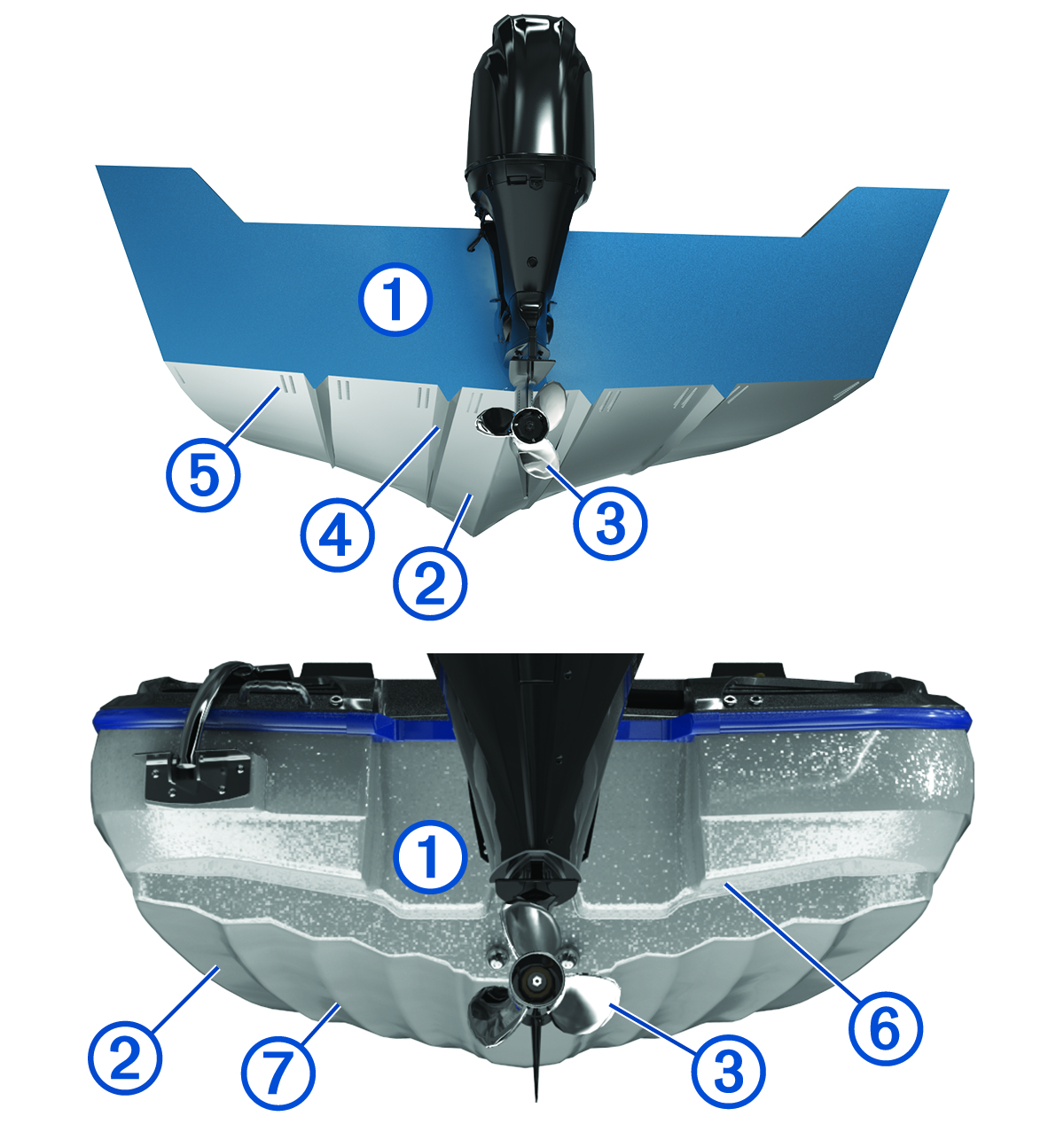
Hull features that generate turbulence can affect your transducer's performance and cause it to wear prematurely. In general, if you use your transom-mount transducer while operating at higher speeds, you should mount the transducer close to the keel (centerline of the boat).
|
Item |
Boat Feature |
|---|---|
|
|
Transom |
|
|
Hull |
|
|
Propeller |
|
|
Strakes |
|
|
Rivets |
|
|
Steps |
|
|
Ribs |
You should avoid mounting the device on the transom aft of or near parts of the hull that agitate the water. For example, the propeller , strakes , rivets , steps , and ribs agitate the water and create air and bubbles.
Fittings and water intake or discharge ports also generate turbulence. If you must install the transducer directly aft of a thru-hull fitting, you should mount the transducer at least 1.2 m (4 ft.) aft of the fitting.
If air and bubbles affect your transducer's performance, you should check the installation instructions and verify that the transducer is mounted and adjusted properly. You should also check the hardware to verify it is not bent.
- For vessels with a jack plate, Garmin offers a jack plate mount to enable you to mount the transom-mount transducer on the jack plate ( Transducer Jack Plate Mount).
- For transducers that generate excessive spray, a spray shield can reduce the excessive spray or "rooster tail" generated by the transducer. Garmin offers spray shields for compatible models (Transducer Water Spray Shield).