Pairing Your Device with the Garmin Connect App
To use the CIRQA™ smart band, including connected features and viewing health and activity data, it must be paired with the Garmin Connect™ app.
-
From the app store on your phone, install and open the
 Garmin Connect app.
NOTE: You can scan the QR code with your phone to open the Garmin Connect app.
Garmin Connect app.
NOTE: You can scan the QR code with your phone to open the Garmin Connect app.
-
Plug the module into a power
source with the USB cable (Activating the CIRQA Smart Band).
The LED flashes
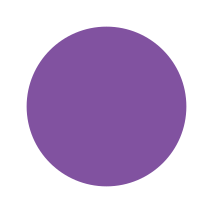 (purple). The device remains in pairing mode until
it is paired. If needed, press the button to reactivate pairing mode.
TIP: If you have already paired the device, you must remove it from your phone's Bluetooth® settings before manually entering pairing mode. To manually enter pairing mode, press the button quickly three times or hold the button for approximately 6 seconds until the LED flashes (purple) (Module Status LED).
(purple). The device remains in pairing mode until
it is paired. If needed, press the button to reactivate pairing mode.
TIP: If you have already paired the device, you must remove it from your phone's Bluetooth® settings before manually entering pairing mode. To manually enter pairing mode, press the button quickly three times or hold the button for approximately 6 seconds until the LED flashes (purple) (Module Status LED).