Charging the Device
This device contains a lithium-ion battery. See the Important Safety and Product Information guide in the product box for product warnings and other important information.
To prevent corrosion, thoroughly clean and dry the contacts and the surrounding area before charging.
NOTE:
The device will not charge when it is outside of the approved temperature range (Specifications).
Your device comes with a proprietary charging cable. For optional accessories and replacement parts, go to garmin.com, or contact your Garmin® dealer.
-
Plug the cable (
 end) into the charging port.
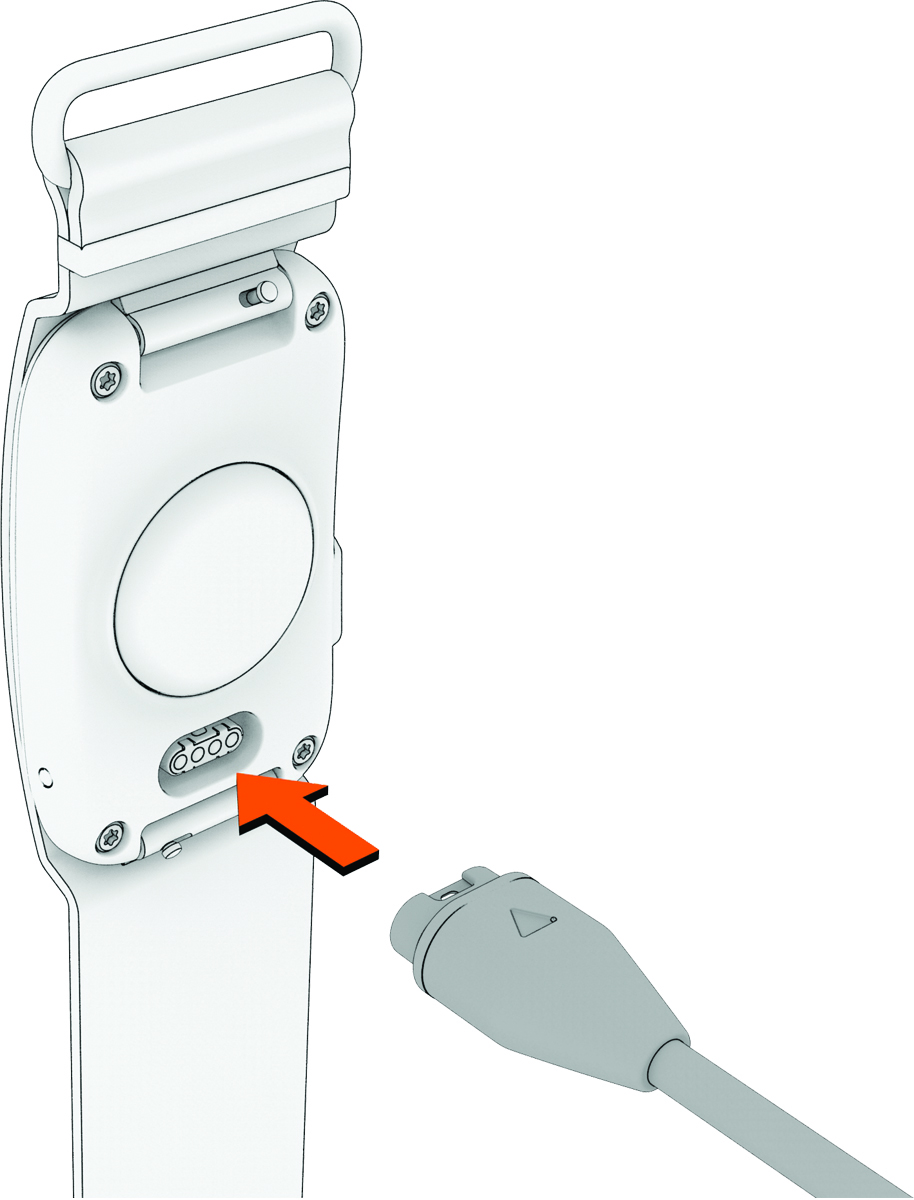
-
Charge the device completely.
The LED flashes
 (green) while charging. The LED is solid (green) when charging is complete.
 Charging the device can take up to 90 minutes.