Pairing and Setup
Connection Types and LED Behavior
The HRM 600 supports both secure and open connections types.
- Secure
-
The secure Bluetooth® connection type is encrypted and authenticated. For a list of Garmin® devices that support forming secure connections, go to garmin.com/hrm_connection_types. Some Garmin devices may require a software update.
When the HRM 600 is active and using a secure connection, the LED flashes
 (2 times) every 5 seconds.
- Open
-
The open connection type supports all Garmin devices that are compatible with heart rate monitors. ANT+® connections and some Bluetooth connections are open. The open connection type is also recommended for Bluetooth pairing with third-party smartwatches, tablets, or fitness equipment.
When the HRM 600 is active and using an open connection, the LED flashes
(3 times) every 5 seconds.
TIP: Stay 10 m (33 ft.) away from other heart rate monitors while pairing.
Pairing the HRM 600 with Your Compatible Device
You can pair the HRM 600 to your compatible Garmin device, smartwatch, tablet, or fitness equipment (Connection Types and LED Behavior).
-
On the
HRM 600 module, press the button
 to wake it up.
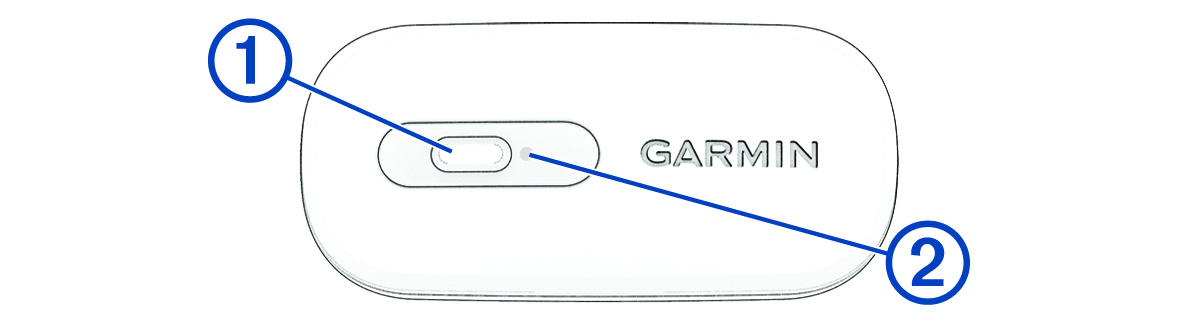
The LED
 flashes
when it is active and using a secure connection.
flashes
when it is active and using a secure connection.
-
Check that your
Garmin device supports the connection type indicated by the LED.
You can press the button twice quickly to toggle between connection types (Connection Types and LED Behavior). The LED flashes
when it is active and using an open connection.
TIP: Many compatible devices and apps use the open connection. -
Hold the button for 4 seconds to enter pairing mode.
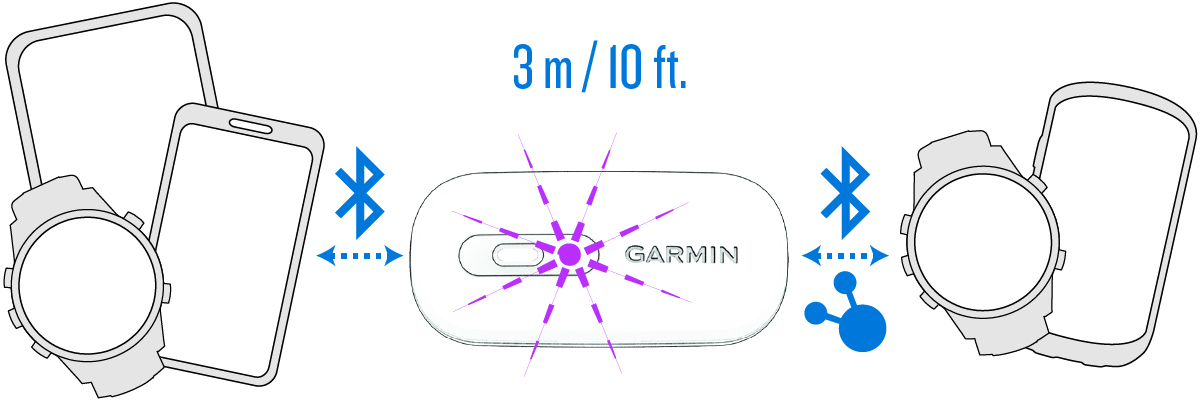
The LED flashes
 continuously.
The HRM 600 is in pairing mode for 5 minutes.
To end pairing mode, you can press the button.
After you pair the first time, your device automatically recognizes the HRM 600 each time it is active and in range.
Pairing the HRM 600 with the Garmin Connect App
The Garmin Connect™ app allows you to customize settings, receive software updates, and record and sync activities using your HRM 600 without connecting it to a smartwatch or bike computer.
-
On the
HRM 600 module, press the button to wake it up.
The LED
flashes
when it is active and transmitting.
-
Hold the button for 4 seconds to enter pairing mode.
The LED flashes
continuously.
The HRM 600 is in pairing mode for 5 minutes.
To end pairing mode, you can press the button.
-
Select an option to add your
HRM 600 to your
Garmin Connect account:
-
If this is the first time you are pairing a device with the Garmin Connect app, follow the on-screen instructions.
-
If you have already paired another device with the Garmin Connect app, select
 > Garmin Devices > Add Device, and follow the on-screen instructions.
-