Viewing Hazards and Layups
While playing a round, you can view the hazards and layups for the current hole.
-
Press
 .
.
-
Select Hazards and Layups.
NOTE: A map of the current hole appears.
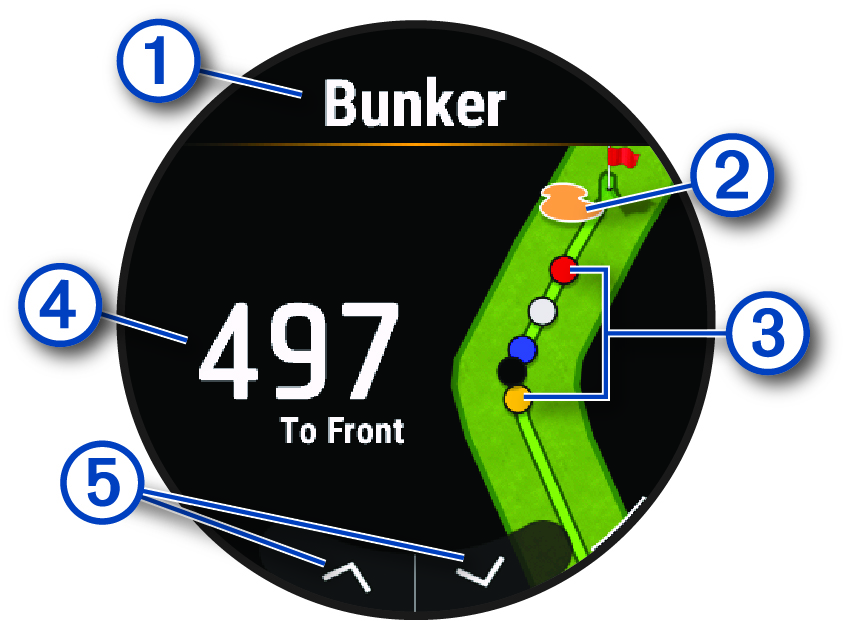
The type of hazard or the layup distance.
The location of the hazard or layup.
Layup distances to the pin in meters or yards: red is 100, white is 150, blue is 200, and yellow is 250.
The distance to the layup or to the front and back of the hazard.
Arrows you can tap to view other hazards or layups for the hole.