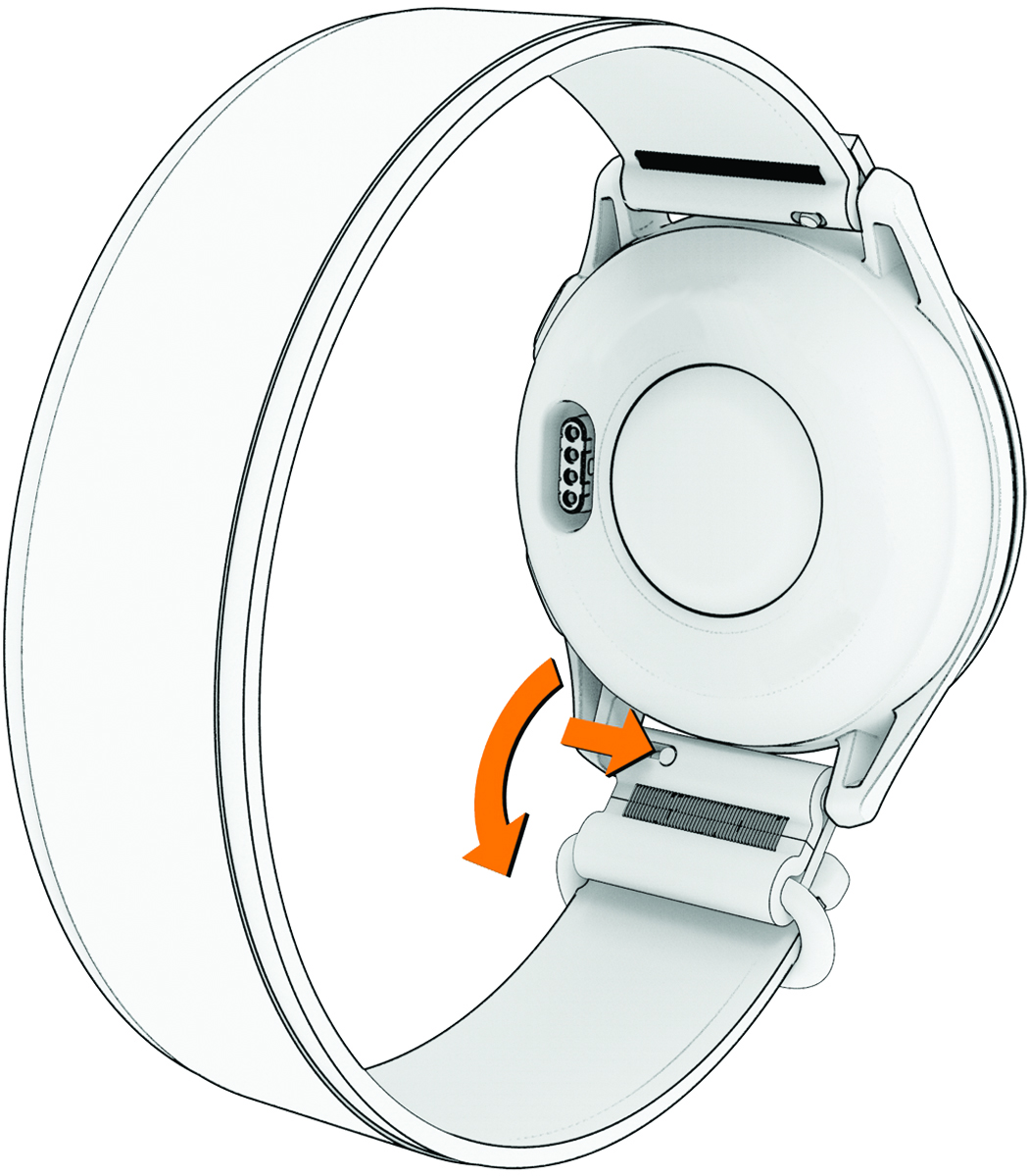
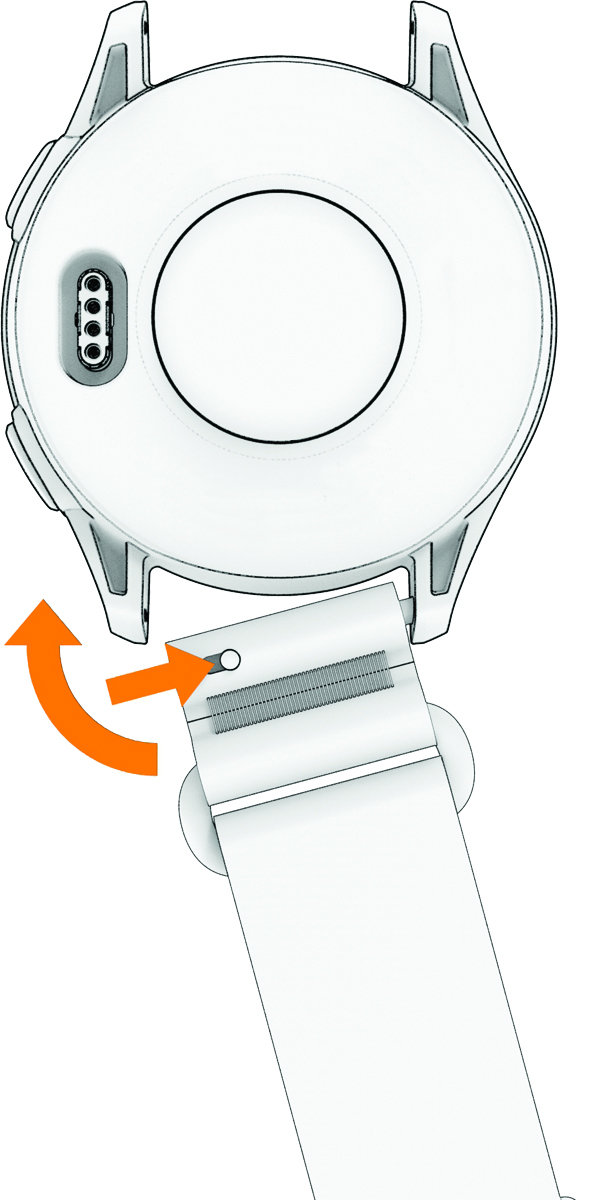
Changing the Band You can replace the band with a new Approach® J1 band. To purchase replacement bands, go to buy.garmin.com. NOTE: The watch is not compatible with third-party bands. Slide the quick-release pin on the spring bar to remove one end of the band. Repeat the step to remove the other end of the band. Insert one side of the spring bar for the new band into the watch. Slide the quick-release pin, and press the band into place. Repeat the steps to install the other end of the band. Parent Topic: Device InformationHomeDevice InformationChanging the Band