Sailing
Tack Assist
The watch uses GPS-based course over ground to determine your course in the tack assist feature, and does not account for other factors that can affect your boat's direction, such as currents and tides. You are responsible for the safe and prudent operation of your vessel.
While cruising or racing into the wind, the tack assist feature can help you determine if your boat is being lifted or headed. When you calibrate tack assist, the watch captures your course over ground (COG) when on starboard tack and when on port tack . The watch uses the average of the two values to estimate the mean true wind direction and the boat's tack angle .

The watch uses this data to determine whether your boat is being lifted or headed due to wind shifts.
By default, the tack assist feature is set to automatic. Each time you calibrate the port or starboard COG, the watch recalibrates the opposite side and true wind direction. You can change the tack assist settings to enter a fixed tack angle or true wind direction.
Tips for Getting the Best Lift Estimate
To get the best lift estimate when using the tack assist feature, you can try these tips. See Setting the True Wind Direction and Calibrating the Tack Assist for more information.
- Enter a fixed tack angle, and calibrate the port tack.
- Enter a fixed tack angle, and calibrate the starboard tack.
- Reset the tack angle, and calibrate both the port and starboard side.
Calibrating the Tack Assist
You can calibrate the port, starboard, or both sides of the vessel for the tack assist feature.
-
From the watch face, press
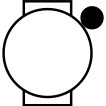 .
.
-
Press
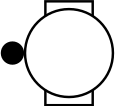 or
or
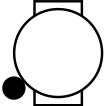 to view the tack assist screen.
NOTE: You may need to add the tack assist screen to the data screens for the activity (Customizing the Data Screens).
to view the tack assist screen.
NOTE: You may need to add the tack assist screen to the data screens for the activity (Customizing the Data Screens). -
Press
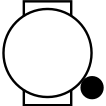 when the calibration is complete.
Entering a Fixed Tack Angle
If you use the tack assist to calibrate only one side of the vessel, you should manually enter the tack angle.
-
From the watch face, press
.
- Select .
- Select Sail or Sail Race.
-
Hold
.
- Select .
- Enter the value.
Setting the True Wind Direction
If you use the tack assist to calibrate only one side of the vessel, you should manually enter the true wind direction. If you calibrate both sides of the vessel, you should configure the watch to automatically set the true wind direction.
-
From the watch face, press
.
- Select .
- Select Sail or Sail Race.
-
Hold
.
- Select True Wind Direction.
-
Select an option:
-
Select Auto.
-
Select Fixed, and enter a value.
-