|
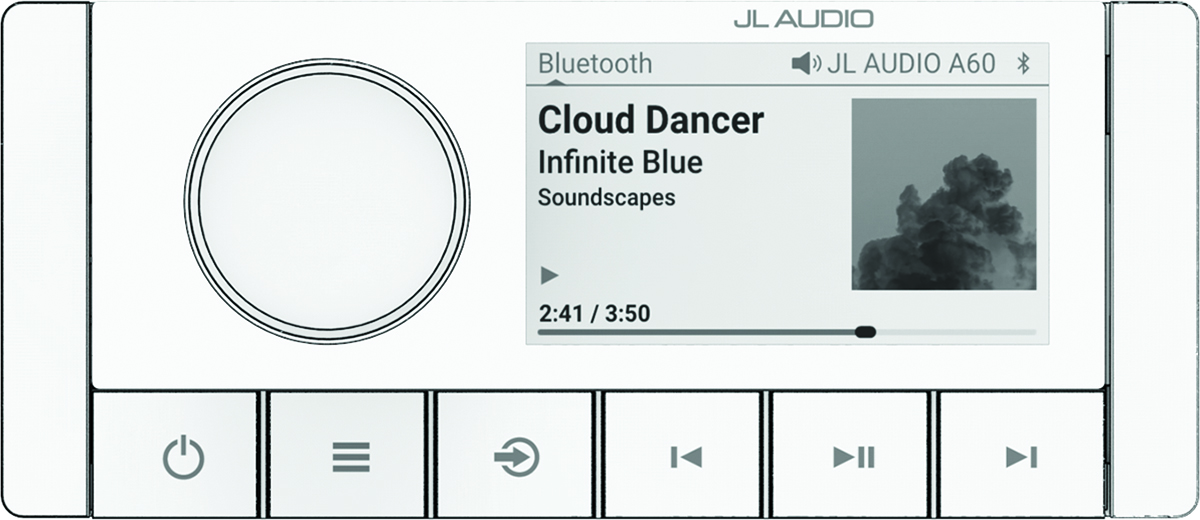
Dial
|
-
Turn to adjust the volume.
-
When adjusting the volume, press to switch between zones.
-
Turn to move through the menus or adjust a setting.
-
When in a menu, press to select the highlighted option.
-
Press and hold to activate certain functions such as opening the radio presets.
|
|

|
-
Press to turn on the stereo.
-
Press to mute the audio.
-
Press and hold to turn off the stereo.
-
Press and hold for longer than 10 seconds to reset the stereo.
|
|

|
|
|

|
Press to change the source.
TIP:
You can turn the dial to browse, and press the dial to select the source.
|
|

|
-
Press to skip to the beginning of the track or to the previous track, when using an applicable source.
-
Press and hold to rewind the track, when using an applicable source.
-
-
AUX: Press to decrease the gain.
-
DAB source:
-
Press to return to the previous DAB station in the ensemble. When you reach the beginning of the current ensemble, the stereo automatically changes to the last available station in the previous ensemble.
-
Press and hold to return to the previous DAB ensemble.
|
|

|
|
|

|
-
Press to skip to the next track or station, when using an applicable source.
-
Press and hold to fast-forward, when using an applicable source.
-
-
AUX: Press to increase the gain.
-
DAB source:
-
Press to advance to the next DAB station in the ensemble. When you reach the end of the current ensemble, the stereo automatically changes to the first available station in the next ensemble.
-
Press and hold to advance to the next DAB ensemble.
|