Connecting the Controller
To connect the Handlebar Controller to your device, you must have a power cable with an accessory connector. If your device was not packaged with such a cable, visit the Handlebar Controller product page on garmin.com/hbc_compatibility to check compatibility and find out what accessory you need.
-
Route the handlebar controller cable to the accessory connector
 on the device power cable.
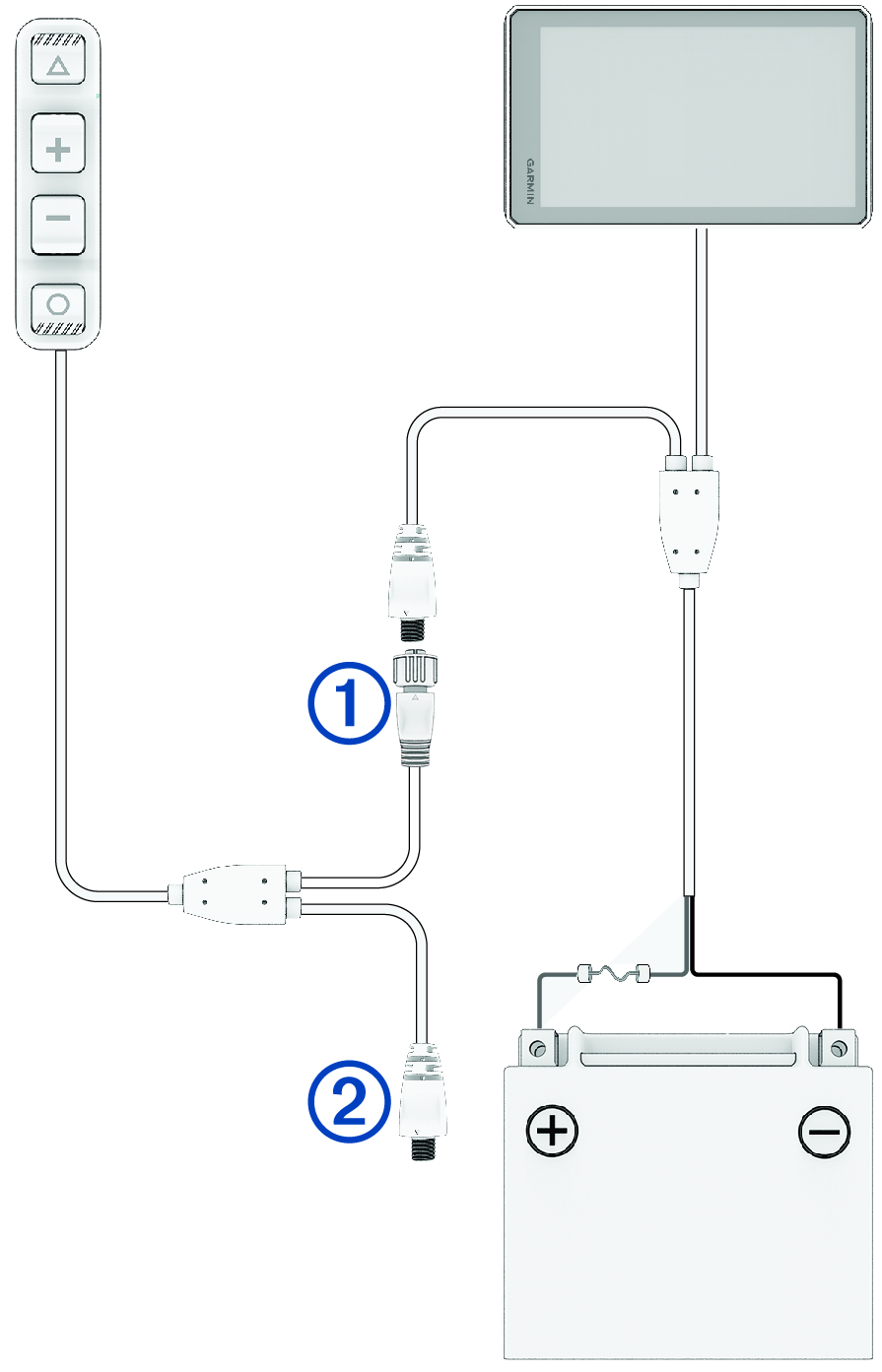
You can use the included cable ties to secure the cable along the handlebar.
-
If you have a Group Ride Radio, connect the Group Ride Radio cable to the spare accessory connector
 built into the handlebar controller cable.