Installing the Beeper Battery Pack

Before you install the beeper battery pack, you must remove all dirt, water, and debris from the dog collar device. You must also have a small Phillips (#2) screwdriver and a small TORX® (T5) screwdriver.

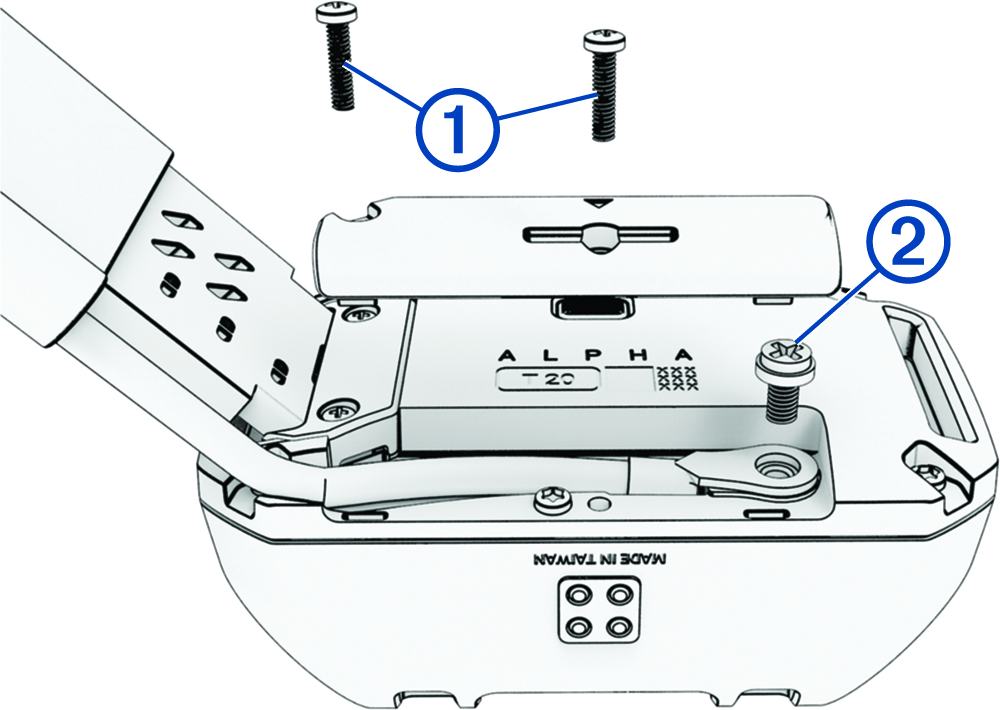
  1. Remove the 2 screws 1 from the cover over the VHF antenna.

    Removing the dog collar antenna cover with callouts
  2. Remove the VHF antenna cover.
  3. Remove the screw 2 securing the VHF antenna to the back plate.
  4. Remove the six screws 3 from the outer edges of the back plate.
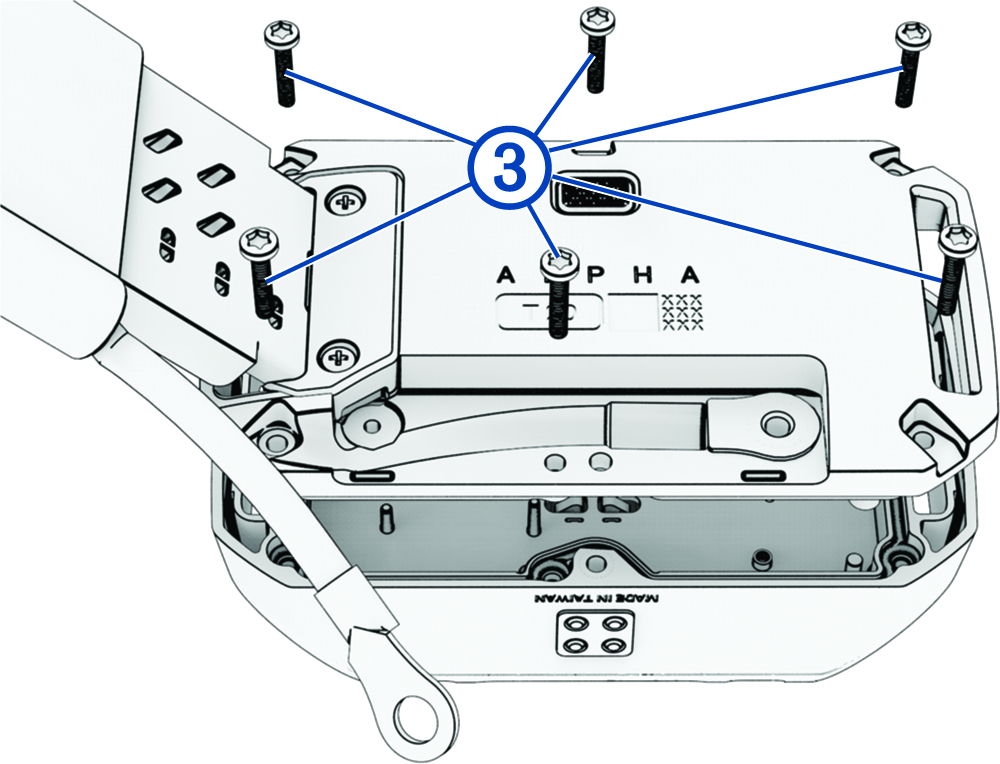
    Removing the dog collar battery with callout
  5. Note the orientation of the status LED and charging clip connectors on the standard battery pack.
    NOTE: You must install the beeper battery pack in the same orientation.
  6. Remove the standard battery pack.
    NOTE: Ensure the gasket, or battery seal, is removed with the standard battery pack. Verify that the gasket with the beeper battery pack is not damaged and that it is completely seated in the groove.
  7. Connect the beeper battery pack to the back plate, and tighten the screws.
  8. Replace the screw securing the VHF antenna to the back plate.
  9. Replace the cover over the VHF antenna.
  10. Replace and tighten the 2 screws on the VHF antenna cover.

After you remove the old battery pack, contact your local waste disposal department to properly recycle the battery pack.

GUID-992E9C90-AE40-4ED4-B3C4-9D812BD4DF89 v2
January 2026