Connecting to a MYLAPS X2 RaceLink Club Flagging Device
Before you can connect your Garmin Catalyst™ 2 device to an X2 RaceLink Club flagging device, you must purchase and install an X2 RaceLink Club flagging device in your vehicle and connect it to power. Go to help.mylaps.com for more information about installing an X2 RaceLink Club flagging device.
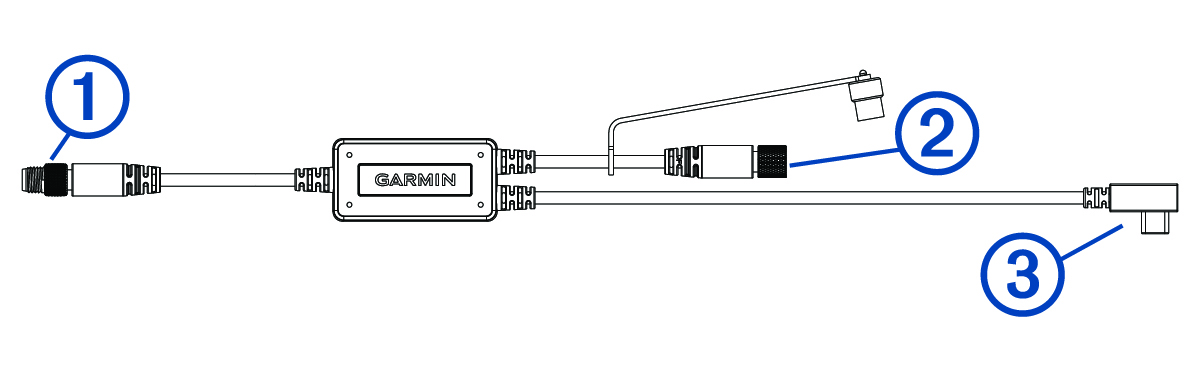
You can connect your Garmin Catalyst 2 device to a compatible X2 RaceLink Club flagging device using an in-car flagging Y-cable accessory. You can purchase a Y-cable accessory at garmin.com or from your Garmin® dealer.
-
Connect the power and data cable from your X2 RaceLink Club flagging device to the male connector on the Y-cable accessory
.