Navigating to the Buoy
You should not rely solely on the buoy for underwater navigation. The navigate to buoy feature requires line of sight with the buoy. Location and distance information from the buoy is not precise, and should be used as a supplement, and not a replacement, for diver training in navigation, search, and positioning.
When paired to a Descent™ S1 buoy (Descent S1 Buoy) and Descent T2 transceiver (Pairing a Transceiver with a Descent Dive Computer), you can view your horizontal distance and direction back to the buoy during a dive.
-
During a
Single-Gas,
Multi-Gas,
CCR, or
Gauge dive, scroll to the buoy data screen.
NOTE: The buoy data fields turn yellow if your dive computer loses communication with the buoy.
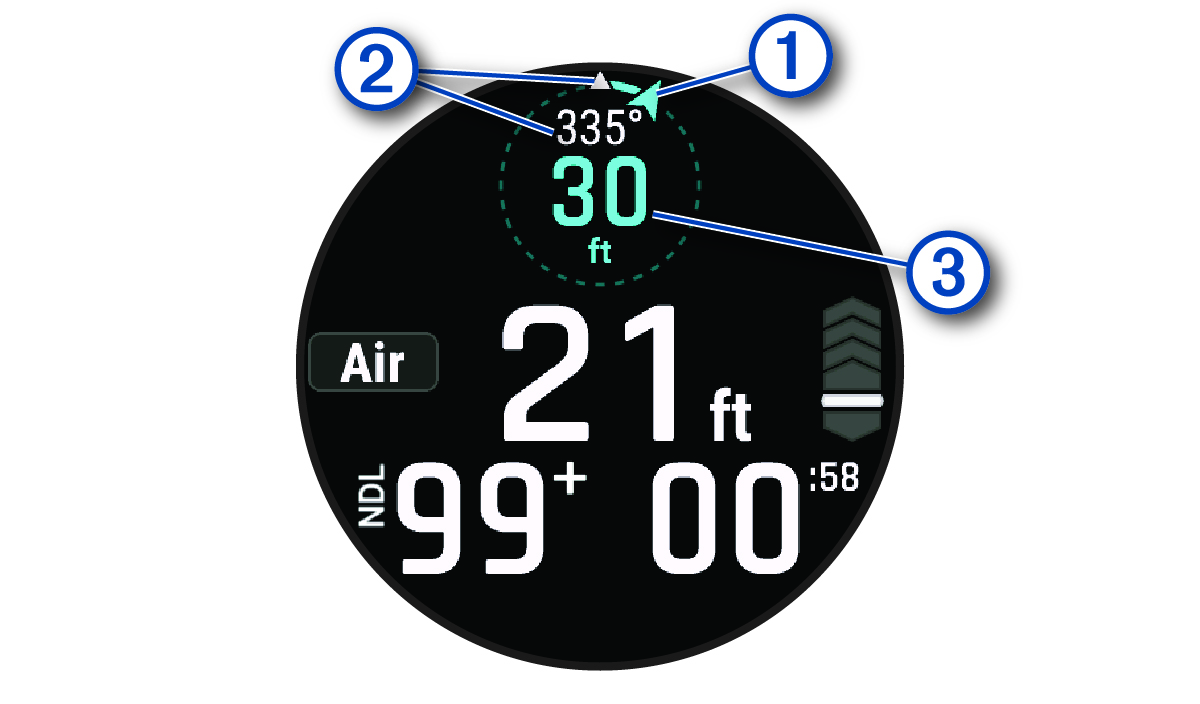
The current direction to the buoy.
Your current heading.
Your horizontal distance from the buoy.
-
Use the direction indicator to navigate to the buoy.
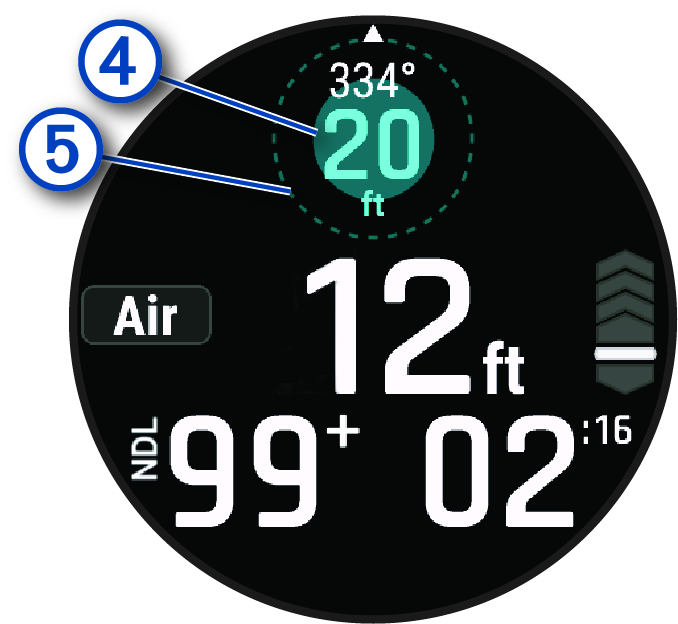
A solid blue circle appears to indicate your distance from the buoy. It increases in size as you get closer to the buoy, and meets the dotted circle once you reach it.
NOTE: When you are near the buoy, the dive computer is no longer able to update direction information. The direction indicator turns black and displays the last known direction for thirty seconds. After thirty seconds, the direction indicator is removed, but the horizontal distance is still updated. For more information, go to garmin.com/subwave.