Charging the eTrex Touch Device

NOTICE

To prevent corrosion, thoroughly dry the USB port, the weather cap, and the surrounding area before charging or connecting to a computer.

NOTE: The device does not charge when it is outside the approved temperature range (Specifications).
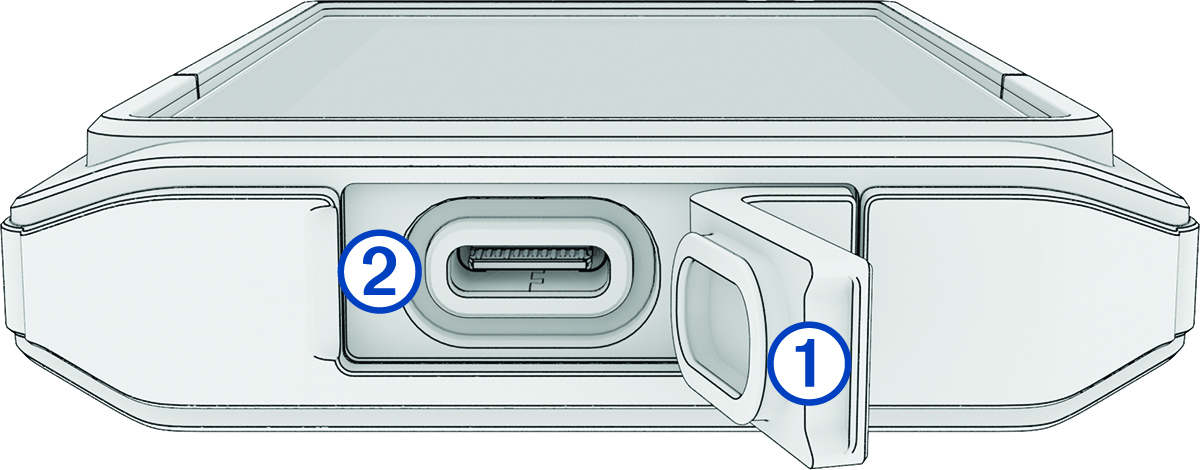
  1. Lift the weather cap 1.

    USB charging port with callouts
  2. Plug the power cable into the charging port 2 on the device.
  3. Plug the other end of the power cable into a USB-C® computer port or AC adapter (5 V minimum output voltage).

    The charging indicator appears in the status bar.

GUID-8D90560B-85C8-4152-B6AB-6D738460D100 v2
November 2025