Using the Course Pointer
The course pointer is most useful when you are navigating to your destination in a straight line, such as when you are navigating on water. It can help you navigate back to the course line when you go off-course to avoid obstacles or hazards.
-
Select
 > Compass to open the compass.
-
Select
 to open the options menu.
-
Select
to enable the course pointer.
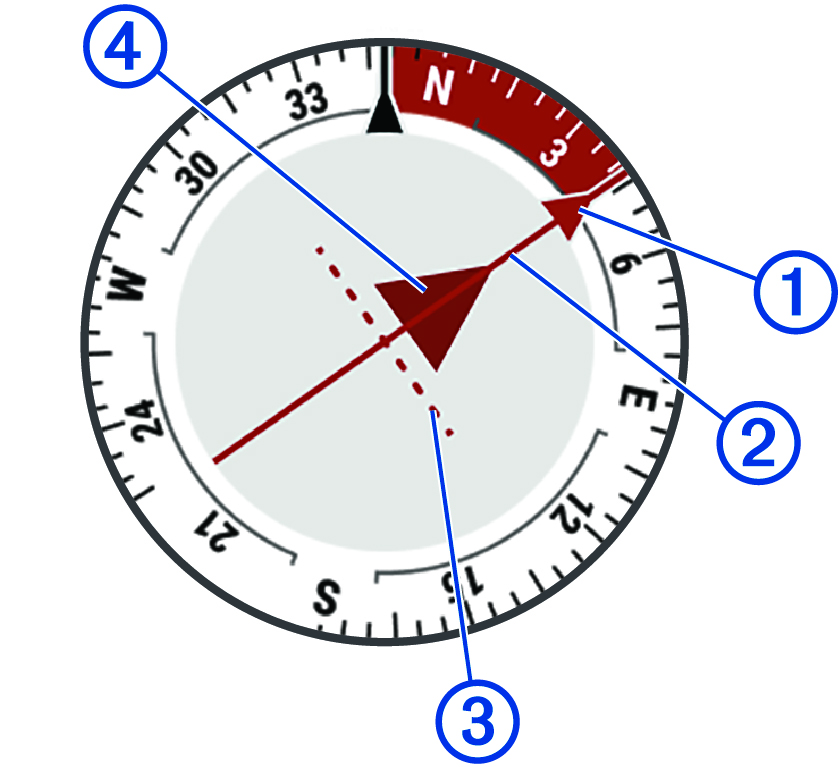
Course line pointer. Indicates the direction of the desired course line from your starting point to your next waypoint.
Course deviation indicator (CDI). Indicates the location of the desired course line in relation to your location. If the CDI is aligned with the course line pointer, you are on course.
Course deviation distance. The dots indicate your distance off course. The distance represented by each dot is indicated by the scale in the upper-right corner.
To-and-from indicator. Indicates whether you are past the next waypoint.