Apps
You can customize your watch using the apps menu, which lets you quickly access watch features and options. Some apps require a Bluetooth® connection to a compatible phone. Many apps can also be found in the glances (Glances) or controls (Controls).
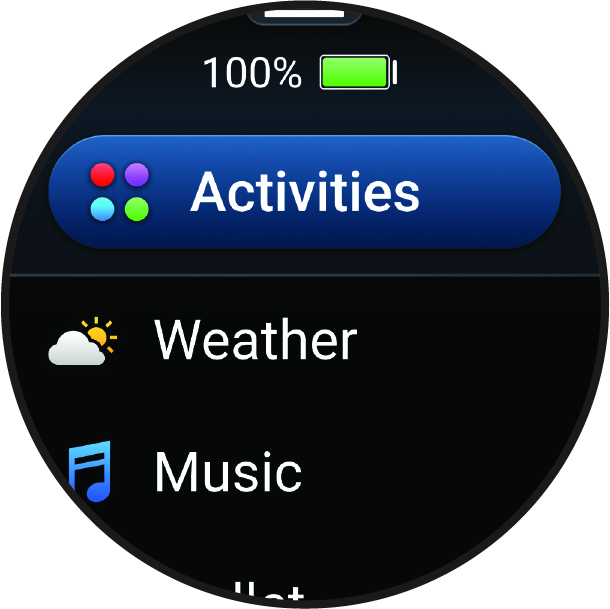
From the watch face, swipe left to view the apps list.
|
Name |
More Information |
|---|---|
|
Alarms |
Select to set an alarm. |
|
Alt. Time Zones |
Displays the current time of day in additional time zones. |
|
Broadcast Heart Rate |
Select to broadcast heart rate data to a paired device (Broadcasting Heart Rate Data). |
|
Calculator |
Select to use the calculator, including the tip calculator. |
|
Calendar |
Select to view upcoming events from your phone calendar. |
|
Clocks |
Select to set an alarm, timer, stopwatch, alternate time zone, or countdown event (Clocks App). |
|
Compass |
Displays an electronic compass. |
|
Connect IQ™ Store |
Select to use the Connect IQ Store store on your watch (Connect IQ Features). |
|
Countdowns |
Displays upcoming countdown events. |
|
Garmin Share |
Select to send or receive data with other Garmin® devices (Garmin Share). |
|
Health Snapshot™ |
Select to record several key health metrics (Health Snapshot). |
|
History |
Select to view your recorded activity history, records, and totals (Using History). |
|
Lifestyle Logging |
Select to track your day-to-day behaviors, and see how the behaviors affect certain health metrics in the Garmin Connect™ app (Lifestyle Logging). |
|
Messenger |
Select to view and send messages from the Garmin Messenger™ phone app (Garmin Messenger App). |
|
Moon Phase |
Select to view the moonrise and moonset times, along with the moon phase, based on your GPS position. |
|
Music |
Select to control audio playback using your watch (Listening to Music). |
|
Notifications |
Select to view your phone notifications (Viewing Notifications). |
|
Nutrition |
Select to track your daily nutrition, including calories and macronutrients. You can also log your food intake. You must have an active Garmin Connect+ subscription to track and view your nutrition (Garmin Connect+ Subscription). |
|
Pulse Ox |
Select to take a pulse oximeter reading (Pulse Oximeter). |
|
Settings |
Select to open the settings menu. |
|
Sports Scores |
Select to track college or professional sports teams with scores and live data. |
|
Stocks |
Select to view a customizable list of stocks (Adding a Stock). |
|
Stopwatch |
Select to use the stopwatch. |
|
Sunrise & Sunset |
Select to view sunrise, sunset, and twilight times. |
|
Timers |
Select to set a timer. |
|
Tips |
Select to view interactive watch tips, learn about new features on your watch, and scan a direct link to support.garmin.com to access the owner's manual for your watch. |
|
Wallet |
Select to open your Garmin Pay™ wallet (Garmin Pay). |
|
Watch Face |
Select to customize your watch face (Customizing the Watch Face). |
|
Weather |
Select to view the current weather forecast and conditions. |
|
Weight Tracking |
Select to view your recent weight trends and history. You can enter your weight manually. If you have an Index™ scale paired to your Garmin Connect account, your weight data appears in the app. |
|
Workouts |
Select to view your saved workouts (Workouts). |