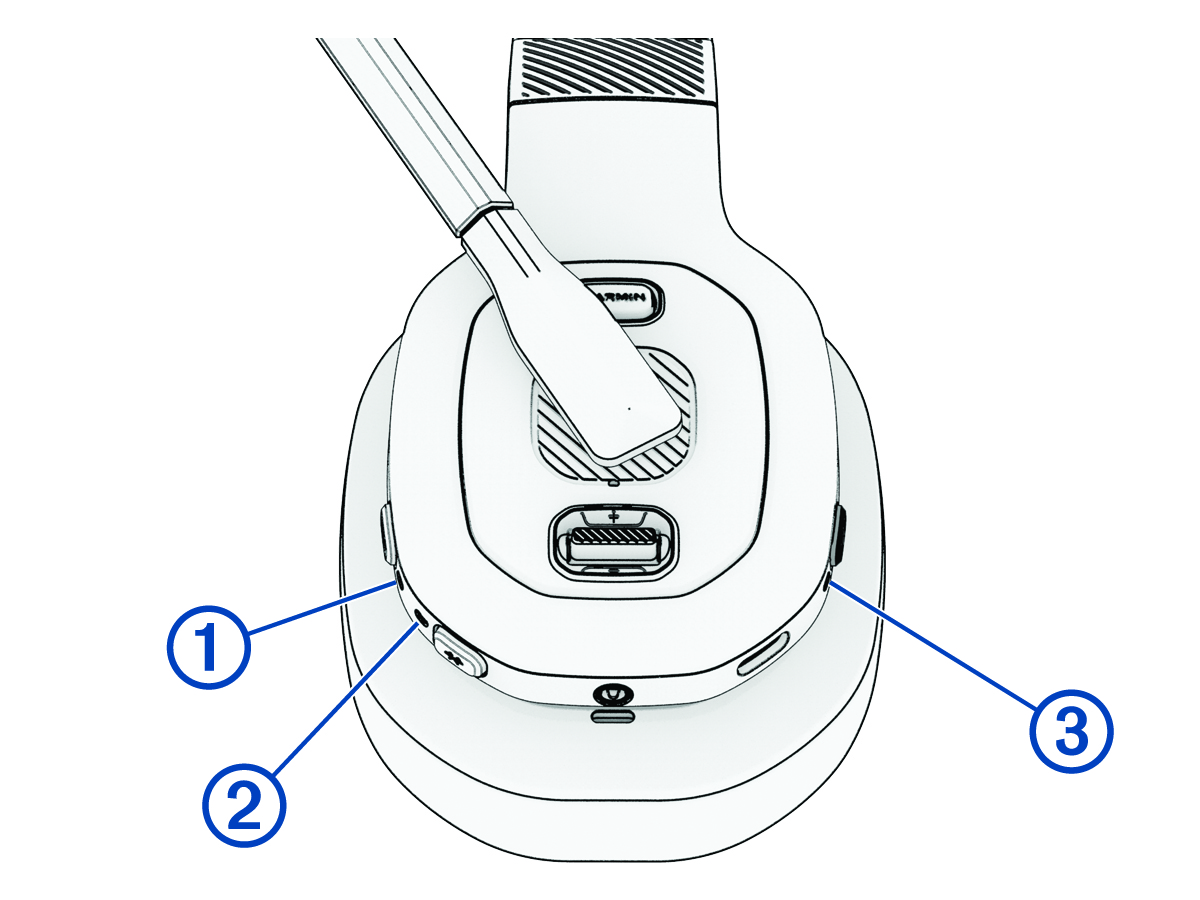
Status LEDs
The ANC LED  , the
Bluetooth® LED
, the
Bluetooth® LED  , and the power LED
  show the headset status.
|
ANC LED Activity |
Status |
|---|---|
|
White |
Active noise cancellation is turned on. |
|
Off |
Active noise cancellation is turned off. |
|
Bluetooth LED Activity |
Status |
|---|---|
|
Blue |
The headset is connected to a Bluetooth device. |
|
Flashing blue |
The headset is in Bluetooth pairing mode. |
|
Off |
The headset is not connected to a Bluetooth device. |
|
Power LED Activity |
Status |
|---|---|
|
White |
The headset is turned on and is operating normally. |
|
Flashing green |
The headset is charging. |
|
Green |
The headset is fully charged. |
|
Red |
The headset software has detected an error or a fault. |
|
Flashing red |
The headset battery is low. |
|
Off |
The headset is turned off or does not have power. |