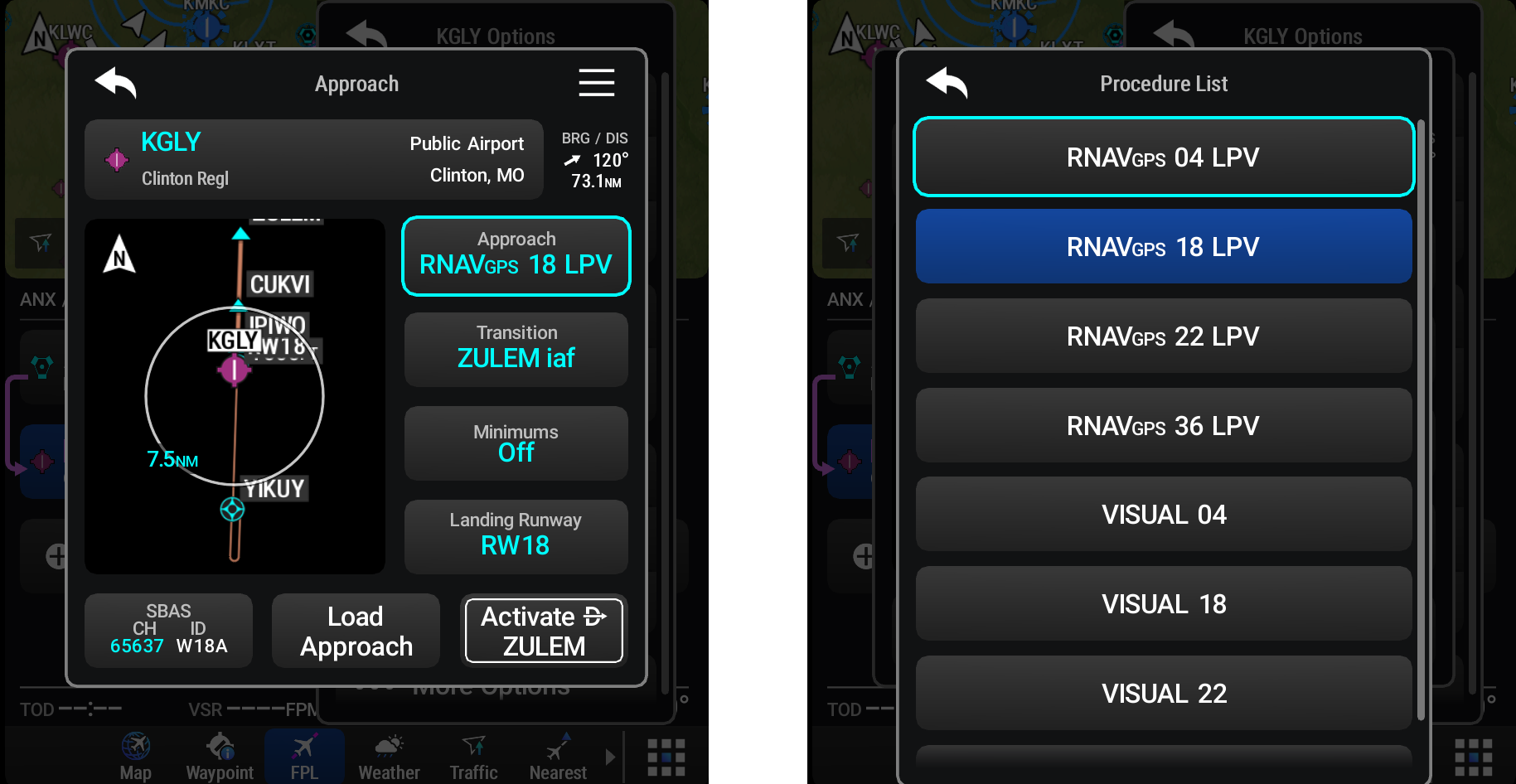
Selection Buttons
Selection buttons are Datafield Buttons where touching the button allows the user to usually select from a list of options for the field. The current selection is always displayed in cyan. In some cases, each touch cycles through available options; in others, touching the button opens a second window that lists available options. Scroll as needed and select the desired option, the highlighted blue button indicates the currently selected option or setting.