Database Management
Never disconnect power to the system when loading a database. Power interruption during the database loading process could result in maintenance being required to reboot the system.
To improve database security, the following databases are digitally signed and must pass digital signature verification before the system will accept an upload through a USB drive: Airport Directories, Basemap, Navigation, Obstacles, SafeTaxi, Terrain, ChartView™, FliteCharts®, and IFR/VFR.
Garmin requests the flight crew report any observed discrepancies related to database information. These discrepancies could come in the form of an incorrect procedure, incorrectly identified terrain, obstacles and fixes, or any other displayed item used for navigation or communication in the air or on the ground. Go to flyGarmin.com® and select ‘Aviation Data Error Report.’
The navigation databases used in Garmin navigation systems contain Special Procedures. Before flying these procedures, pilots must have specific FAA authorization, training, and possession of the corresponding current, and legitimately-sourced chart (e.g., approach plate, etc.). Inclusion of the Special Procedure in the navigation database DOES NOT imply specific FAA authorization to fly the procedure.
The pilot/operator must review and be familiar with Garmin’s database exclusion list as discussed in SAIB CE-14-04 to determine what data may be incomplete. The database exclusion list can be viewed at flyGarmin.com® by selecting ‘Database Exclusions List.’
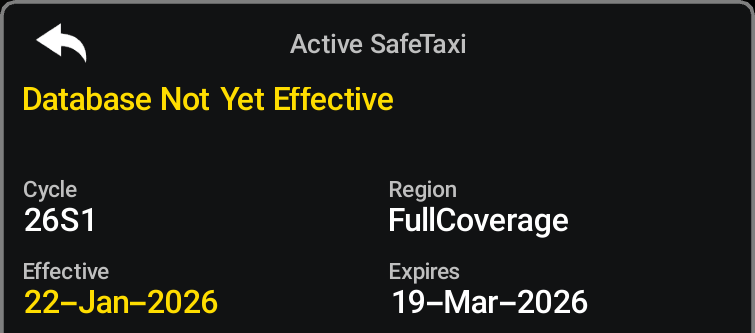
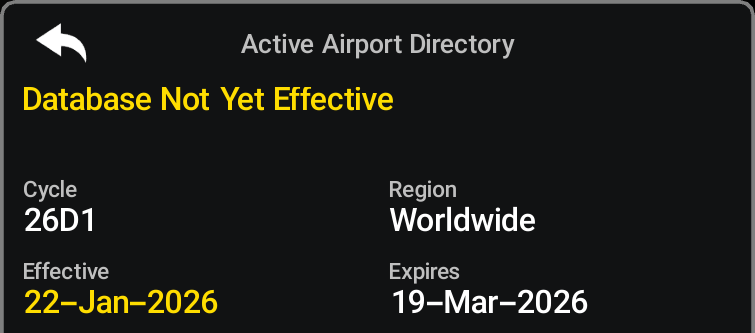
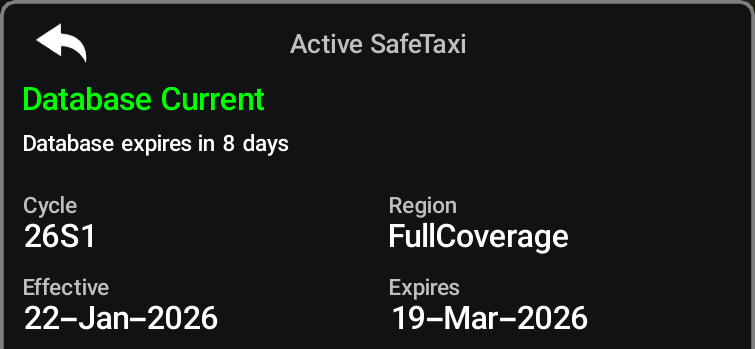
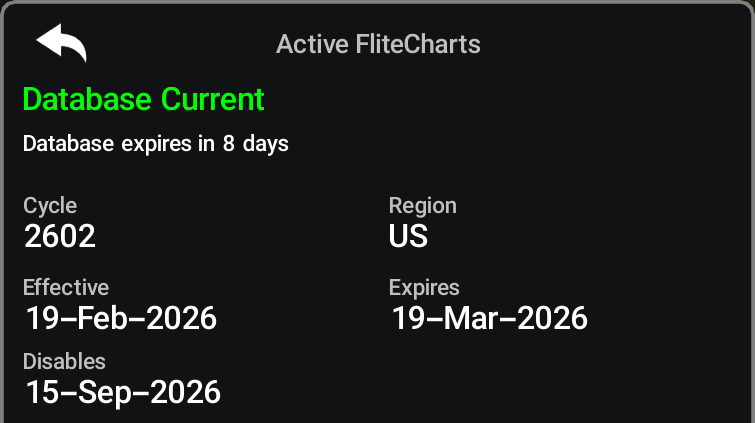
Databases that may be available include Terrain, Obstacle, Navigation, Basemap, SafeTaxi®, Airport Directory, IFR/VFR Charts, ChartView, and FliteCharts. Data is revised and expiration dates vary. The ‘Database Summary’ Page displays the current status of the databases. As an example, see the table below for the various displays and the definition of each. The expiration date and disables date varies for each database.
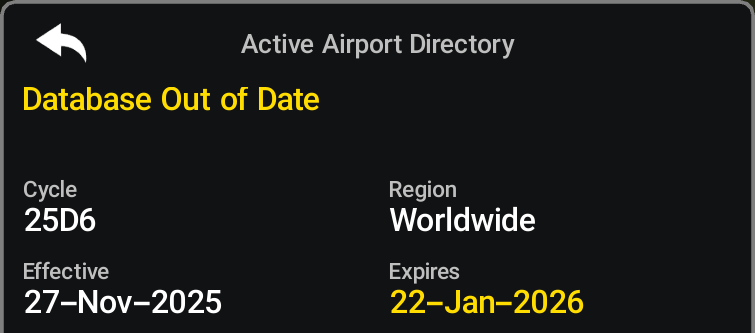
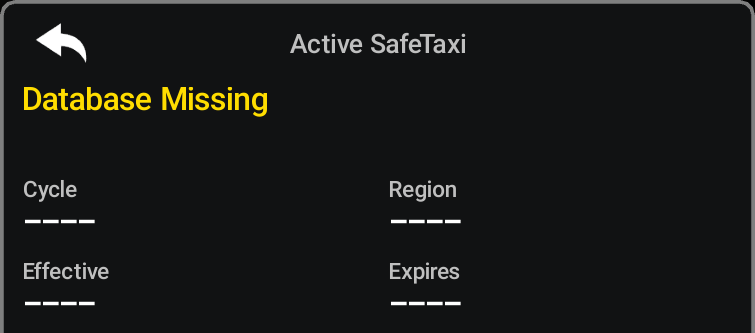
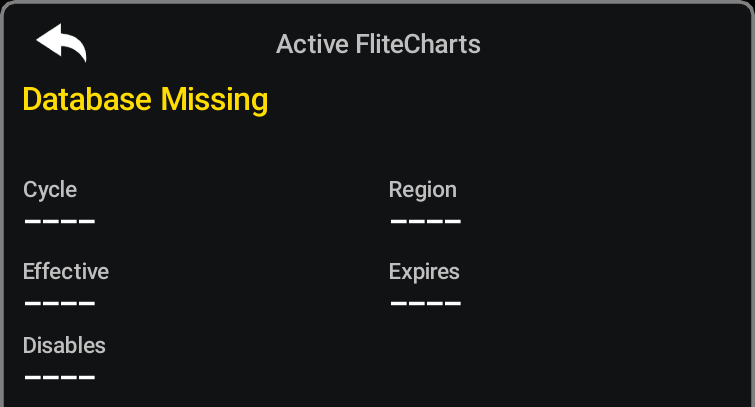
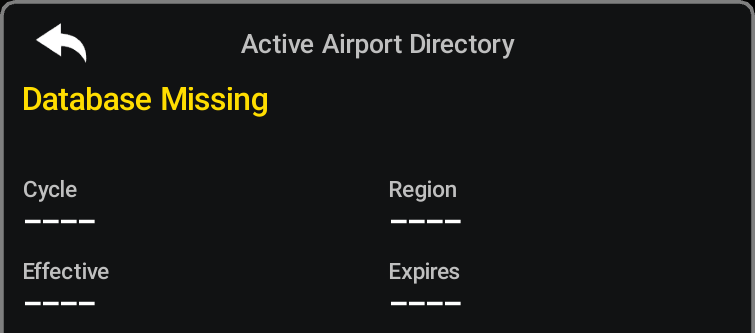
The Effective Date is the beginning date for this database cycle. The Effective Date appears in amber when the current date is before the effective date. The ‘Expires’ date is the revision date for the next database cycle. The ‘Expires’ date appears in amber when expired. ‘Database Missing’ indicates the database is not installed.
An expired SafeTaxi and Airport Directory database is not disabled and will continue to function indefinitely. Charts are still viewable during a period that extends from the cycle expiration date to the “Disables” date. ChartView is disabled 70 days after the expiration date and is no longer available for viewing.
Additionally, if standby databases are available to activate that are more current than the active databases in the system the option to activate all standby databases is available in the 'Databases Menu'.
|
Database Condition |
SafeTaxi |
FliteCharts |
Airport Directory |
|---|---|---|---|
|
Current date is before effective date |
 |
Not Applicable |
 |
|
Database is current |
 |
 |
 |
|
Database has expired |
 |
 |
 |
|
Database is disabled |
Not Applicable |
 |
Not Applicable |
|
Database is not installed |
 |
 |
 |
-
YYXI
-
YY — Indicates the last two digits of the year (e.g., 25 represents 2025)
-
X — Indicates the database type (e.g., 'S' is for SafeTaxi, 'D' is for Airport Directory, etc., as seen in the following table)
-
I — Indicates the numerical issue of the database for the year (e.g., 05 is the fifth issue of the year
-
-
YYII
-
YY — Indicates the last two digits of the year (e.g., 25 represents 2025)
-
II — Indicates the numerical issue of the database for the year (e.g., 05 is the fifth issue of the year
-
|
Database |
Database Cycle Number Format |
Revision Cycle |
|---|---|---|
|
Navigation |
YYII |
28 days |
|
Basemap |
YYMI |
N/A |
|
Terrain |
YYTI |
N/A |
|
Obstacle |
YYBI |
56 days |
|
SafeTaxi |
YYSI |
56 days |
|
Airport Directory |
YYDI |
56 days |
|
ChartView |
YYII |
14 days |
|
FliteCharts |
YYII |
28 days |
|
IFR/VFR Charts |
YYII |
28 days |