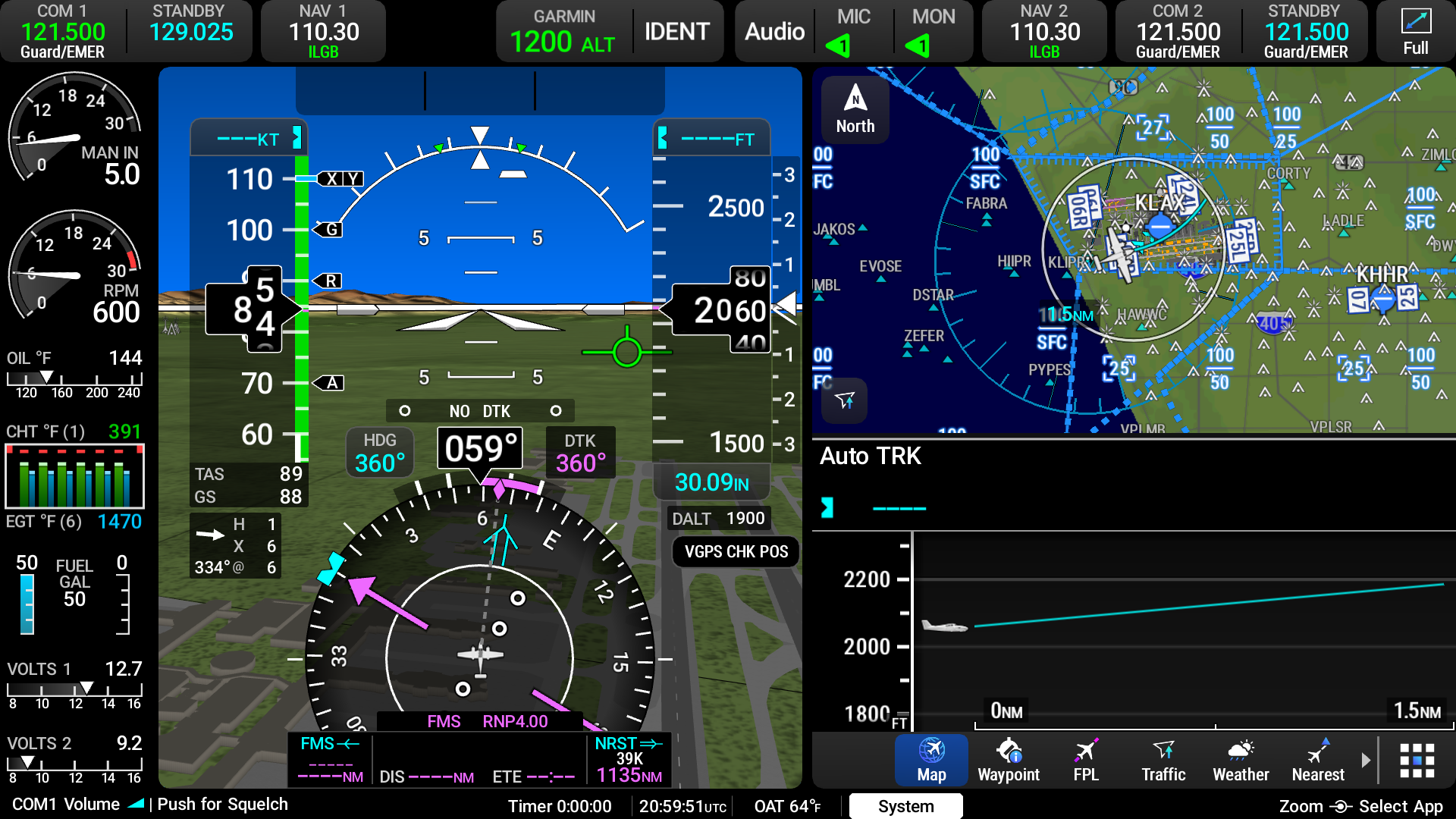
Display Overview
When the AXIS™ flight display is configured as a Primary Flight Display, it will have a primary function of displaying all critical flight information (e.g. attitude, heading, air data and navigation information) on a Primary Flight Window (PFW). The secondary function of a PFD will be to display supplemental flight information on a Multi-Function Window (MFW). If a flight display is configured as a PFD, the PFW will always be displayed with the option to split the display into two 'windows' as a PFW and MFW.
When the AXIS flight display is configured as a Multifunction Display (MFD) the primary function of the display will be to display supplemental flight information that provides pilot awareness of factors that may affect the overall conduct of the flight. The MFD may also display a PFW. The display can be expanded to show only one MFW (full-screen), or it can be separated (split-sccreen) into two MFW's for a greater sense of situational awareness. (Refer to Switching between Full and Split Screen for more information)