Map and Software Updates
For the best navigation experience, you should keep the maps and software on your device up to date.
Map updates provide the newest available changes to roads and locations in the maps used by your device. Keeping maps up to date helps your device find recently added locations and calculate more accurate routes. Map updates are large and may take several hours to complete.
Software updates provide changes and improvements to the device features and operation.
You can update your device using two methods.
-
You can connect the device to a Wi‑Fi® network to update directly on the device (recommended). This option allows you to update your device conveniently without connecting it to a computer.
-
You can connect the device to a computer and update it using the Garmin Express™ application (garmin.com/express).
Updating Maps and Software Using a Wi‑Fi Network
Map and software updates may require the device to download large files. Regular data limits or charges from your internet service provider apply. Contact your internet service provider for more information about data limits or charges.
You can update the maps and software by connecting your device to a Wi‑Fi network that provides access to the internet. This allows you to keep your device up to date without connecting it to a computer.
-
Connect the device to a
Wi‑Fi network (Connecting to a
Wi‑Fi Network).
While connected to a Wi‑Fi network, the device checks for available updates. When an update is available,
 appears on the
 icon in the main menu.
-
Select
> Updates.
The device checks for available updates. When an update is available, Update Available appears below Map or Software.
Connecting to a Wi‑Fi Network
The first time you turn on the device, it prompts you to connect to a Wi‑Fi network. You can also connect to a Wi‑Fi network using the settings menu.
-
Select
> Wi-Fi.
The device connects to the network, and the network is added to the list of saved networks. The device reconnects to this network automatically when it is within range.
Updating Maps and Software with Garmin Express
You can use the Garmin Express application to download and install the latest map and software updates for your device.
-
Open the
 Garmin Express application.
-
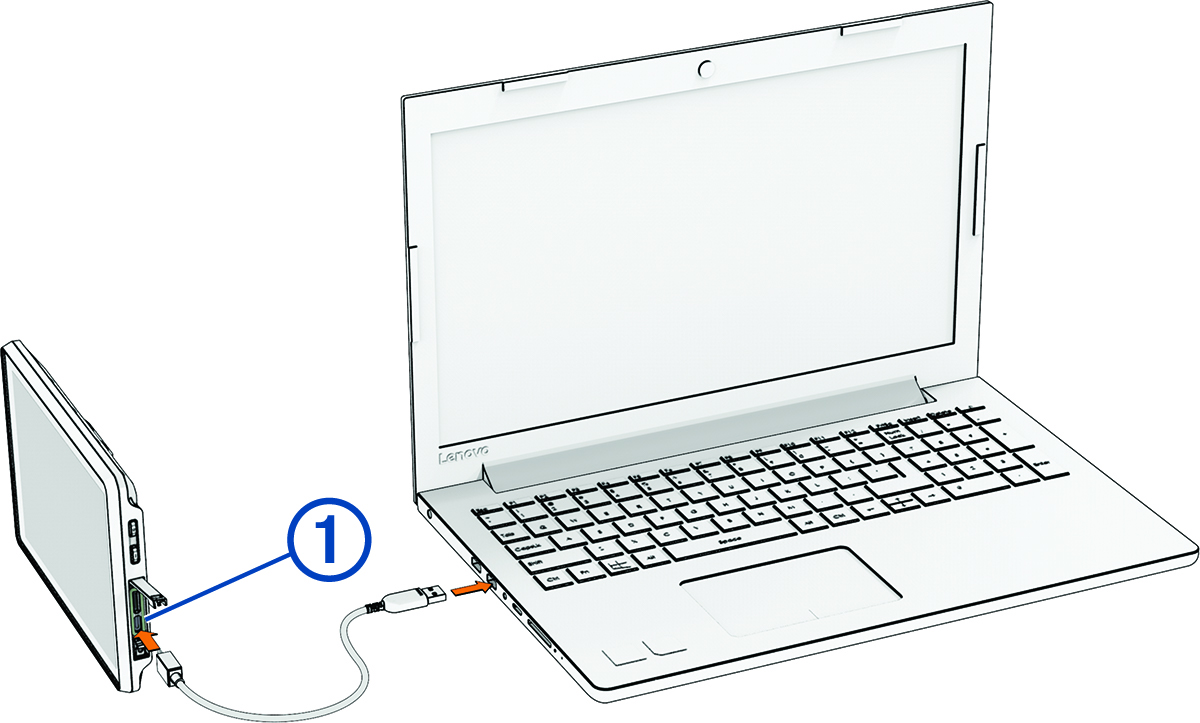
Connect your device to your computer using a
USB-C® cable.
The small end of the cable connects to the USB-C port on your Tread® 2 device, and the large end connects to an available USB port on your computer.
-
Click
Add Device, and follow the on-screen instructions to add your device to the
Garmin Express application.
When setup is complete, the Garmin Express application displays the updates available for your device.
