Finding Parking Near a Specified Location

NOTICE

This feature is for informational purposes only. You are responsible for ensuring that you are parking in accordance with posted signage and any applicable laws, regulations, or rules that may apply to your desired parking location.

  1. Select Search.
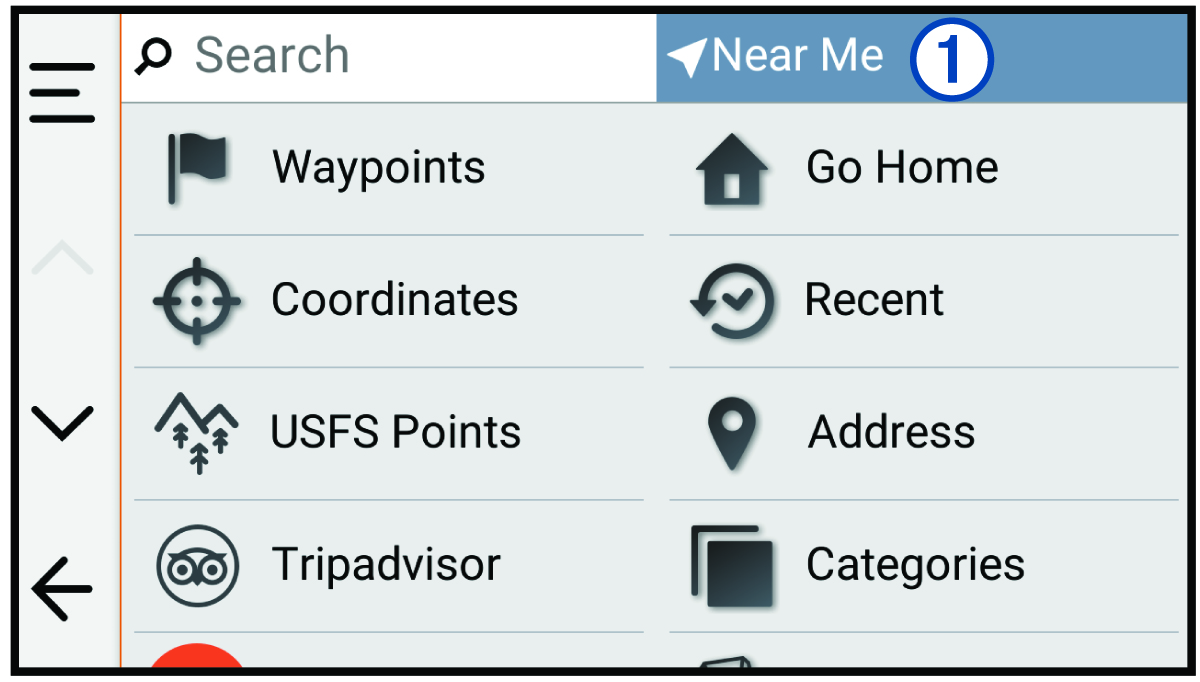
  2. Select the current search area 1.

    Screenshot of search page with a callout
  3. Select Select a Location.
  4. Follow the on-screen instructions to select a location.
  5. Select Categories > Parking.

    Parking options near the selected location appear.

  6. Select a parking location.
  7. Select Go!.
GUID-5AE59F95-4268-47C5-8D27-DC4B4F41E230 v2
July 2025