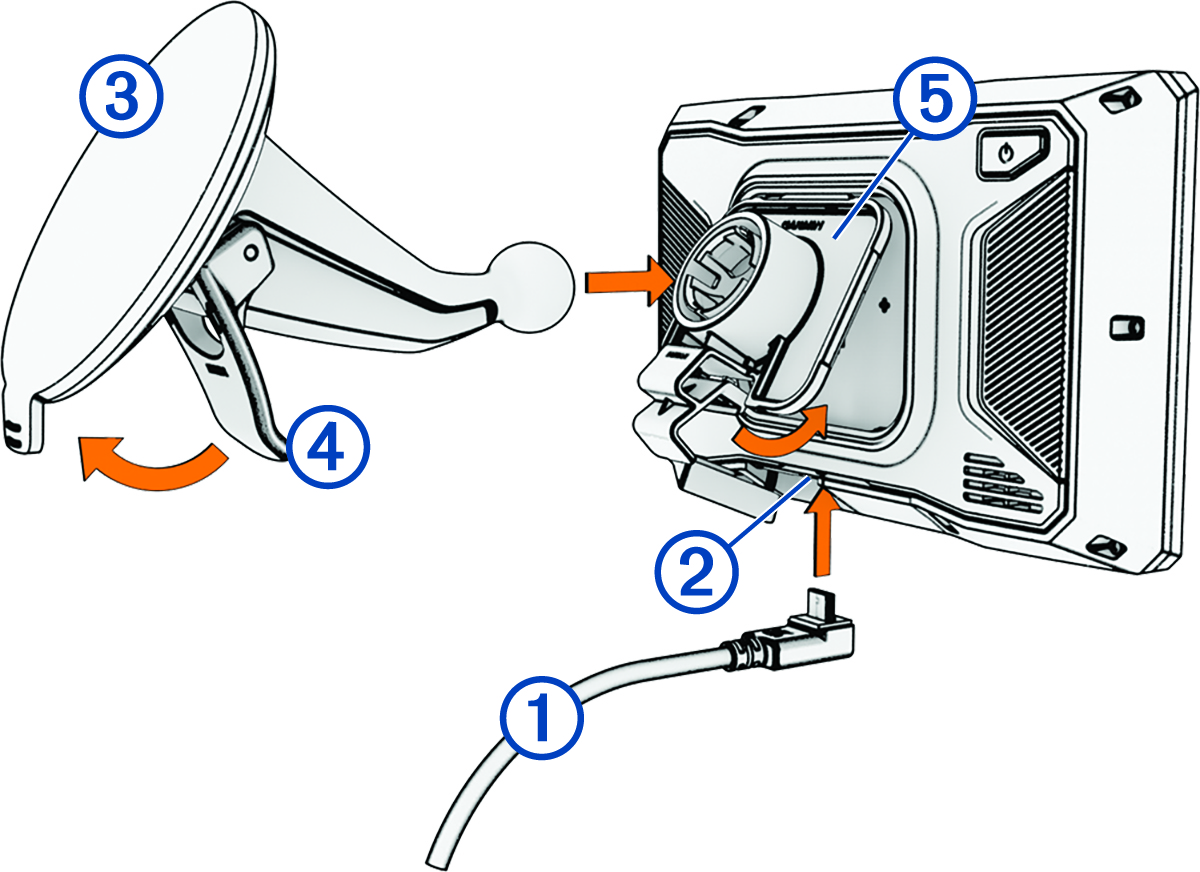
Mounting Your Device in a Vehicle
See the Important Safety and Product Information guide in the product box for product warnings and other important information.
This product contains a lithium-ion battery. To prevent the possibility of personal injury, product damage or other property damage caused by battery exposure to extreme heat, store the device out of direct sunlight.
Do not use the suction cup mount on a motorcycle.
Before mounting the device, check the local laws pertaining to windscreen mounting.
NOTE:
The vehicle mount is an optional accessory. Go to garmin.com to purchase optional accessories.
-
Plug the automotive power cable into the port on the device.