About the Scorecard
You can view and change each player's name and score during a round using the scorecard.
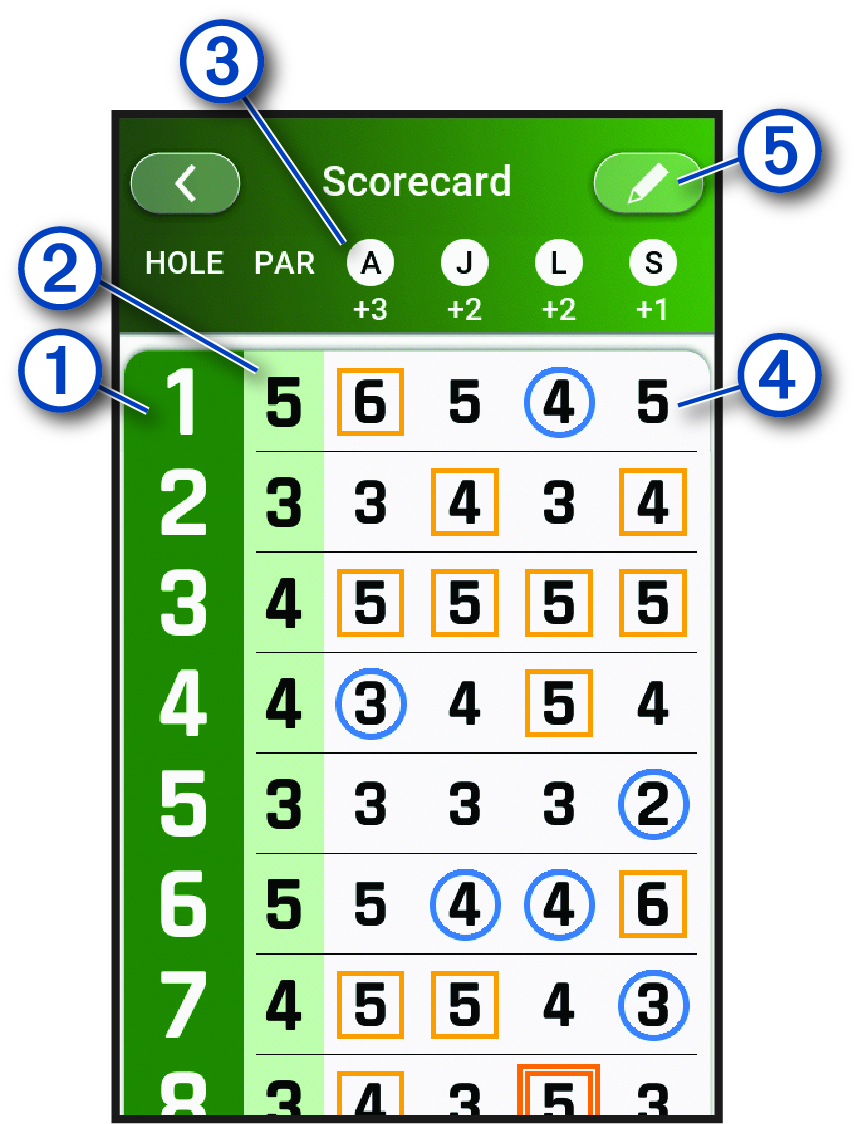
|
|
Displays the hole number. |
|---|---|
|
|
Displays the par for the hole. |
|
|
Displays the first initial of the player's name. |
|
|
Displays the strokes for the hole. Select to enter or update the number of strokes for the hole, or view the hole information for each player. NOTE:
Your score may be highlighted to indicate how close you are to
par for the hole.
One light blue circle: One under par Two dark blue circles: Two or more under par Light orange square: One over par Other colored square: Two or more over par, with different colors marking how many over No highlight: Par |
|
|
Select to view and update scoring settings. |