|
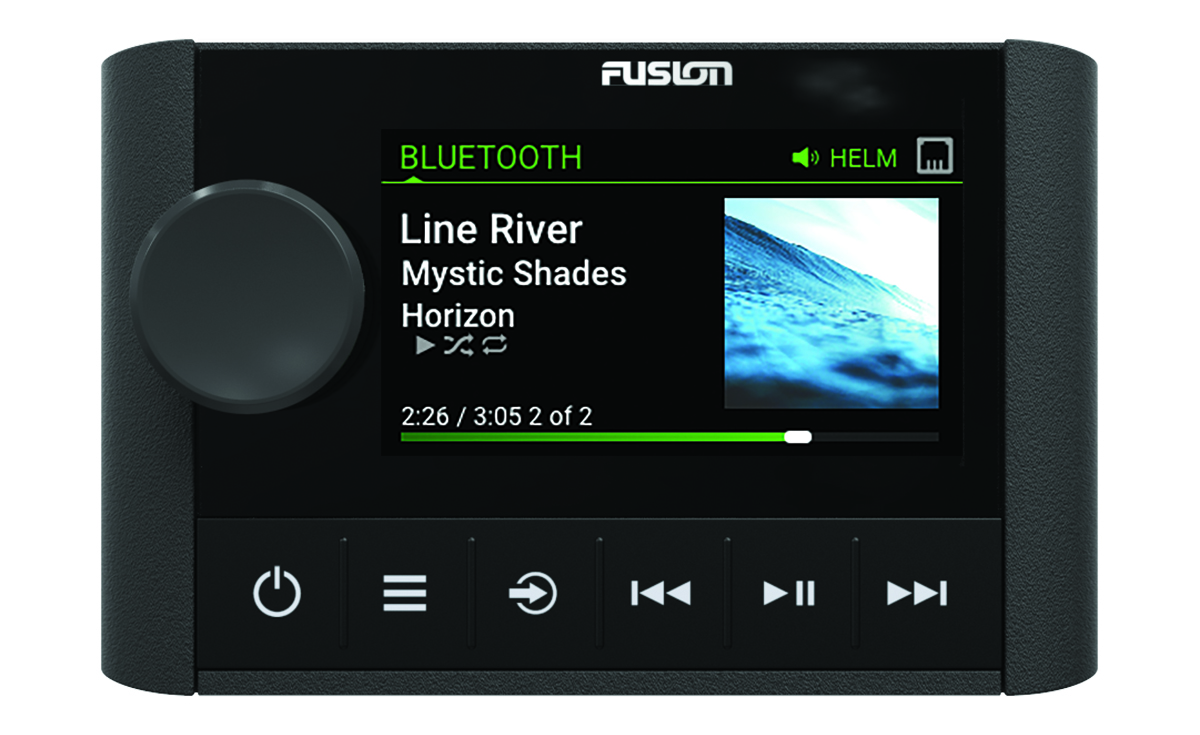
Dial
|
-
Turn to adjust the volume.
-
When adjusting the volume, press to switch between zones.
-
Turn to move through the menus or adjust a setting.
-
When in a menu, press to select the highlighted option.
-
Press and hold to activate certain functions such as opening the radio presets or muting all connected stereos from the mute screen (Muting all Connected Stereos).
|
|

|
-
Press to turn on the remote control.
-
Press to mute and un-mute the audio.
-
Press and hold to turn off the stereo or all stereos on the network.
-
Press and hold for longer than 10 seconds to reset the remote control.
NOTE:
The stereo turns on and off when you turn the connected remote control on or off.
|
|

|
|
|

|
Press to select a source.
TIP:
You can turn the dial to browse, and press the dial to select the source.
Press and hold to open the
GROUPS menu when connected to a
Fusion PartyBus™ network (Fusion PartyBus Networking).
|
|

|
-
Press to skip to the previous track, when using an applicable source.
-
Press and hold to rewind the track when using an applicable source.
-
-
AUX: Press to decrease the gain.
-
SiriusXM source:
-
In Live Mode, press to tune to the previous station or preset.
-
In Live Mode, press and hold for faster tuning, in Manual mode only.
-
In Replay Mode, press to skip to the previous track.
-
In Replay Mode, press and hold to rewind the current track.
-
DAB source:
-
Press to return to the previous DAB station in the ensemble. When you reach the beginning of the current ensemble, the stereo automatically changes to the last available station in the previous ensemble.
-
Press and hold to return to the previous DAB ensemble.
|
|

|
|
|

|
-
Press to skip to the next track, when using an applicable source.
-
Press and hold to fast-forward the track when using an applicable source.
-
-
AUX: Press to increase the gain.
-
SiriusXM source:
-
In Live Mode, press to tune to the next station or preset.
-
In Live Mode, press and hold for faster tuning, in Manual mode only.
-
In Replay Mode, press to skip to the next track, if applicable.
-
In Replay Mode, press and hold to fast-forward the current track, if applicable.
-
DAB source:
-
Press to advance to the next DAB station in the ensemble. When you reach the end of the current ensemble, the stereo automatically changes to the first available station in the next ensemble.
-
Press and hold to advance to the next DAB ensemble.
|