Home Screen
NOTE:
The home screen layout may vary if it has been customized.
|
|
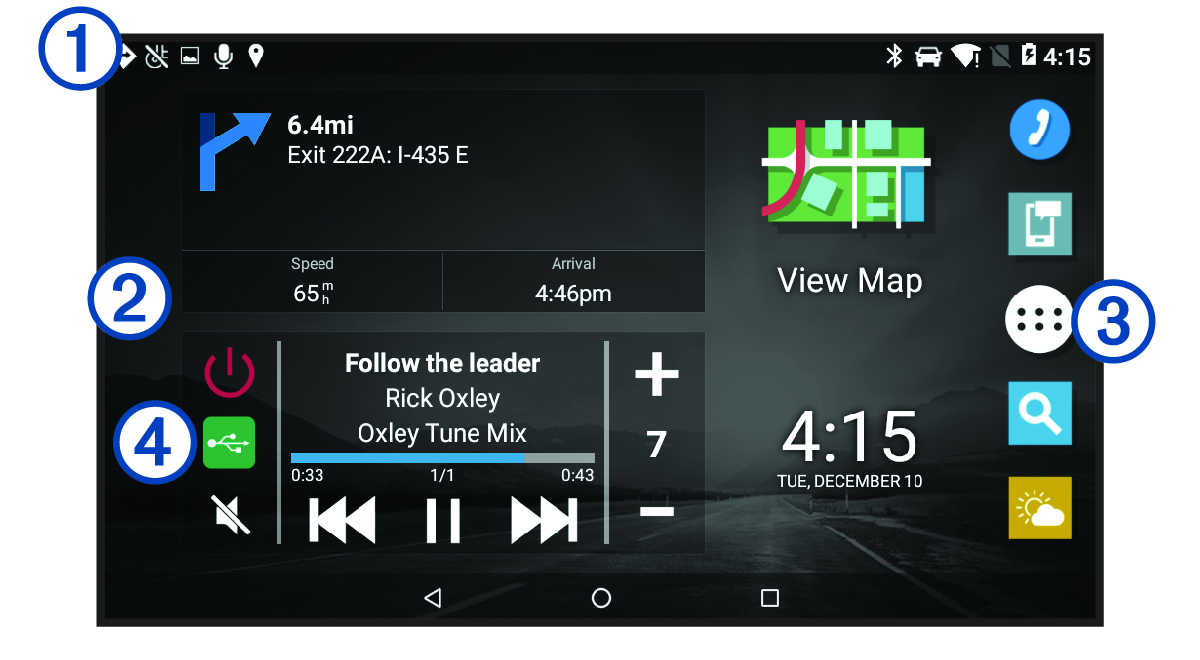
Swipe down to view notifications. Swipe down twice to quickly change the settings and backlight brightness. |
|---|---|
|
|
Hold to customize the wallpaper or add widgets to the home screen. |
|
|
Select to open the app drawer. The app drawer contains shortcuts to all of the apps installed on your device. |
|
|
Select media controls to turn the stereo on or off, change stations, change volume, and mute the stereo (Playback Controls). |


