Recording Your Shot

  1. On your compatible Garmin® golf watch, start a round.
  2. Take a club out of your golf bag, and tap the tag with the watch.
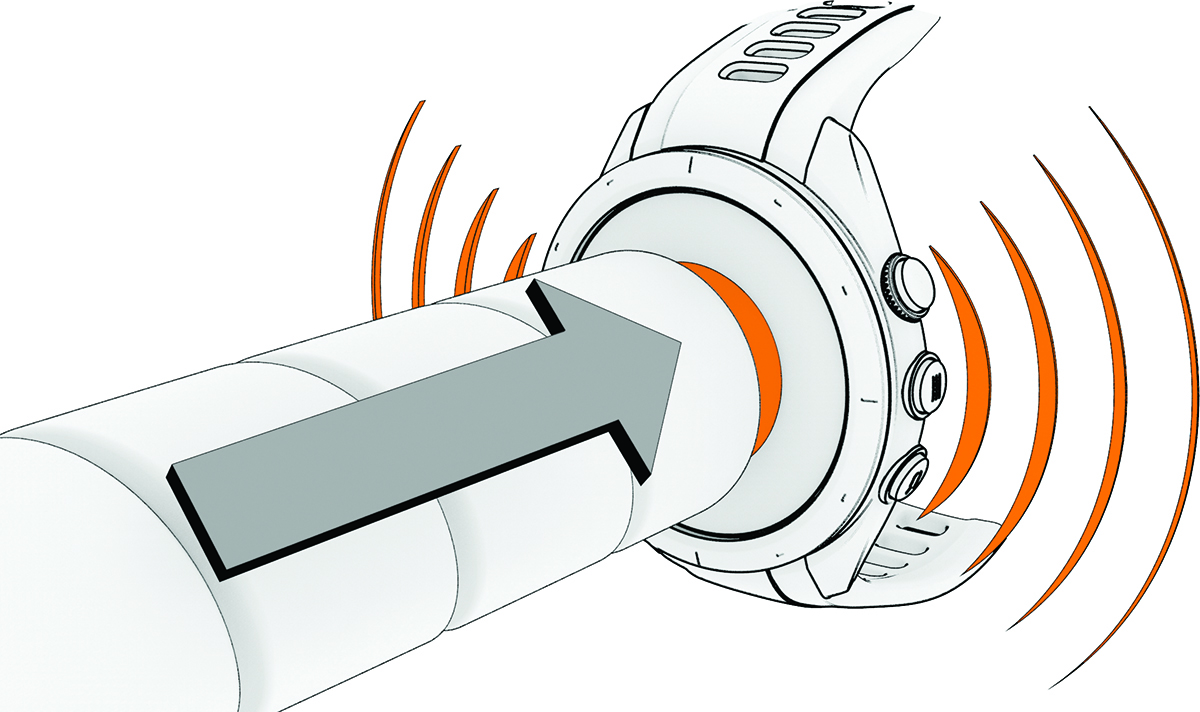
    Tapping the tag to the watch

    Your watch vibrates and displays the name of the scanned club.

  3. Hit a shot.

    Your watch records the shot data, including location, and labels it with the scanned club.

    TIP: If you forget to tap the tag before hitting a shot, the watch will prompt you to tap the tag or select your club from the list. The shot data will then be recorded for the selected club.
    NOTE: The watch may not detect putts, so you may not be prompted to tag the shot when putting. Garmin recommends tapping the tag with your watch as part of your pre-shot routine.

Upload scorecards to the Garmin Golf™ app from your watch after each round to view your updated statistics. Review an analysis of your game to determine areas for improvement and where to focus your practice. You can view detailed statistics in the app.

GUID-2BCAC91E-41CF-41DF-A619-BD3C1679A46D v3
November 2025