Charging the Device
To prevent corrosion, thoroughly dry the USB port, the weather cap, and the surrounding area before charging or connecting to a computer.
NOTE:
The device will not charge when outside the approved temperature range ( Specifications).
-
Pull up the weather cap from the USB port .
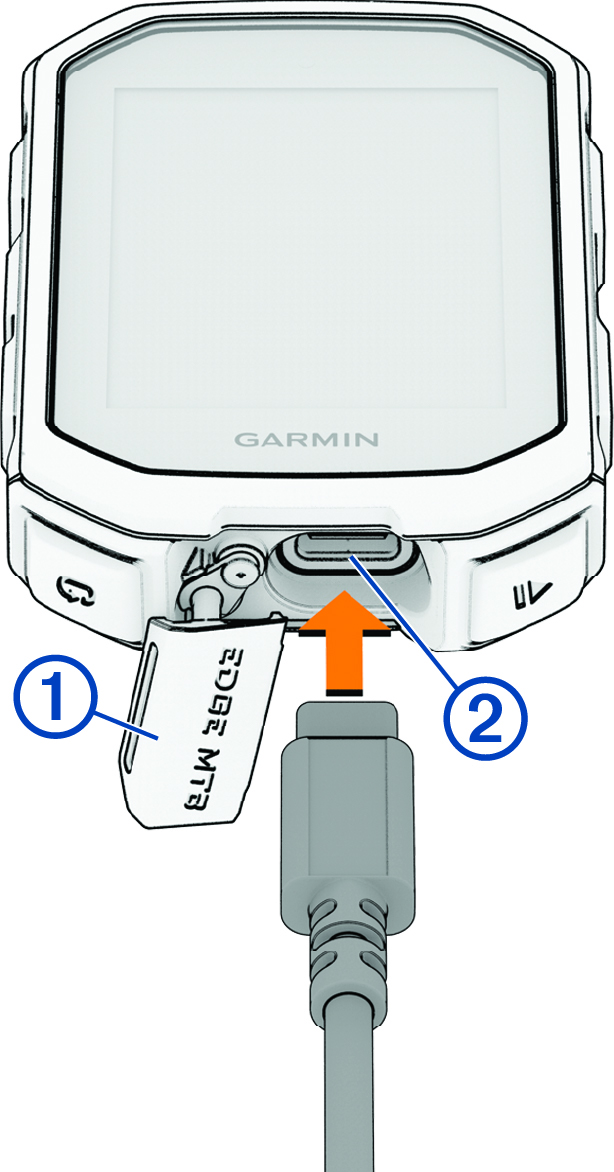
After you charge the device, close the weather cap.