Installing the Top Tube Mount with a Bolt
You can use the top tube mount to install your Edge® bike computer. For the best GPS reception and screen visibility, you should position the bike mount so the device is horizontal to the ground and the front of the device is oriented toward the sky.
NOTE:
If you do not have this mount, you can skip this task.
-
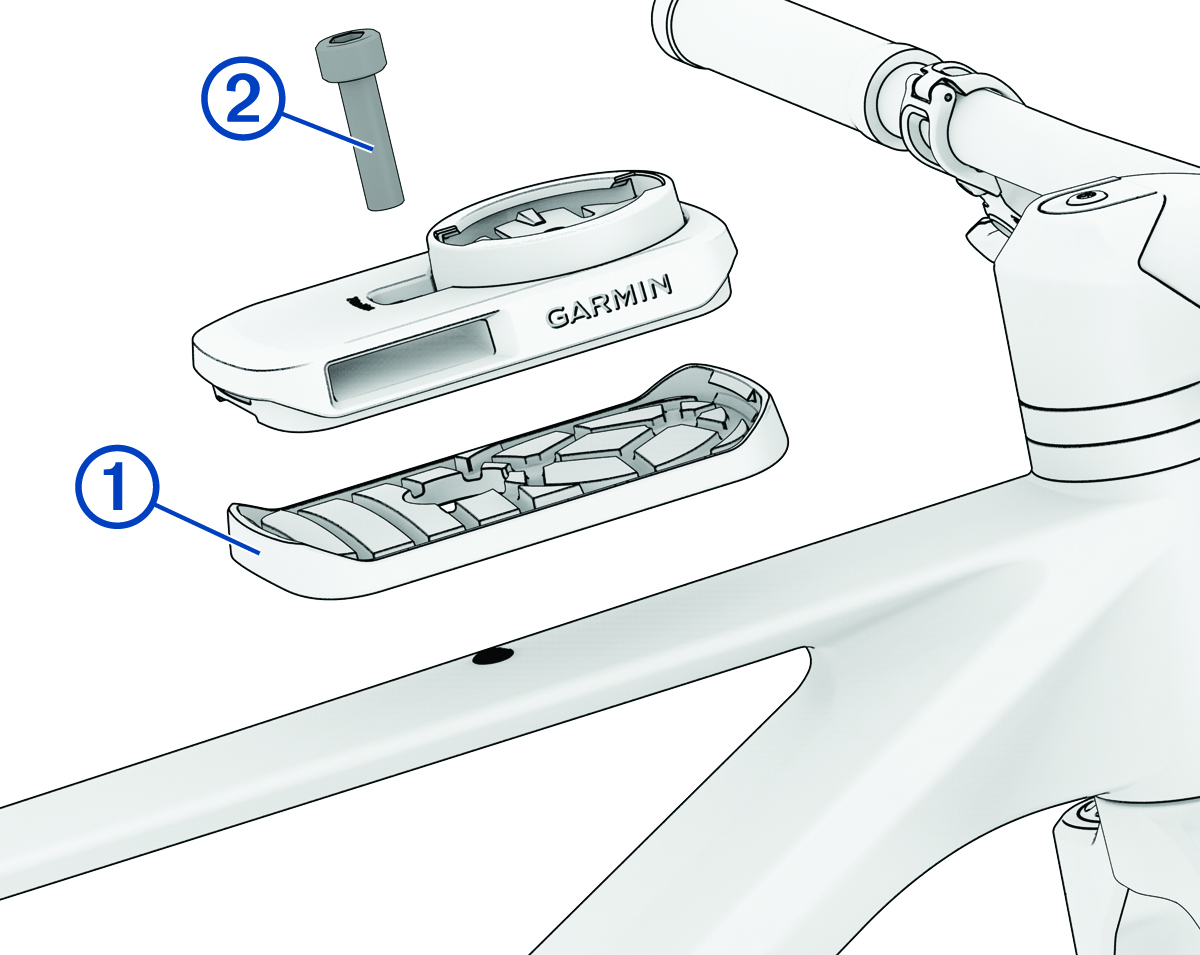
Place the rubber pad on the back of the bike mount .
Two rubber pads are included, and you can select the pad that best fits your bike. The rubber tabs align with the back of the bike mount so it stays in place.
-
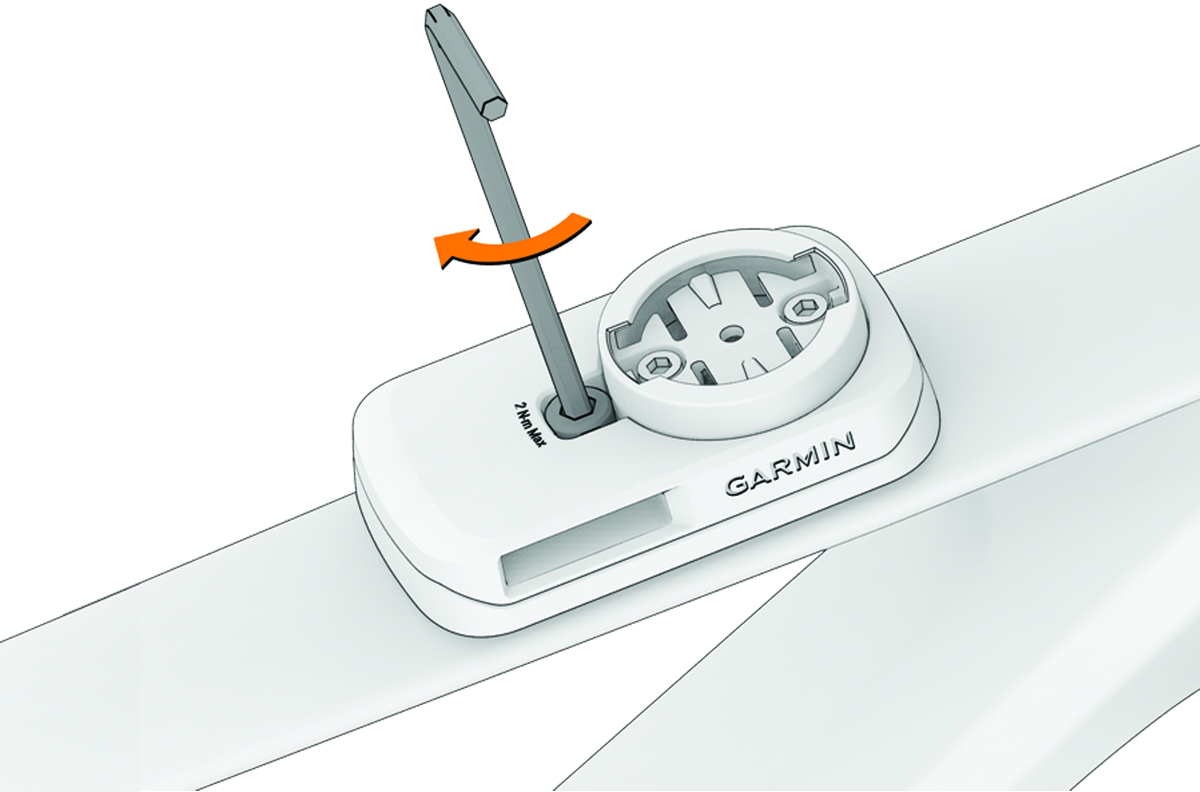
Use a 4 mm hex key to attach the bike mount securely using the included bolt .
NOTE: You should check the tightness of the screw periodically. Garmin® recommends a torque specification of 17.7 lbf-in. (2.0 N-m).
-
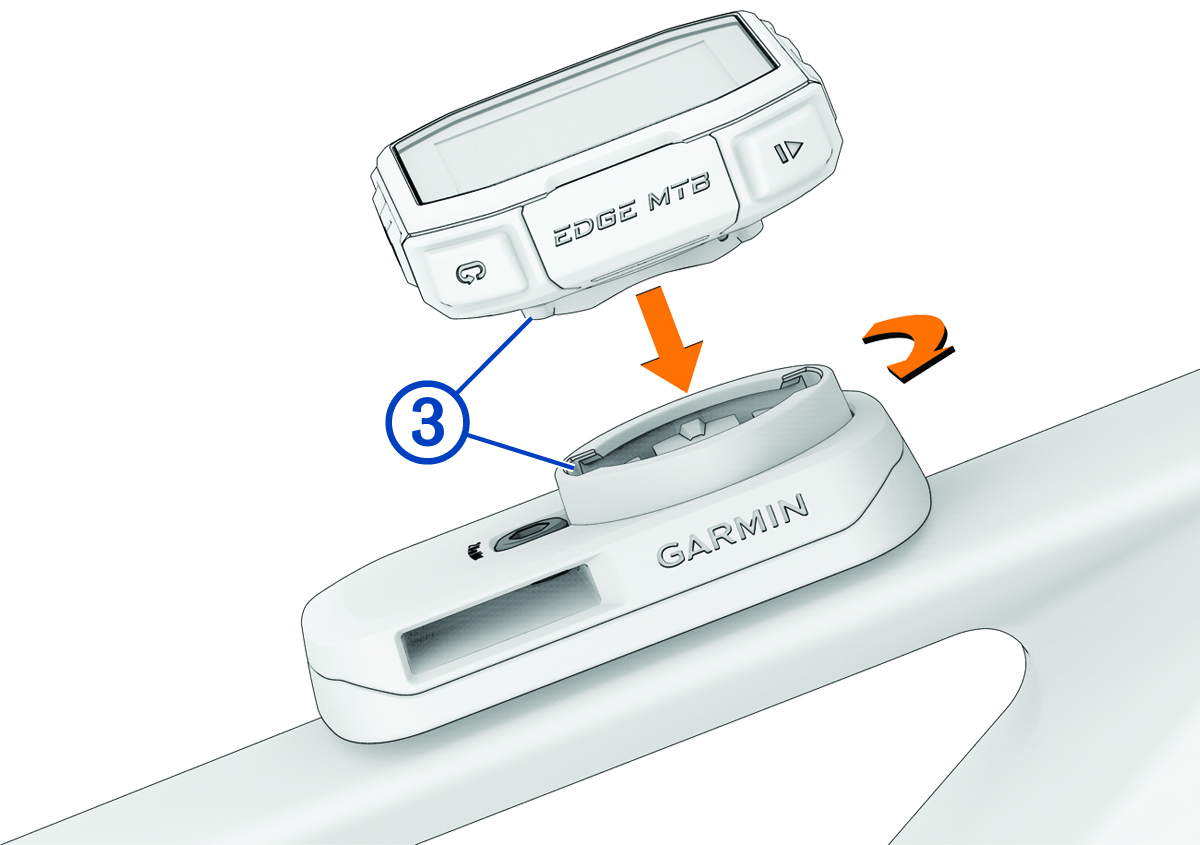
Press down slightly and turn the bike computer clockwise until it locks into place.