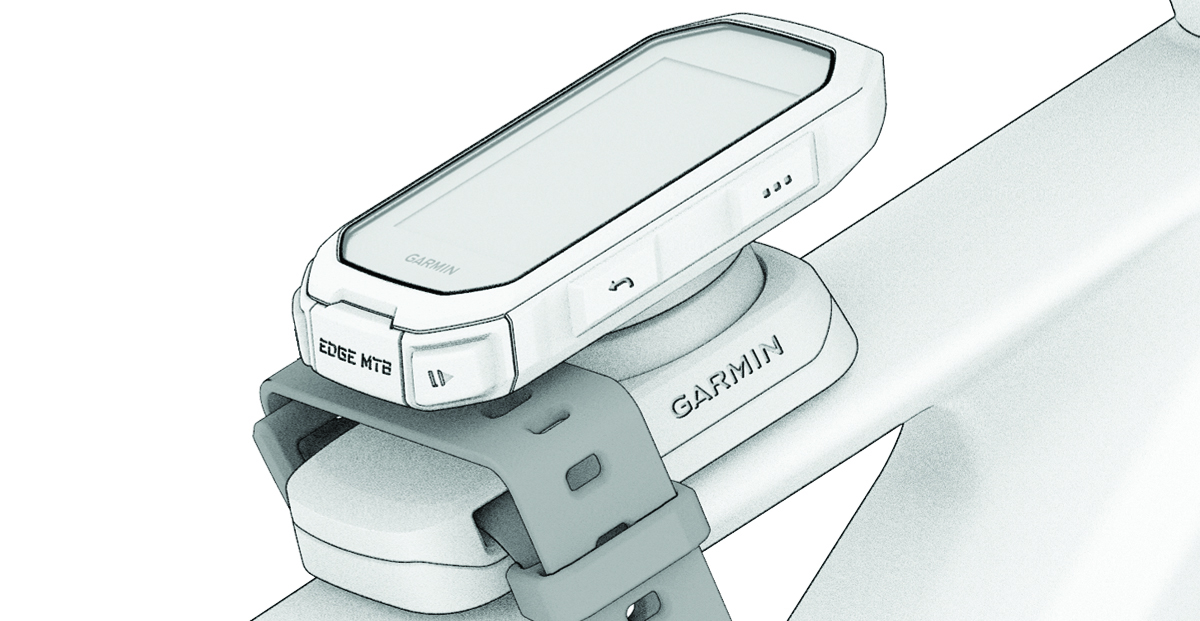
Installing the Top Tube Mount with a Strap
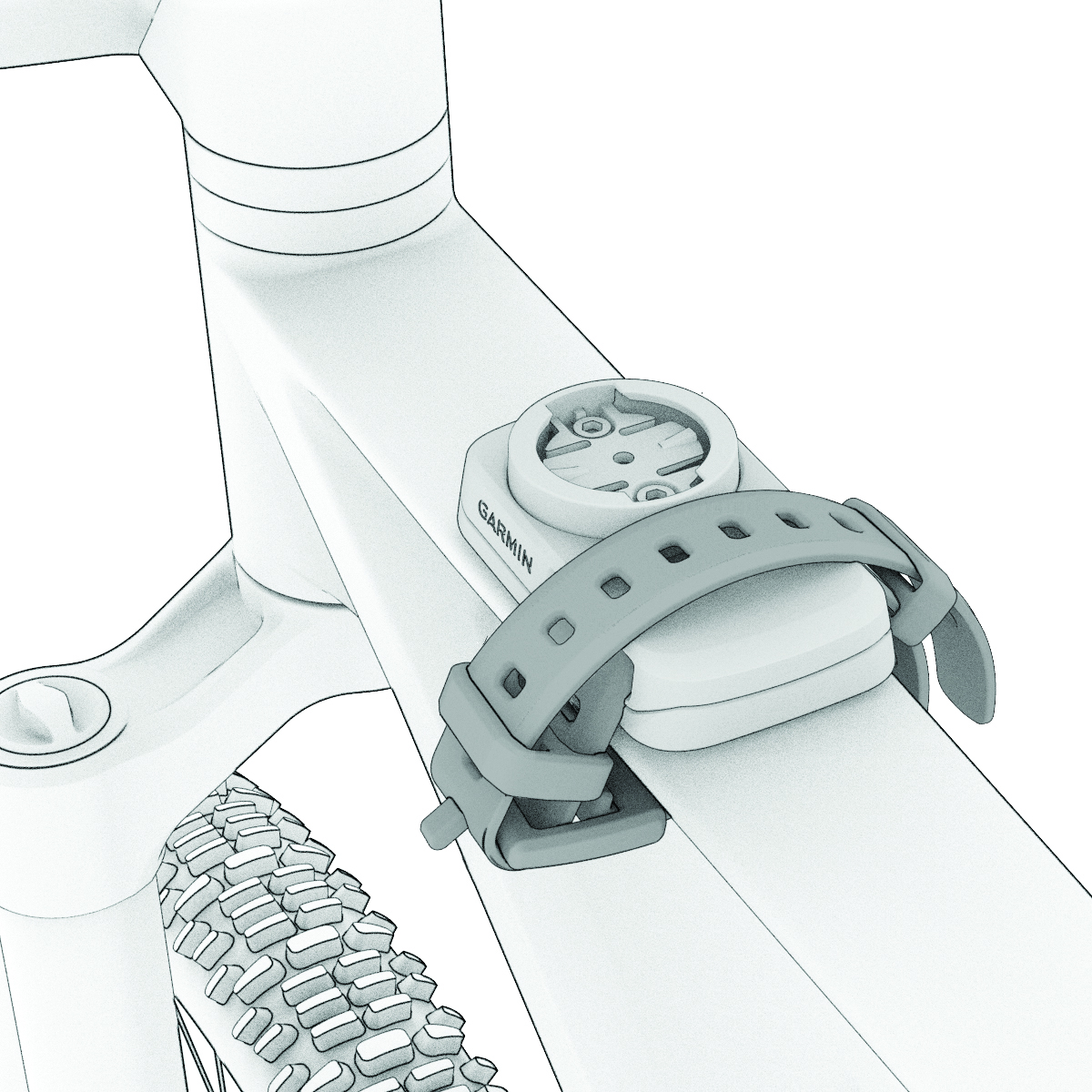
You can use the top tube mount to install your Edge® bike computer. For the best GPS reception and screen visibility, you should position the bike mount so the device is horizontal to the ground and the front of the device is oriented toward the sky.
NOTE:
If you do not have this mount, you can skip this task.
-
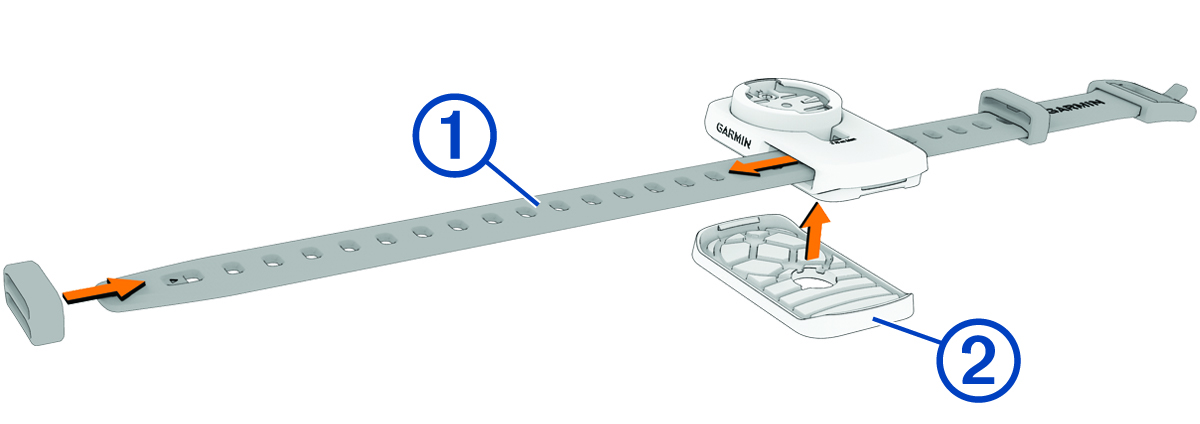
Insert the strap into the slots on the sides of the mount .
The Garmin® logos (on the mount and the strap) should be right-side up.
-
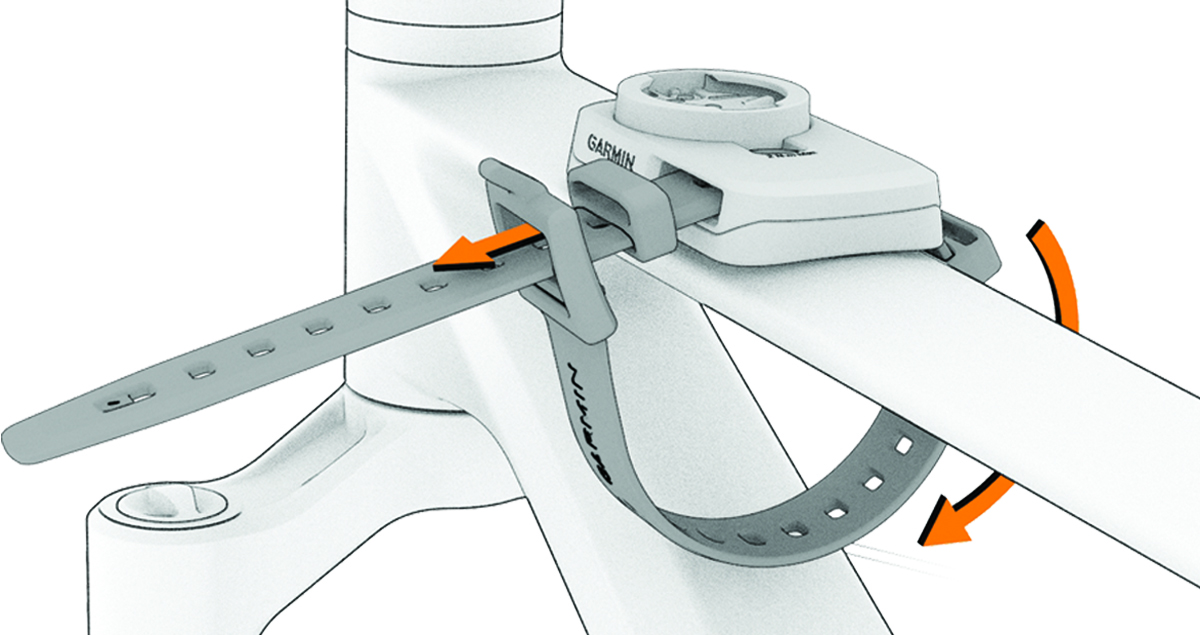
Wrap the buckle end of the strap around your bike frame and insert the other strap end through the hole of the buckle.
-
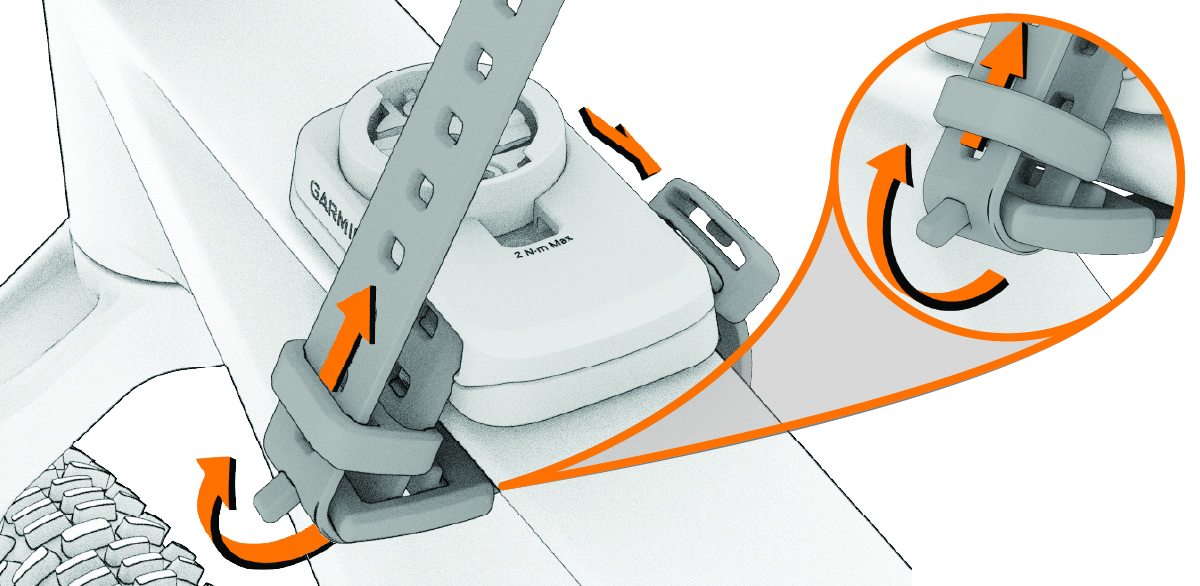
Pull tight, stretching the strap slightly, and fold the strap back over the tongue, or metal tab, of the buckle, and inside the strap keeper.
The tongue of the buckle is secure in a notch of the strap.
-
Fold the excess strap over the mount and secure it in the strap keeper.
-
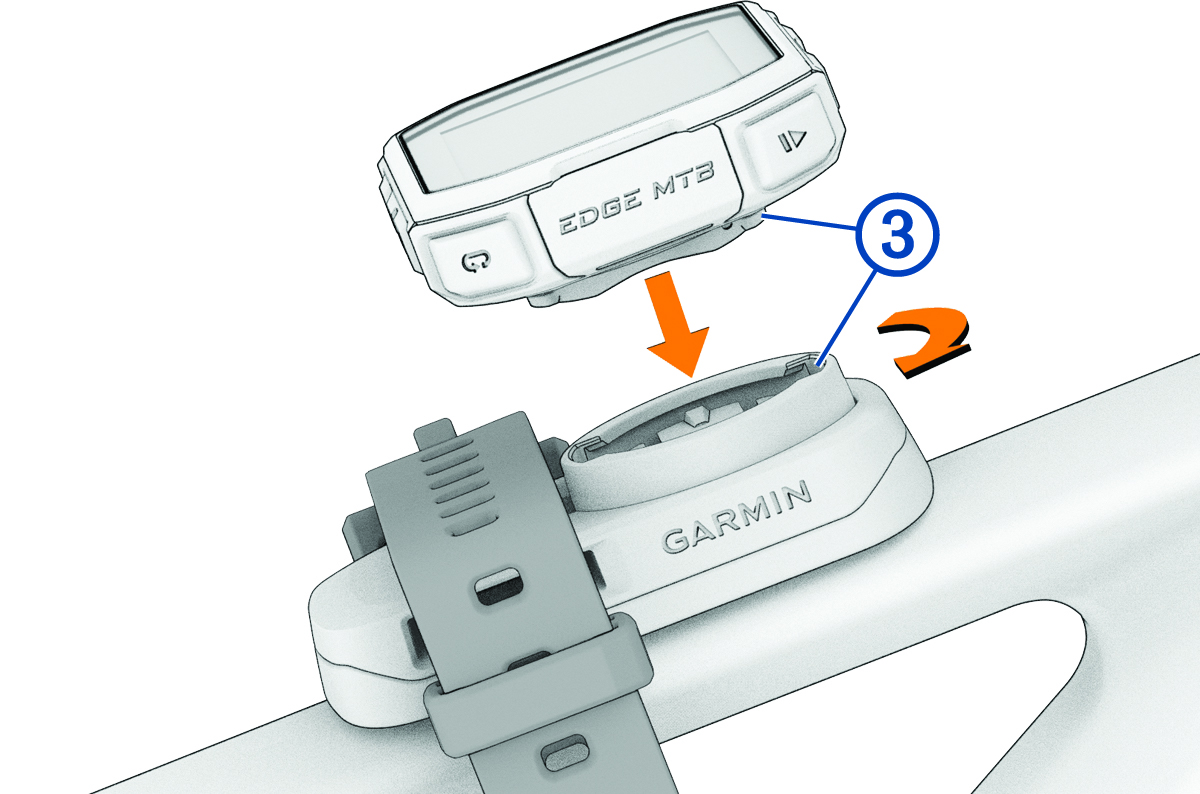
Align the tabs on the back of the
Edge bike computer with the bike mount notches .
-
Press down slightly and turn the bike computer clockwise until it locks into place.