Apps
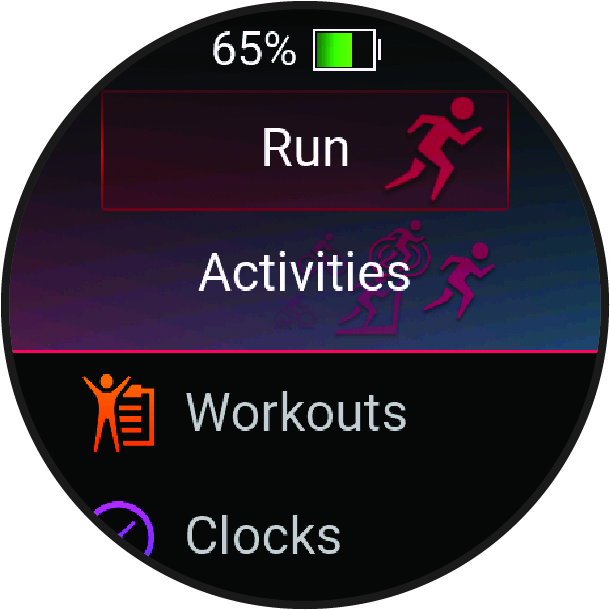
You can customize your watch using the apps menu, which lets you quickly access watch features and options. Some apps require a Bluetooth® connection to a compatible phone. Many apps can also be found in the glances (Glances) or controls (Controls).
From the watch face, press
 , and press
 to scroll through the apps.
|
Name |
More Information |
|---|---|
|
ABC |
Select to view combined altimeter, barometer, and compass information. |
|
Broadcast Heart Rate |
Select to broadcast heart rate data to a paired device (Broadcasting Heart Rate Data). |
|
Calculator |
Select to use the calculator, including the tip calculator. |
|
Calendar |
Select to view upcoming events from your phone calendar. |
|
Clocks |
Select to set an alarm, timer, stopwatch, alternate time zone, or countdown event (Clocks). |
|
Connect IQ™ |
Select to use the Connect IQ Store on your watch (Connect IQ Features). |
|
Fish Forecast |
Select to display predictions for the best days and times for fishing based on your location, the moon's position, and the moon rise and set times. You can view the rating for the day and major and minor feeding times. |
|
Garmin Share |
Select to send or receive data with other Garmin® devices (Garmin Share). |
|
Health Snapshot™ |
Select to record several key health metrics, such as your average heart rate, stress level, and respiration rate, while you hold still for two minutes. It provides a glimpse of your overall cardiovascular status. |
|
History |
Select to view your recorded activity history, records, and totals (Using History). |
|
Lifestyle Logging |
Select to track your day-to-day behaviors, and see how the behaviors affect certain health metrics in the Garmin Connect™ app (Lifestyle Logging). |
|
Messenger |
Select to view and send messages using the Garmin Messenger™ phone app (Using the Messenger Feature). |
|
Moon Phase |
Select to view the moonrise and moonset times, along with the moon phase, based on your GPS position. |
|
Music |
Select to control audio playback using your watch (Listening to Music). |
|
Notifications |
Select to view your phone notifications (Viewing Notifications). |
|
Nutrition |
Select to track your daily nutrition, including calories and macronutrients. You can also log your food intake. You must have an active Garmin Connect+ subscription to track and view your nutrition (Garmin Connect+ Subscription). |
|
Phone |
Select to open the phone controls, such as contacts and the dial pad (Calling from the Phone App). |
|
Phone Assistant |
Select to speak a command for your phone's voice assistant (Using the Phone Assistant). |
|
Pulse Ox |
Select to take a pulse oximeter reading (Pulse Oximeter). |
|
Settings |
Select to open the settings menu. |
|
Sports Scores |
Select to track college or professional sports teams with scores and live data. |
|
Sunrise & Sunset |
Select to view sunrise, sunset, and twilight times. |
|
Tips |
Select to view interactive watch tips, learn about new features on your watch, and scan a direct link to support.garmin.com to access the owner's manual for your watch. |
|
Voice Command |
Select to speak a command for your watch to perform (Using Voice Commands). |
|
Voice Notes |
Select to record a voice note (Recording a Voice Note). |
|
Wallet |
Select to open your Garmin Pay™ wallet (Garmin Pay). |
|
Weather |
Select to view the current weather forecast and conditions. |
|
Weight Tracking |
Select to view your recent weight trends and history. You can enter your weight manually. If you have an Index™ scale paired to your Garmin Connect account, your weight data appears in the app. |
|
Workouts |
Select to view your saved workouts (Workouts). |