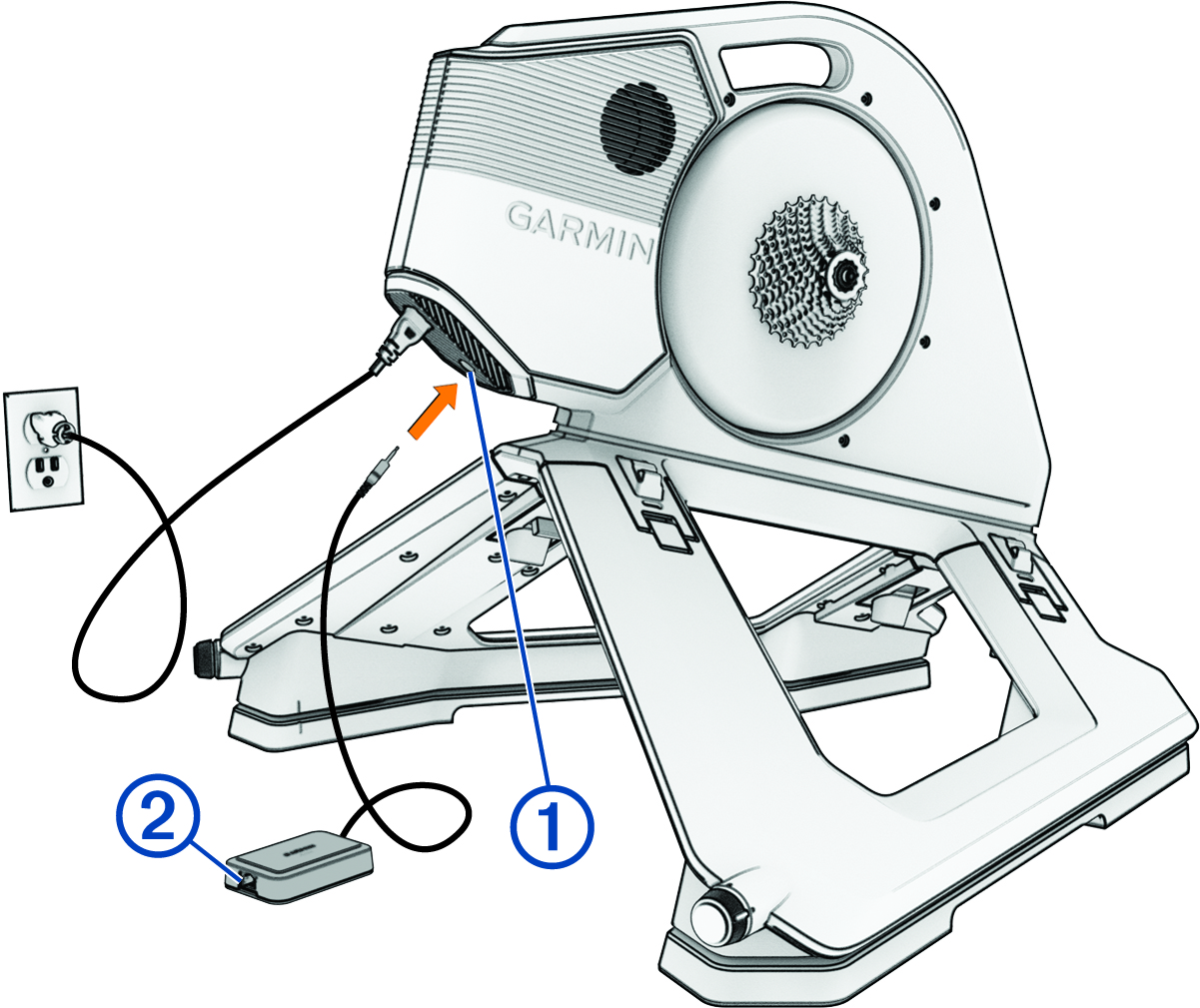
Connecting the Optional Tacx Smart Network Adapter

NOTICE

The adapter is sold separately. The adapter must be used with compatible Tacx® trainers. Garmin® is not responsible for damages that result from connecting the adapter to an incompatible device.

  1. Connect your trainer to an external power source.
  2. Connect the adapter to the port 1 on your trainer.

    Trainer with accessory and callouts

    The LED flashes white (LED Status).

  3. Select an option:
    • Connect to a Wi‑Fi® network using the Tacx Training app paired with your trainer. Your device with the Tacx Training app must be using the same Wi‑Fi network.

    • Connect an Ethernet cable 2 directly to a computer with the Tacx Training app.

    • Connect an Ethernet cable to your wireless router or home network. Your device with the Tacx Training app must be using the same router or network.

GUID-20BEF28B-CD66-4AFB-91A3-D649D4EF8E23 v2
August 2025