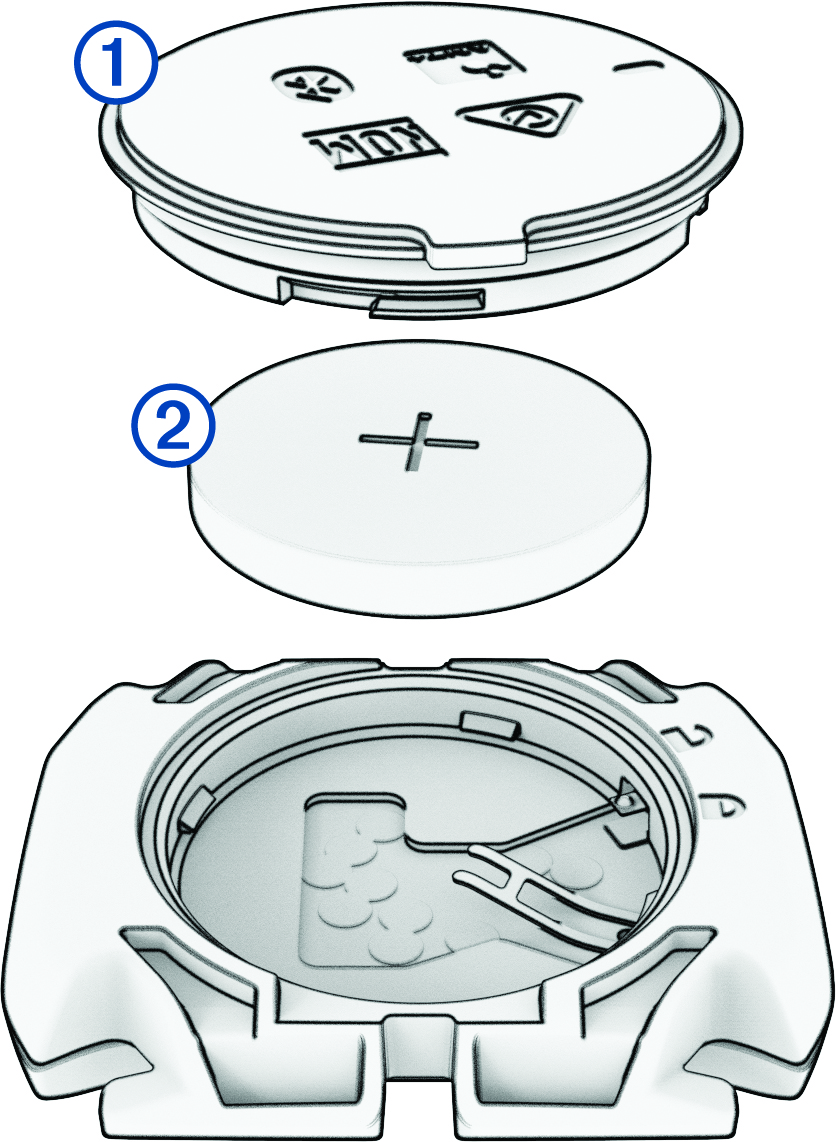
The device uses one CR2032 battery. The LED flashes red to indicate a low battery level after two revolutions.
Locate the circular battery cover on the back of the sensor.
Twist the cover counter-clockwise until the marker points to unlocked and the cover is loose enough to remove.
Remove the cover and the battery .
Wait 30 seconds.
Insert the new battery into the cover, observing polarity.
NOTE:Do not damage or lose the O-ring gasket.
Twist the cover clockwise until the marker points to locked.
NOTE:The LED flashes red and green for a few seconds after battery replacement. When the LED flashes green and then stops flashing, the device is active and ready to send data.