Touchscreen Functions
-
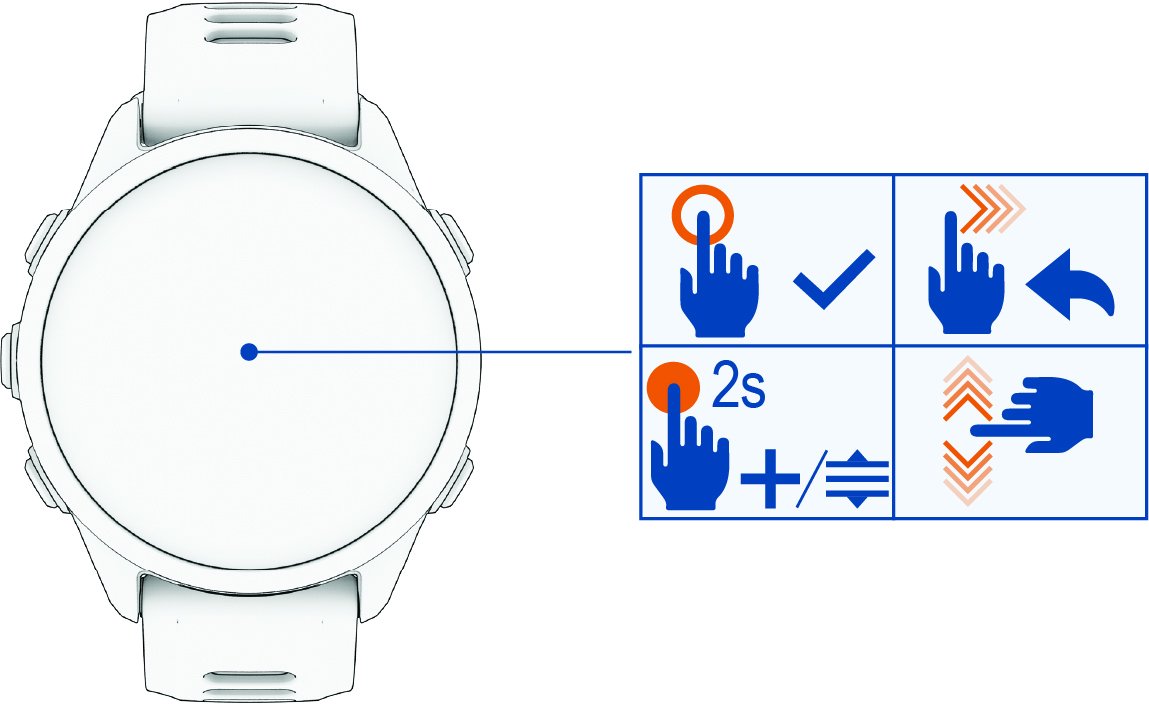
Tap to choose an option in a menu.
-
Hold the watch face data to open the glance or feature.
NOTE: This feature is not available on all watch faces. -
Tap an icon at the top of the watch face to resume using the active app or activity.
-
From the controls, glances, or apps menu, hold the watch face to edit, add to, or reorder the options.
-
From the watch face, swipe down to view the notification center.
-
From the watch face, swipe up to scroll through the glances list.
-
From the watch face, swipe left to open the apps and activities menu.
-
Swipe up or down to scroll through the menus.
-
Swipe right to return to the previous screen.
-
Cover the screen with your palm to return to the watch face and turn down the screen brightness.