Replacing the Battery
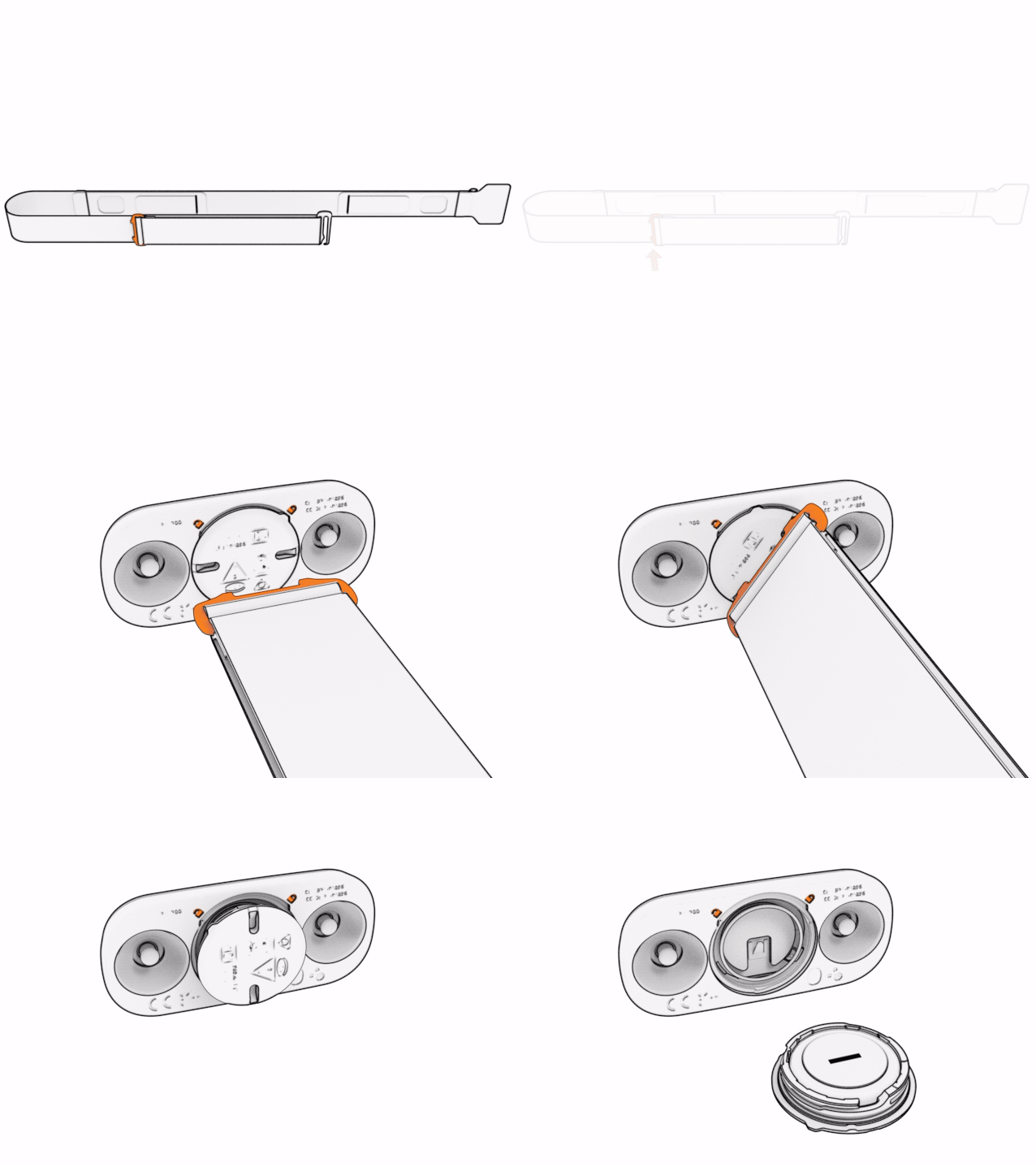
The HRM 200 strap has a tool for opening the battery cover.
-
Locate the size-adjustment slider on the
HRM 200 strap.
The slider is also the battery cover tool.
-
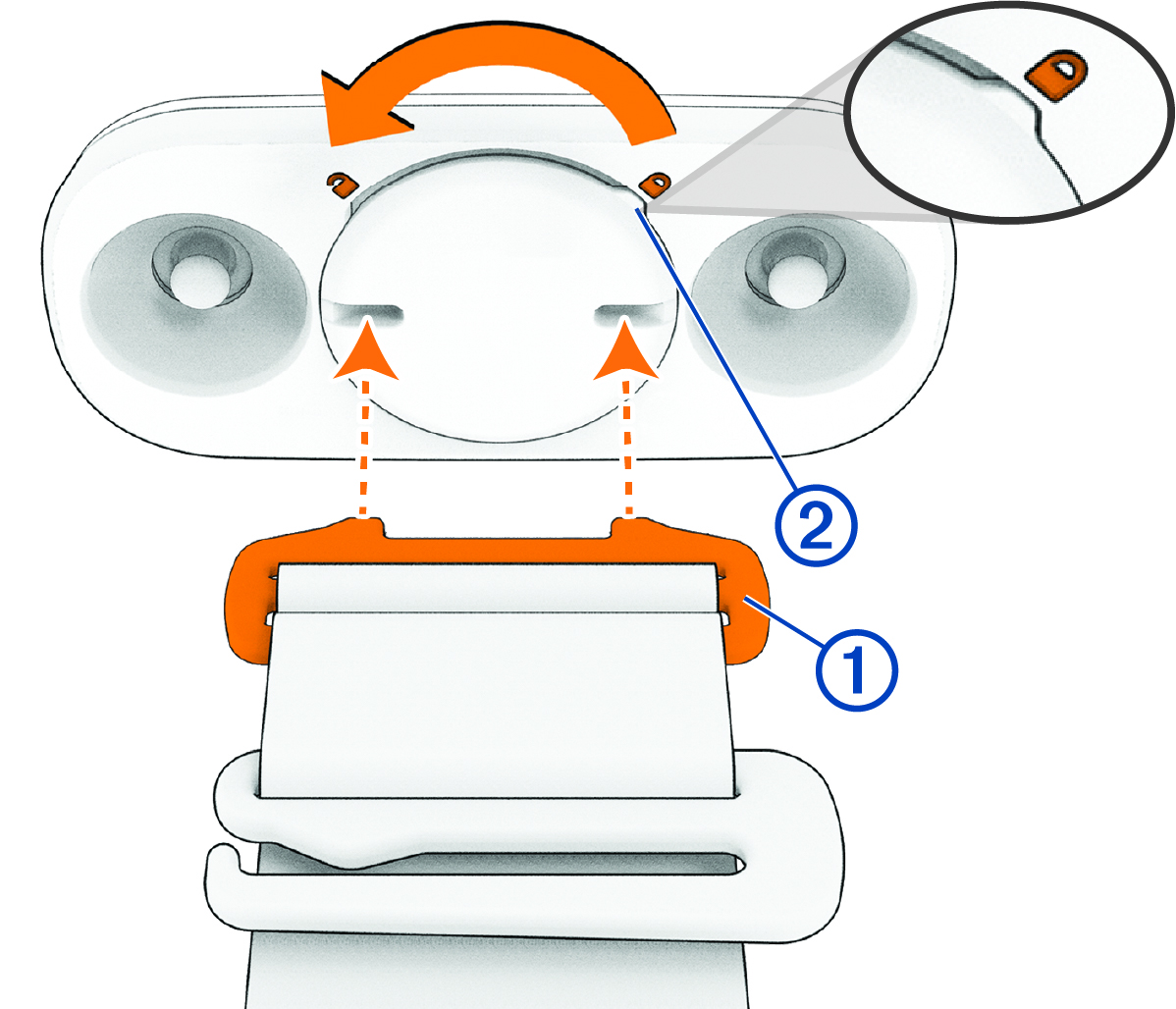
Insert the tool into the notches on the cover, press firmly, and turn the cover counterclockwise.
The tab points to unlocked
 .
.
-
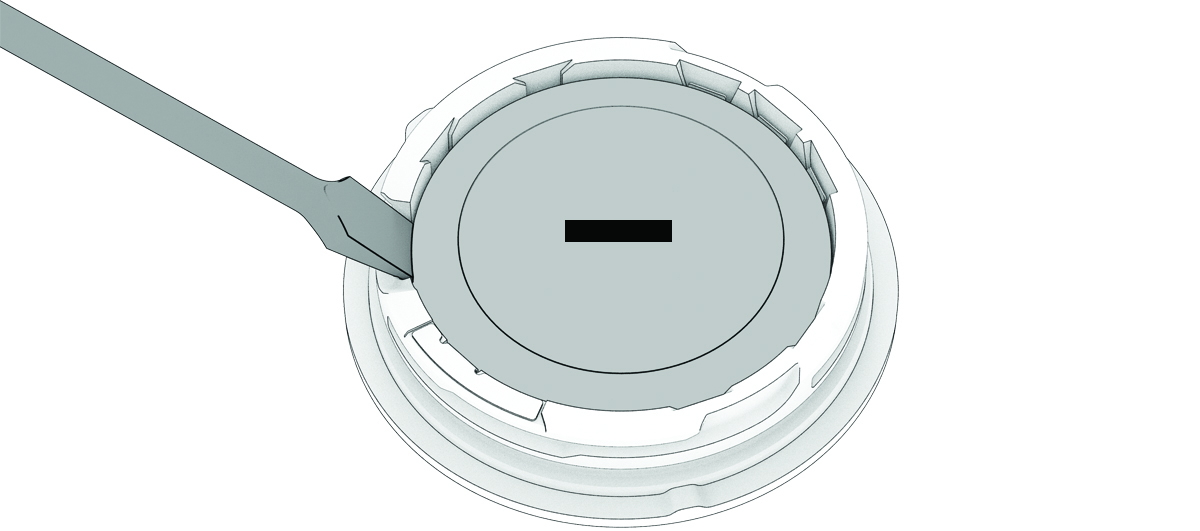
Gently lift the battery out of the cover at the pry point.
-
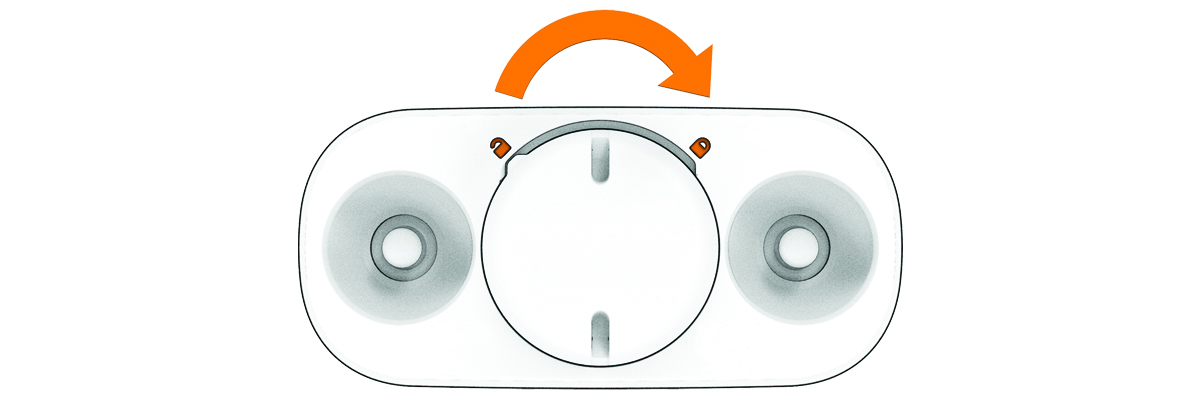
Replace the cover.
NOTE: The tab must point to unlocked.
-
Insert the tool into the notches on the cover, and turn the cover clockwise.
The tab points to locked
 .
.
-
Turn over the module, and press the button to wake it up.
The LED flashes
 when it is active and transmitting.