Shot Data
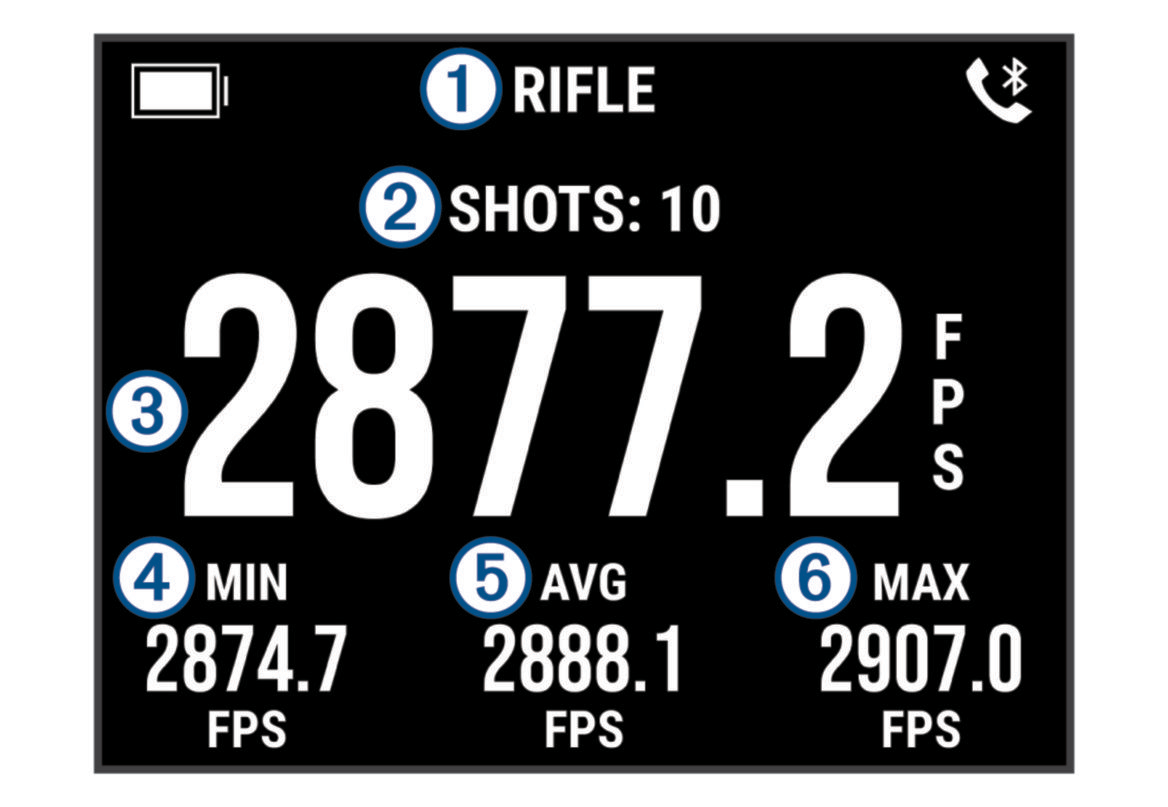
Each time you take a shot during a session, the chronograph records the shot automatically.
TIP: You can press OK, and select DATA FIELDS to change the information displayed in each data field.
|
|
Mode |
|
|
Shots recorded |
|
|
Velocity of the most recent shot |
|
|
Minimum velocity recorded during the session (DATA FIELD 1) |
|
|
Average velocity recorded during the session (DATA FIELD 2) |
|
|
Maximum velocity recorded during the session (DATA FIELD 3) |