Starting a Pistol Session
NOTICE
Always ensure you position the chronograph so that it is not directly exposed to ejecting cartridge cases, muzzle blast, or other hazards that may damage the chronograph.
- Select NEW SESSION > PISTOL.
- Select a velocity range.
- If you have enabled the PROJECTILE WEIGHT ENTRY setting (Pro Settings), select an option:
- To calculate the kinetic energy and power factor of your bullet, select YES, and enter the weight of your bullet.
- To continue without calculating kinetic energy and power factor, select SKIP.
- If necessary, observe the alignment diagram and press OK to continue.
- Point the chronograph at the target with the screen facing you.
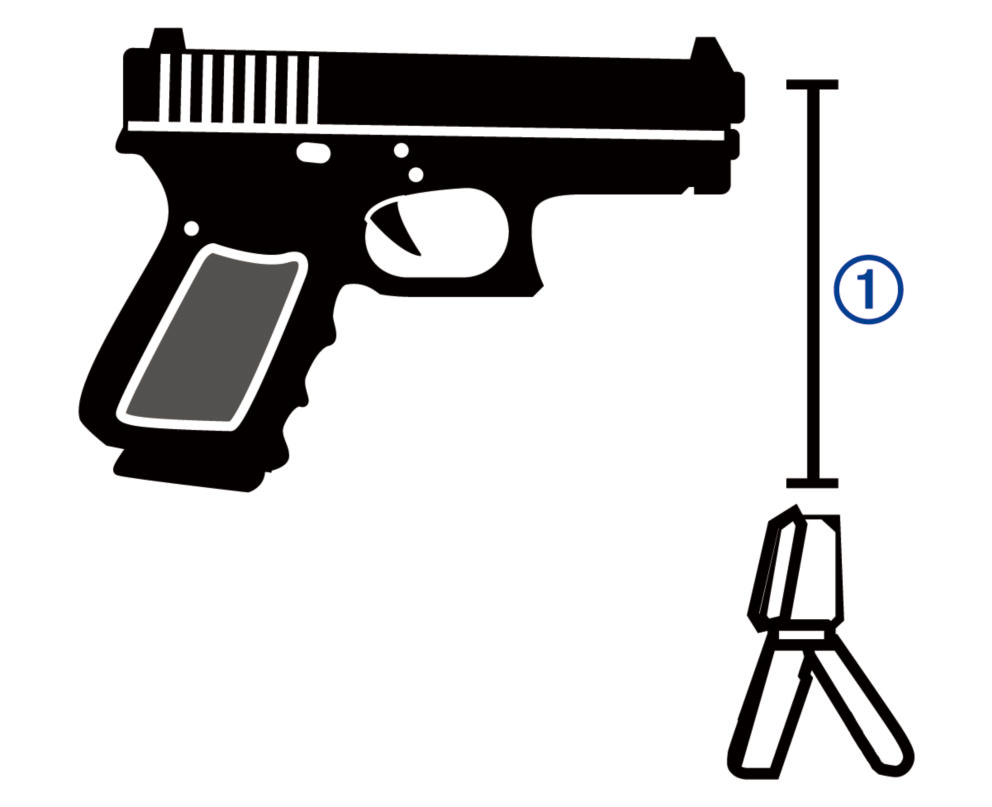
- Hold the pistol over the chronograph so the barrel is positioned 15 to 35 cm (5 to 15 in.) above the chronograph
 .
.
The device detects shots and displays measurements automatically as you shoot.