Device Overview
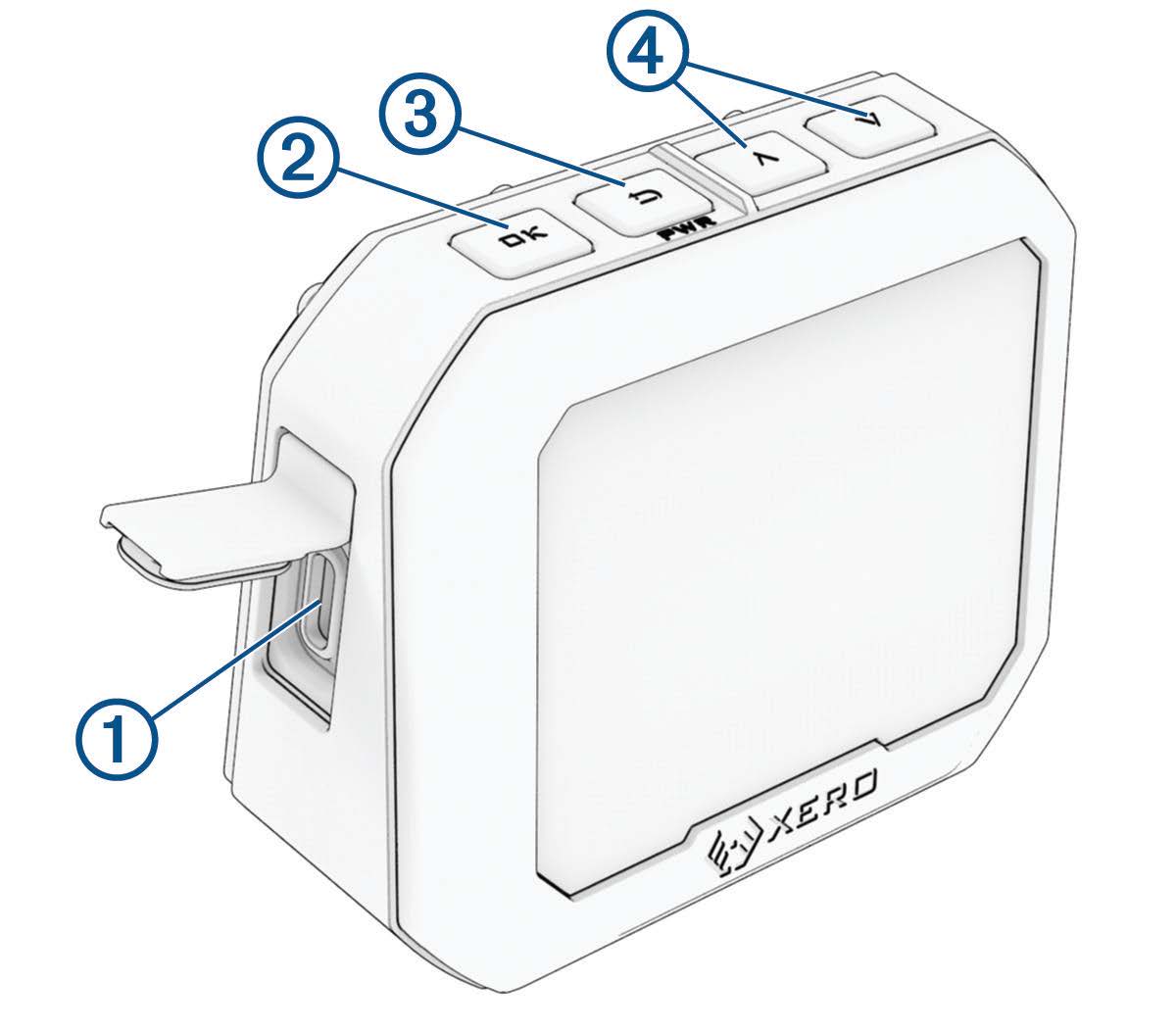
 USB-C® port (under weather cap): Connect the USB-C cable to charge the device or download software updates using your computer.
 OK: Press to select menu options.

 (PWR): Press to turn the device on.
Press to return to the previous screen.
Hold for two seconds to turn off the device.


 : Press to scroll through the menu.