Controlling the Camera with Your Edge Bike Computer
Before you can control the Varia camera with your Edge bike computer, you must pair the devices (Pairing the Varia Vue with a Compatible Edge Bike Computer).
- Go for a ride.
- Select an option:
- If your bike computer uses a touchscreen, tap the screen to view the timer overlay, and select
 .
.
TIP: You can also control the camera using the quick action buttons on the timer overlay.
- If your bike computer uses a touchscreen, tap the screen to view the timer overlay, and select
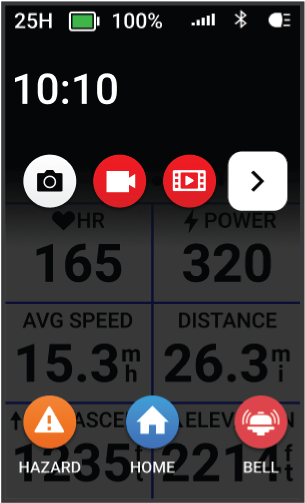
- If your bike computer uses device buttons, press
 , and select Camera Controls.
The bike computer displays the camera controls, as well as the recording mode, battery status, video resolution, and audio status of all connected cameras.
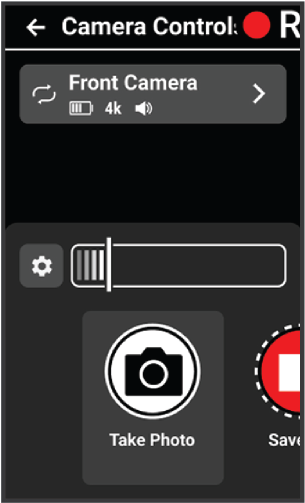
- Select an option:
- Select Headlight Camera to customize the camera settings (Customizing Camera Settings with Your Edge Bike Computer).
- Select
 to customize the quick action buttons that appear on the timer overlay.
 - Select Take Photo, Save Clip, or Film Ride (Saving Videos and Photos Manually).