Installing or Replacing the Memory Card
The device supports 8 to 512 GB microSD memory cards with a speed rating of Class 10 or higher. Garmin recommends using a 32 GB or higher microSD memory card. For information on recording mode capacity and more, go to Garmin.com/variavuememorycard.
NOTE: You can replace a memory card to increase the storage capacity or when it has reached the end of its useful life. All memory cards have a limited life and must be replaced periodically.
- On the back of the device, slide the tab to unlock the memory card cover.
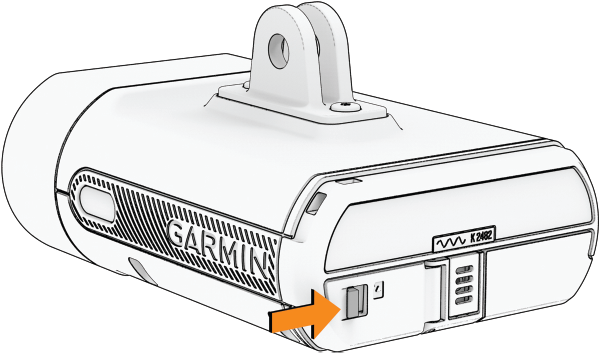
- Press the existing memory card in until it clicks, and release the card.
The existing memory card ejects from the slot.
- Remove the existing memory card from the slot.
- With the gold contacts facing upward, insert the new memory card into the slot.
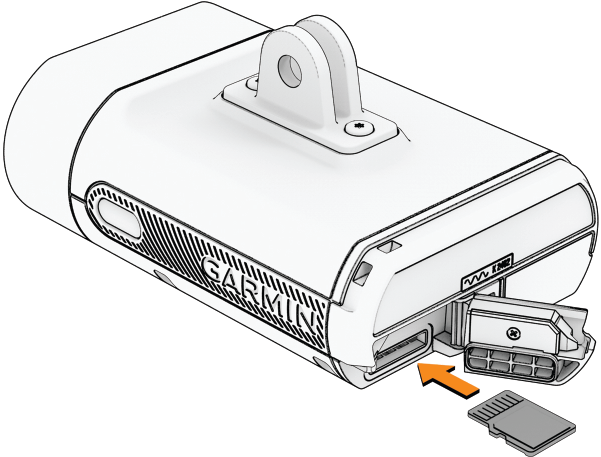
- Press the memory card in until it clicks.
- Close and latch the cover.
- Go to the Varia app to format the memory card (Formatting Your Memory Card).